
The Windows operating system includes login protection to help prevent unauthorized access to the computer. When someone tries to access a computer, if the user has set a password, they will be prompted to enter it; only after that will they be granted access to the Windows desktop and data. If an incorrect password is entered, access to the computer is denied.
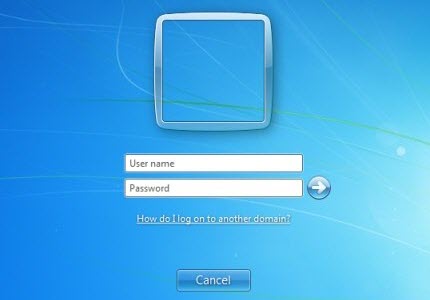
So what happens if the password is lost, forgotten, or changed illegally, thereby preventing the user from accessing their own computer?
Microsoft policy on lost or forgotten Windows passwords
Microsoft strongly recommends that you set a password recovery hint. It is also recommended that you create a password reset disk as soon as you first use the computer.
There are some important points to consider:
- The password reset disk must be created before the password is forgotten – and it is best to do so as soon as you first start using the PC.
- You cannot use a password reset disk to reset the password for another computer. It is device-specific.
- A third party can access your computer if they have physical access to the password reset disk. It is therefore imperative that you keep it in a safe place.
Microsoft support engineers will not help you retrieve passwords that are lost or forgotten, in case you were to seek their help.
Microsoft, of course, supports the use of these built-in tools viz. Password Reset Disk and Password Hint, which can help you gain access to your computer in case you forget your password in the future.
Microsoft says you may also take the help of some 3rd-party tools that claim to help you recover lost or forgotten passwords of your Windows PC.
But for legal reasons, Microsoft cannot recommend or endorse any one of these companies. If you need help resetting or resetting a password, you can contact a third-party provider. You use third-party products and services at your own risk, according to KB189126.
So are password recovery tools bad? Are guns bad? Or does the intent matter!?
While third-party password recovery tools can be very useful if a user has genuinely forgotten or lost his Windows password, they can also be misused. Hence one has to be careful always.
There are, therefore, some basic precautions you must always take:
- It is important that you keep your computer in a secure location or carry it with you at all times. If you lose physical possession of the computer, any hacker could gain access to your data.
- You also need to NOT keep your password reset disk near your computer, as it can be misused.
- Leaving a NOT trustworthy person with your computer is also a bad idea, as they can misuse 3rd-party password-recovery tools to gain access to it.
Your views on the subject?
How To Bypass a Windows Login Screen?
You cannot bypass the account unless it’s connected to a Microsoft account so that you can reset it online, or another administrator account resets the password for you. However, if you are fussy about forgetting the password, you can create a local account and then netplwiz tool to remove the option Users must enter a user name and password to use this computer. If it is a single-user PC, it will log in automatically; otherwise, it will happen when you click your account name.
How to recover from forgotten Windows password?
If you forget your Windows login password, you can use one of two built-in tools to help you reset it: Password Hint or Password Reset Disk.
