
Malware campaigns dominated the threat landscape last year. The trend seems to continue this year, although in a more virulent form. A common observation from multiple leading security researchers reveals that most malware authors rely on ransomware to generate the bulk of their revenues. There was an increase in ad fraud as well. Internet-enabled devices, better known as IoT, also proved to be a low-hanging fruit that threat actors widely sought after.
Unless we have significant laws in place and institutions to enforce them, these attacks are likely to rise and pose an even more dire threat to the Internet. As such, we can only expect malware to become more aggressive and have a direct impact on our lives. Malware Tracker Maps can reveal information about nasty malware active on the Internet and take precautionary measures beforehand.
Best Malware Tracker Maps
This post lists some of the useful Malware Tracker Maps that find utility in today’s cyber threat scenario.
1] Threatbutt
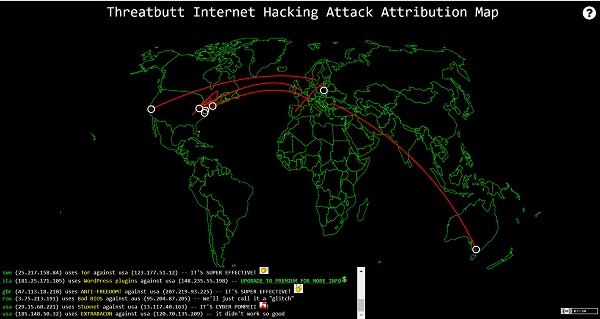
This malware tracker map displays global cyber-attacks occurring in real-time and shows both, attacking and targeted IPs. Threatbutt, employs Clown Strike technology to harness the raw power of private, hybrid, public and cumulus cloud system to bring Viking-grade threat intelligence to any enterprise. Click here.
2] Fortinet Threat Map
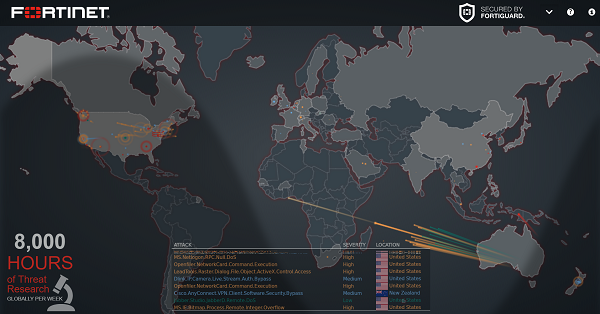
Fortinet Threat Map lets you watch real-time cyberattacks taking place. Its console displays network activity by geographic region. So, threats from various international destinations are made available for your view. Also, one can place the mouse cursor over the FortiGate’s location to display the device name, IP address, and the city name/location. To know which countries are sending the more severe threats to your region/location, either see the place of origin of the red darts or check the visual lists of threats at the bottom. Unlike other FortiView consoles, this console has no filtering options. However, you can click on any country to drill down into greater (filtered) detail. Go here.
A visual list of threats is shown at the bottom, displaying the following,
- Location
- Severity
- Nature of the attacks
The color gradient of the darts on the map indicate the traffic risk, where red indicates the more critical risk.
3] ESG MalwareTracker
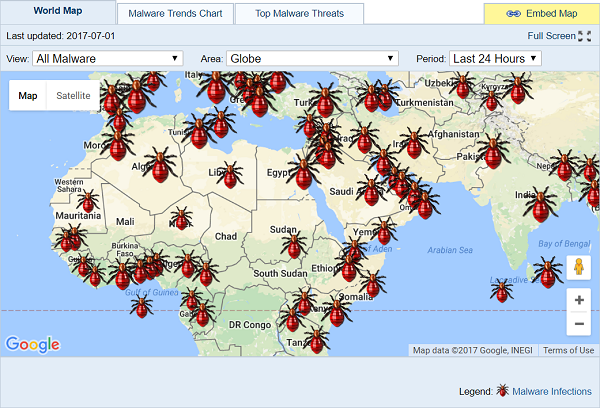
It allows you to view the latest malware infection trends in real time and check malware outbreaks in your specific locality via Google Maps. The tool also shows data of malware infections collected via its diagnostic report logs of computers scanned by its SpyHunter Spyware Scanner. The scanner, after a thorough analysis, generates a live graphic coverage of suspected and confirmed infections worldwide. It indicates the prevailing trend of malware infections attacking PCs on a monthly and daily basis. It’s here!
4] CheckPoint’s Live Cyber Attack Map
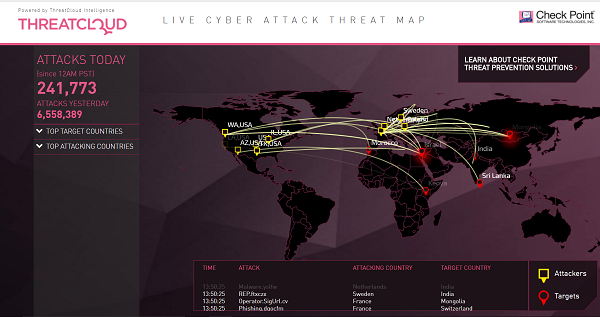
The map is powered by the vendor’s ThreatCloud intelligence, a collaborative network to fight cybercrime. It is capable of delivering threat data and attack trends from a global network of threat sensors. Once collected, the information on the cyber attack is distributed to customers’ gateways, providing them with real-time threat information and attack trends to help enforce protection against bots, advanced persistent threats, and other sophisticated forms of malware. Visit the website.
5] Kaspersky Cyberthreat Real-time Map
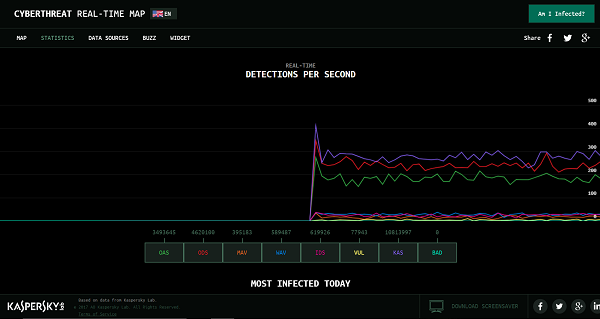
If you aren’t quite sure whether you are under a cyber-attack or not, visit Kaspersky Cyberthreat real-time cyber map. The page displays real-time attacks detected by their various source systems. It features the following,
- Web Anti-virus
- On-Scanner access
- On-Demand Scanner
- Intrusion Detection System
- Mail Anti-virus
- Vulnerability Scan
- Botnet Activity detection
- Kaspersky Anti-spam
The interactive map lets you customize its layout by filtering certain types of malicious threats, such as mentioned above. So, whether you’re interested in actually tracking places of origin of cyber attacks, occurring in real-time or just simply looking for a way to visualize the threat level of your area, Kaspersky’s Interactive Cyberthreat Real-time Map shows you incidents worldwide. Check it out!.
6] Norse Corp Malware Map
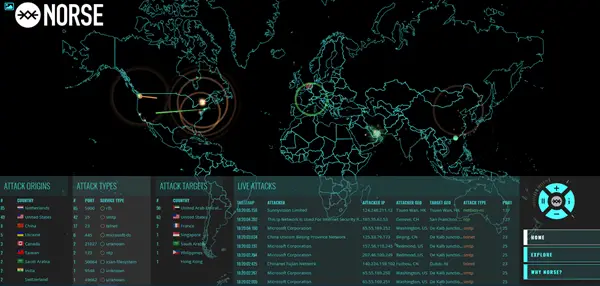
Norse appears to be a trusted source when it comes to offering proactive security solutions. Its malware mapping method is based on a “dark intelligence” platform, which provides a strong defense against current advanced threats. Please note that the site requires JavaScript to function properly, with JavaScript enabled.
7] FireEye Cyber Threat Map
A unique feature about FireEye Cyber Threat Map is that in addition to viewing the recent global cyber attacks on the FireEye Cyber Threat Map, you can sign up to be alerted when attacks are discovered and keep your organization’s data safe. The map is based on a subset of real attack data, optimized for improved visual presentation.
8] Malwaretech Live Map
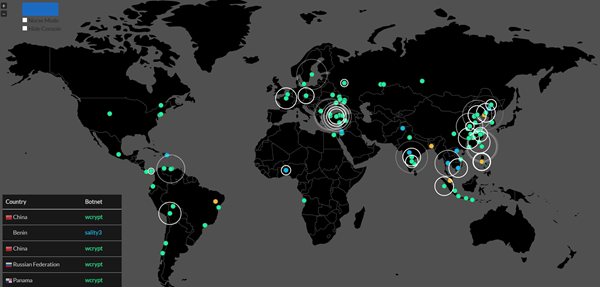
This map, available at https://intel.malwaretech.com/pewpew.html, displays the geographical distribution of malware infections and time-series graphs of online and newly discovered bots.
Hope you find the post useful!
