
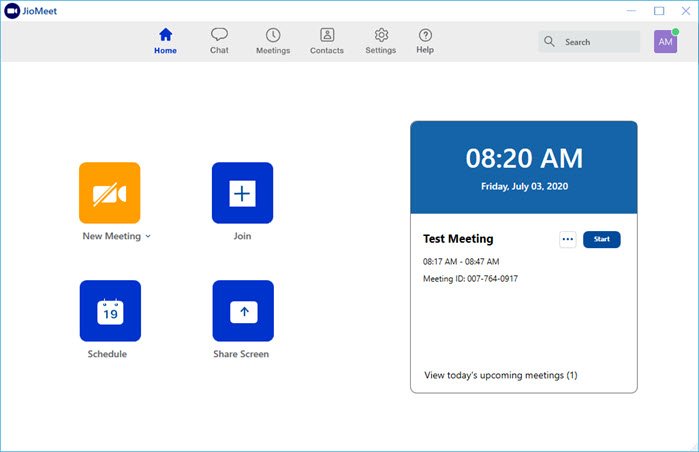
India’s Reliance Jio Platform has entered the business of — Video Conferencing. The service has been in demand for online classes, virtual meetings and whatnot. Zoom, as of now, still leads the hearing, and it is not surprising that Reliance moved into the space as well with JioMeet. What is surprising is that the UI of JioMeet bears a striking resemblance to the UI of the Zoom app.
JioMeet Features and Drawbacks
“Smarter way to Collaborate. Anywhere, Any Device, Anytime.”
Here is the list of features you can expect from the app. No surprises here as well, except for a few features that remain original.
- Secure sign up with either Mobile Number or Email ID
- All meetings are encrypted and password protected.
- Unlimited number of free calls in high definition (720p) to users
- Schedule meeting in advance and share details with invitees
- Each meeting can go uninterrupted up to 24hrs.
- Unlimited Meetings per day
- Active Speaker view layout
- It supports as many as 100 participants on a call.
- Password protection on each call
- Multi-device login support up to 5 devices
- Share screens and collaborate
- Record Meeting
- Switch seemingly from one device to another
- Offers Safe Driving Mod for when a participant is in commute.
- Supports waiting room feature to manually allow people to join the meeting
- Control Mic of all the participants or individual host controls – Where you can individually control mic, camera, rename, make host, ask to start a video, or remove active in-call participants.
- Manual Audio mode offers call like experience with no video.
JioMeet Drawbacks compared to Zoom.
A comparison is inevitable since the JioMeet UI looks almost identical to Zoom!
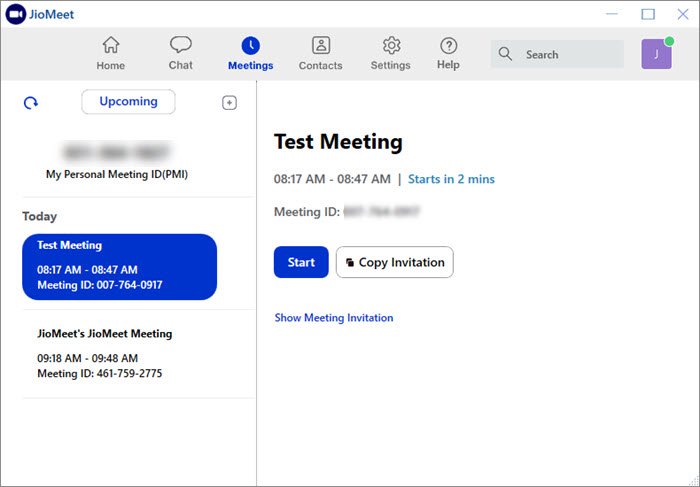
JioMeet still needs to improve in a couple of areas. These may come with time, but as of now, they are limited.
- Share: You can only share your complete screen with JioMeet. While Zoom offers sharing a whiteboard, Bookmark, WbeURL, Document, and integration with services like OneDrive, Google DSrivber, and Box, JioMeet shares the whole screen, meaning you must care about anything personal.
- Groups: Zoom calls it Channel, and JioMeet calls it Groups. The advantage is to instantly start a meeting with all the people in the group. As of now, it doesn’t integrate with other apps, which the Business section may require.
- User-defined Password: JioMeet doesn’t allow anyone to set up a password for its meeting. Once you create a meeting, it generates a password that you can share.
- Chat: There is no way to send a private message to the host which is prevalent in all the Chat applications like Zoom
- Missing CoHost: There are various reasons why this feature is used in Zoom. It helps to transfer control of meeting from one to another one of the hosts had to leave.
- No Virtual Background: Unlike Microsoft Teams and Zoom, there is no option to blur the video background or add a virtual one. This’s an essential feature for many who want to make meetings look professional while also ensuring privacy.
Besides the lack of separate panels for spotlight and all-video views, the Raise Hand option isn’t available during screen sharing. When you close the second screen, the meeting ends. Lastly, based on user feedback, Jio’s data consumption seems to be on the higher side. You can probably lower it by changing the resolution.
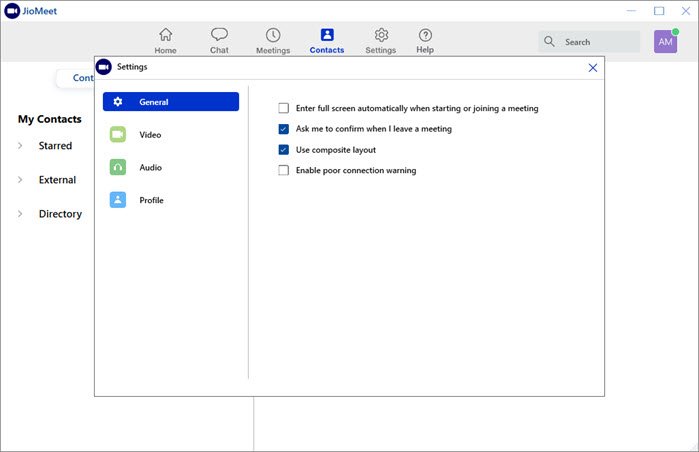
How to use JioMeet video conferencing app
- Download and install the JioMeet app
- Signup with a mobile number or email ID
- Once the account is confirmed, visit the dashboard
- Here you have the option to create a new meeting, schedule a meeting, join a meeting, or share screen to any existing meeting.
Create a Meeting
Click on New Meeting, and it will instantly create a new meeting with a predefined id and password. You can then choose to share it with others.
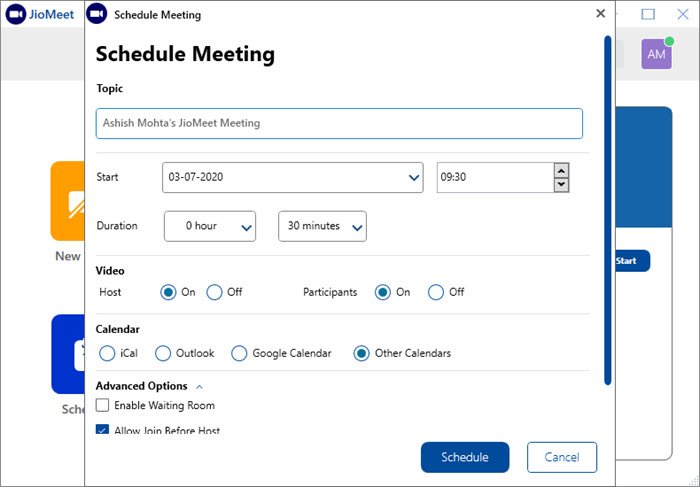
Schedule a Meeting
This brings in a lot of configuration where you can choose the timing, date, and timezone. You can also turn on videos for host participants and block guest users. Advanced options offer a waiting room, joining before the host, and recording meeting.
Join a Meeting
If you have a meeting ID and password, use this option to join an existing meeting instantly. You can choose to keep the video and mic turned off while joining the meeting.
Watch the video
Availability
It is almost available everywhere. That’s proper preparation, and I will give it. The app is available through Chrome and Firefox browsers, Apps for macOS, Windows, iOS, and Android. It also offers an Outlook plugin. As of now, I don’t see any plans for JIo Premium, but I guess it will be soon available. You can visit Jio.com to get started.
TIP: Read about the Airtel BlueJeans video conferencing app here.
