
Static images are great, but videos grab attention in ways that still photos can’t. The problem? Video creation has always meant dealing with complex editing software or expensive production costs.That’s changing with platforms like Pollo AI.
This isn’t just another AI tool making big promises – it’s actually making image-to-video generation accessible to regular creators without requiring technical expertise.
What is Pollo AI?
Pollo AI is an all-in-one video creation platform that brings together multiple cutting-edge AI models under one roof. Instead of being locked into a single style or approach, users get access to several professional video tools that work seamlessly together.
The image to video AI feature stands out because of its intelligence. This isn’t about basic transitions or zoom effects. The technology actually understands your image content and creates context-aware motion. Landscapes come alive with drifting clouds and flowing water. Portraits breathe naturally. The AI identifies elements and animates them in ways that actually make sense.
How to Generate Videos From Images
Let’s break down the process step by step.
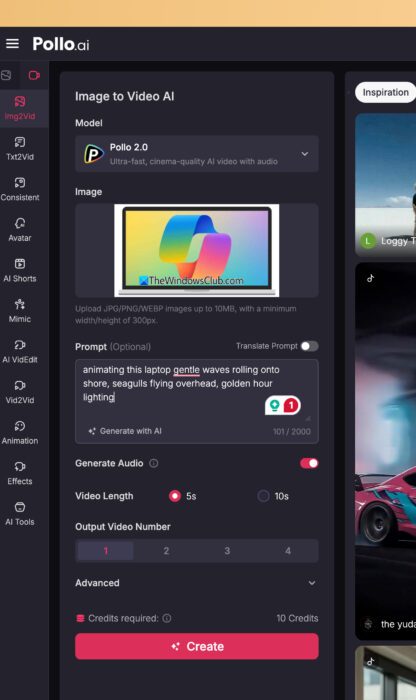
Step 1: Access and Upload Image
Navigate to the image-to-video section on Pollo AI. The interface is straightforward with drag-and-drop functionality.
Quick tip: source image quality matters. High-resolution files produce noticeably better results than compressed social media exports. The platform accepts standard formats like JPEG, PNG, and WebP.
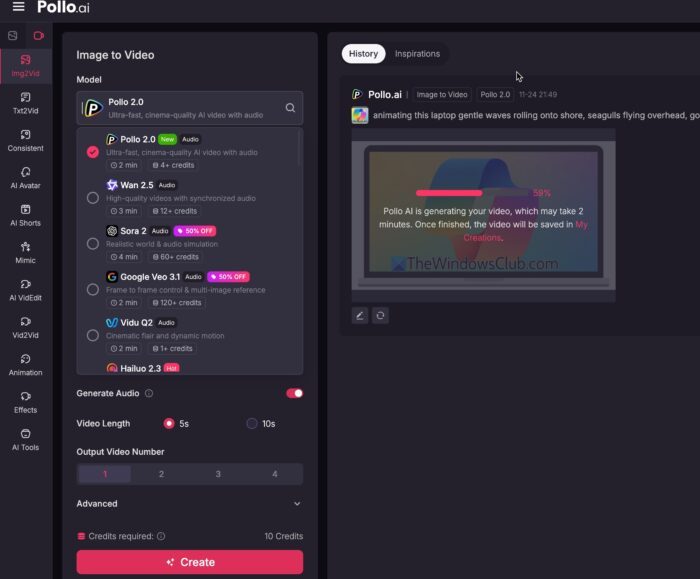
Step 2: Choose the Model
Unlike most platforms that lock you into one model, Pollo AI offers multiple AI model options. Each has different strengths – some excel at photorealism, others at creative interpretations. Testing the same image across different models produces distinct results, giving you real creative control.
Step 3: Add a Text Prompt (Optional)
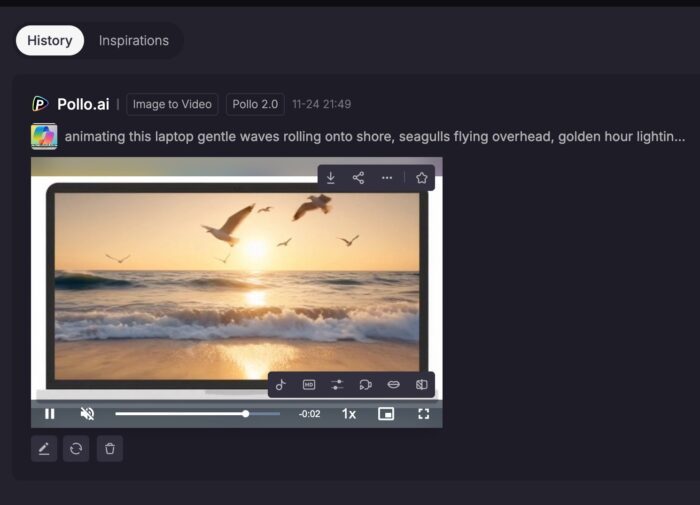
While marked optional, the text prompt is crucial for best results. It’s your creative direction to the AI. Something like “gentle waves rolling onto shore, seagulls flying overhead, golden hour lighting” helps the system understand exactly what you’re after.Keep it short and descriptive. Think of directing a scene, not writing an essay.
Step 4: Configure Video Settings
The settings panel lets you control:
- Video length (from quick 3-second clips to 10+ seconds)
- Resolution (HD to 4K depending on your plan)
- Generation modes (quick drafts or high-quality finals)
- Output video number (create multiple variations at once)
Start with shorter durations and standard resolution for testing. Once you’re happy with the direction, run the full-quality render.
Step 5: Generate and Download
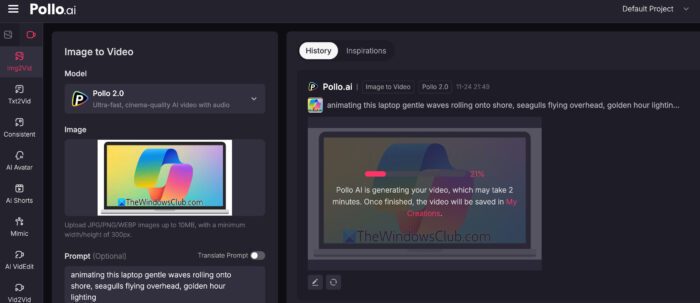
Click “Create” and wait 2-5 minutes. Complex prompts or maximum settings take longer, but the progress indicator keeps you informed.
Preview the video in your browser when it’s done. Download it locally or share directly to social platforms – no need for the usual download-then-upload routine.
Key Features Worth Knowing
A True All-in-One Platform
Pollo AI includes image to video AI for animating stills, video to video AI for transforming existing footage, AI animation generator for creating sequences from scratch, consistent character video for maintaining character appearance across scenes, AI image generator for creating source material, AI avatar for digital presenters, AI video editor for smart editing assistance, AI shorts optimized for social platforms, and video effects for professional polish.
These tools integrate seamlessly, so you can work through entire projects without switching platforms or converting file formats.
Industry-Leading Model Integration
The Pollo AI video generator integrates top models including
- Google Veo 3.1,
- Kling AI,
- PixVerse AI,
- Runway,
- Seedance,
- Pollo 2.0 and
- Hailuo AI.
For images, it supports
- Seedream,
- Midjourney,
- Flux Kontext, and Nano Banana.
Instead of juggling multiple subscriptions and learning different interfaces, everything’s in one place.
Actually Useful Free Trial
The free plan gives genuine access to features – not just a limited demo. You can upload images, test models, and generate real outputs. There are watermarks and lower priority processing, but enough functionality to evaluate if it works for your needs. Paid plans remove limitations and add priority processing, essential for professional work and tight deadlines.
Read: How to use Bing Video Creator to create AI videos
Video content dominates digital communication, but production complexity has always been a barrier. Pollo AI changes that by making professional-quality video generation genuinely accessible.
Whether you’re building social media presence, creating marketing assets, or exploring AI video capabilities, the platform offers practical solutions. The intuitive interface means you can create your first video in minutes.
