
If you want to test something on Facebook but are afraid of using your account, here is a simple solution made by Facebook. You can create a Test account on Facebook to try different things virtually – but it does have some limitations. Do follow the entire article to learn more about the Facebook Rest account.
What is a Facebook Test Account
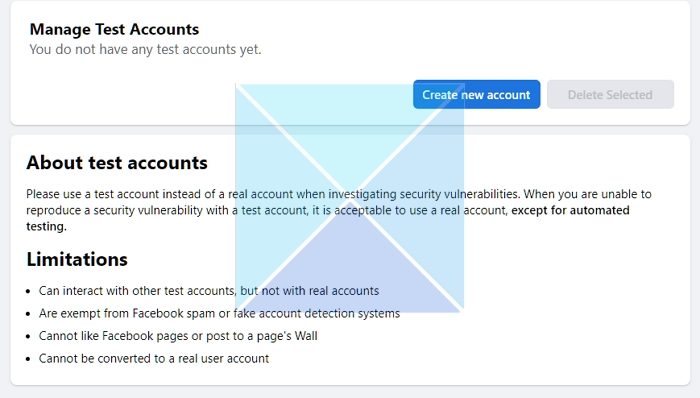
A test account helps users test different things on Facebook without using their real account. Let’s assume you are a security researcher who spends your time finding bugs and vulnerabilities on Facebook. In such a case, you can create a test account without a separate email ID or phone number. You only need a regular account, which you must already have. Facebook’s fake or spam account detection system cannot detect these test accounts.
What are the limitations of a Facebook Test Account?
Although it comes with advantages, you might need to know about the limitations as well-
- You cannot connect to any standard Facebook account. However, you can connect with other test accounts.
- You can post on your wall, but it is impossible to do the same on any page’s wall.
- You cannot join any group made by a typical account holder.
- You cannot do that if you want to convert it to a real user account.
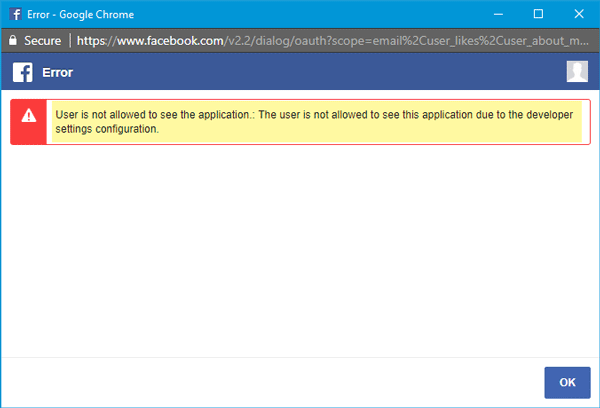
- You cannot use this account to sign up on any website. More information about that is mentioned below.
- Facebook would set the name, and you cannot change it. But you can change the order of your name.
- You can use a username, but you need to verify your phone number.
Create a Test Account on Facebook
Log into your Facebook account and then visit this page. Click on the Create New Account button.
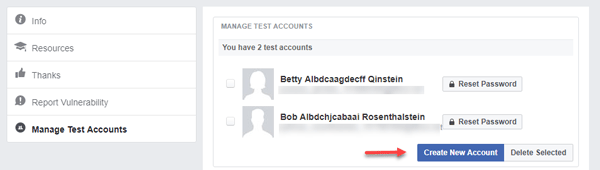
Afterward, you should find a pop-up containing a name, user ID, login email, and password. You can copy this information elsewhere and use it to sign in to your Facebook account.
In case you want to reset the password, open the same page where you can manage all test accounts and hit the Reset Password button.
As mentioned earlier, you cannot use this test account to sign up on any website. If you try to do that, you will end up getting an error message like this-
I hope you find this feature useful.
How to sign up for Facebook without using a number?
You can create one using an email account, or if you have an existing account, then create a test account. Since Facebook privacy settings are a little hard to set, and you don’t want others to find you by your phone number, using only an email id works better. Also, ensure you have a secondary email added for recovery.
How to recover a Facebook account without an email ID?
If you are having trouble logging in to your Facebook account, you may be able to regain access by using an alternate email or mobile phone number listed on your account. To do this, go to facebook.com/login/identify and follow the instructions. You will need to use a computer or mobile phone you have previously used to log in to your Facebook account.
