
Ever wondered how an installer actually works and miraculously installs an application from a single file? Windows Installers are nothing but files similar to a zip file that have other files compressed into them. Apart from those files, they have other files that assist installers in setting up their configuration and other details.
How about having a sneak peek at an installer before installing an application? Alternatively, you can extract the contents of it before running the installer file. We have this wonderful tool called lessmsi that lets you view and extract the contents of an MSI installer file without actually running it.
Extract & view contents of an Installer file
Less MSI or lessmsi is a freeware tool to view and extract the contents of an MSI installer package. It works flawlessly with most MSI files, allowing you to extract and run applications using this tool.
If you are looking to convert one of your favorite tools to a portable tool, lessmsi will be your perfect partner. Or if you simply want to run an application without actually associating it with your computer’s settings, you can do so by extracting its files.
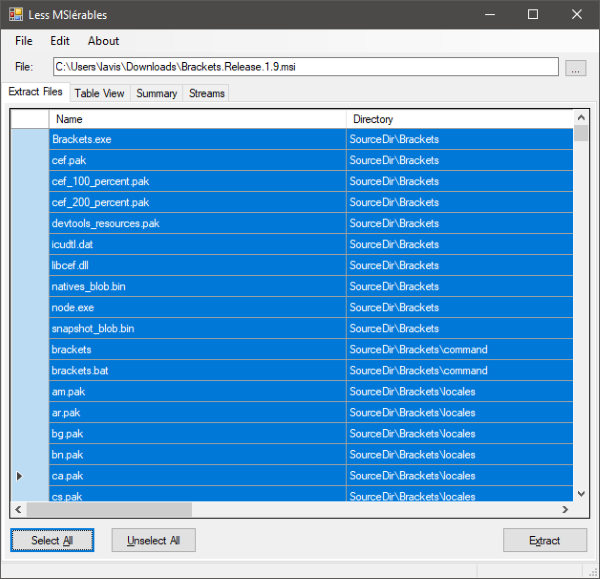
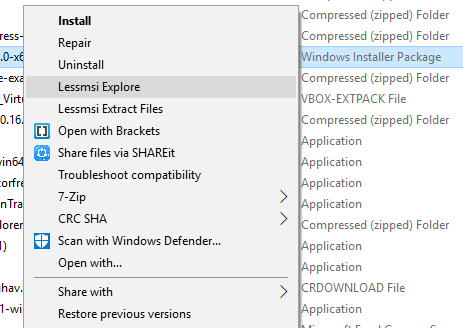
The tool itself is pretty simple to use. It comes in a portable format and can you can use it from both command-line and GUI. There is also an option available to add a shortcut to this tool in Windows Explorer right-click menu. To add a shortcut, go to edit menu and select ‘Preferences’. Now select the first option, and the shortcut will be added. You can follow similar steps to remove the shortcut from the right-click menu. If you open up the GUI, you will face a simple and easy to understand interface with all the features neatly aligned.
To get started, you will need to select an MSI installer file and wait for the program to load its contents of it. All files, along with their paths, will be loaded into the list. You can select which files to extract and which ones to leave aside. Also, there are buttons to select and deselect them all at once. Once you are done selecting your files, hit the ‘Extract’ button. It will display another dialog where you can choose the folder to extract the contents of the installer.
Before extracting, there are a few additional details to consider. The table view lets you view the tables from the database on which the MSI files are based upon. The tables can reveal a lot of crucial information. And the summary tab again reveals some basic and other information about the installer and the underlying application files.
Lessmsi is a great tool for enthusiasts who take a step ahead of the norm. It is a perfect tool for extracting the contents of an MSI package. And also a great tool to have a look at the inside of an installer. It can help you extract some particular files from an installer or convert your application into a portable one.
Less MSI or lessmsi download
Go here to download lessmsi from GitHub.
