
The recent version of Microsoft Whiteboard has many new capabilities — including persisted whiteboards, enhanced collaboration, and Windows support. In today’s post, we’ll see how to enable Whiteboard collaboration in Surface Hub.
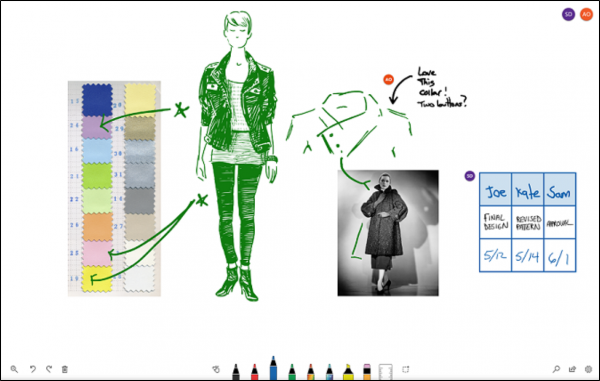
You can install the Microsoft Whiteboard app for Windows 11/10 on Surface Hub by downloading it from the Microsoft Store. After installing, sign in to Whiteboard with a free Microsoft or Office 365 account.
Enable Microsoft Whiteboard to Whiteboard collaboration
When installed, Microsoft Whiteboard gets pinned to the Welcome screen of your Surface Hub. From there, you can access a variety of colored pens, highlighters, and erasers from the bottom of the screen. However, you’ll need to complete three steps in the given sequence to enable whiteboard-to-whiteboard collaboration.
- Sign in with your organization ID.
- Start a session
- Copy and paste this link into a Skype chat with another Surface Hub.
A whiteboard allows a user to collaborate with their co-workers in real time, remotely.
Read: How to enable Microsoft Whiteboard for Office 365.
1] Sign in with your organization ID
To start a collaboration session, click the Sign in button on the Whiteboard app. When prompted, sign in with your organization ID.
2] Start a session
Soon after you sign in, an invite button should appear next to your name at the top of the app. Click the button and choose ‘Start session’.
Once confirmed, the action will allow Whiteboard to generate a link you can readily share with others.
3] Copy and paste this link into a Skype chat
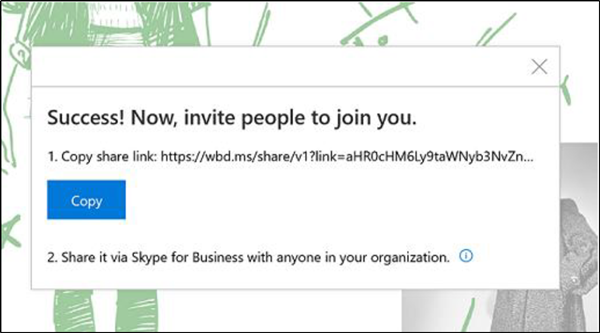
Copy and paste this link into a Skype chat with another Surface Hub.
When the link is received on the other Surface Hub, the recipient can tap the link, sign in to Whiteboard, and collaborate in real time. Also, the user can copy and paste other content, use innovative ink features like Ink to Shape, and co-author together.
For more information, visit this Microsoft Webpage.
Does Microsoft Whiteboard allow collaboration?
Indeed, it does. A whiteboard serves as an empty canvas where meeting attendees can collectively create notes, sketches, or include imported visuals. Once the meeting concludes, you can preserve the outcome of your collaborative efforts.
Can multiple people edit a Microsoft Whiteboard at the same time?
Multiple individuals can collaborate on the whiteboard, yet each tool can only be used by a single individual at any given moment.
