
If you are starting an online or offline business, you should create a business card, as it is what attracts people to your business. A business card is essential when you are at a conference or meeting with people you do not know. You may get a professional designer to make your personalized business card. However, if you currently do not have much time in hand and you need a business card within a couple of minutes, you can try out these free online tools that let you create professional business cards.

Create Professional Business Cards
Here is a list of some of the best free online Business Card makers that let you create Professional Business Cards. You can create or get business card design templates and free printable business cards in these tools.
Some of the best free online tools to create professional business cards are:
- Biz Card Maker
- Canva
- Shopify
- Design Hill
- Crello
To learn more about these steps, continue reading.
1] Biz Card Maker
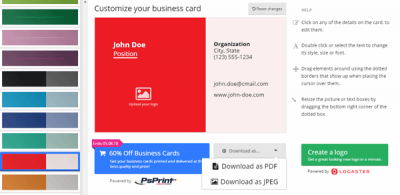
Biz Card Maker is a simple yet quite useful free tool for creating a top-notch business card with customized graphics. Regarding the background, you can choose your image or select something from the given list. It comes with some good-looking pictures to personalize the card in moments. You can enter your personal information as needed. The best part of this tool is that you can download the generated business card as a PDF or JPG. However, the drawback of this tool is that you can create only the front side of your business card, and it is not possible to create the backside.
2] Canva
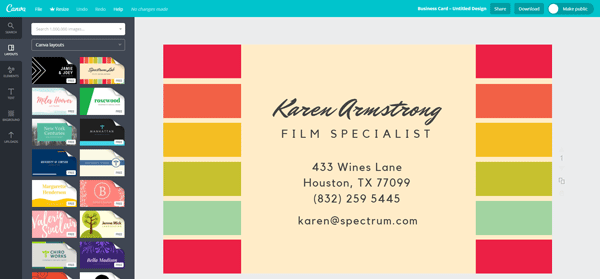
Canva is probably the best business card maker on this list. Canva comes with many templates and customization options. The highlight of this tool is that you can create the front and back sides of your business card. You can get started with some beautiful templates, add your brand logo, enter your details, use lines/shapes/icons and so on. You can download the business card in various formats, including JPG, PNG and PDF.
3] Shopify
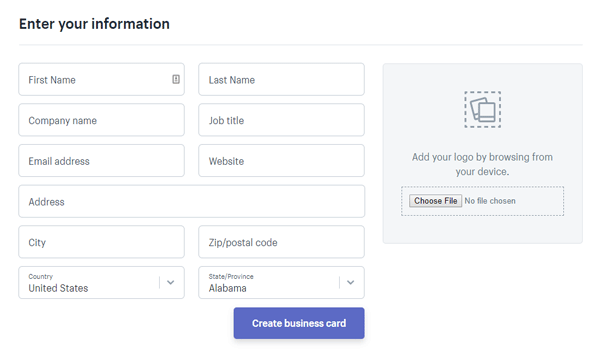
If you need a clean, user-friendly interface to create a simple demo business card, Shopify is probably the best option for you. Shopify doesn’t provide an option to customize the background, and it puts a simple blank image as the background. You cannot customize the backside of the visiting card. The tool, however, allows you to use your brand logo on the front side of your business card. Regarding personal contact details, you can enter your name, company name, position, email address, phone number, office address, etc. After entering all the details, you need to hit the Create business card button. After that, you would receive an email in your inbox with a download link to your business card.
4] Design Hill
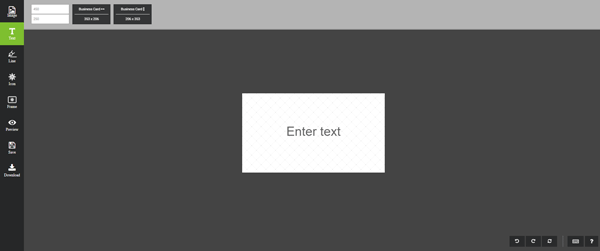
DesignHill is yet another simple business card creator app for those who want to customize everything, including the size of the business card. You can change the height and width of your card, set a custom background, use different lines to align and customize it, use icons to make it more professional, use frames and so on. However, this tool is not as powerful as Canva is. You cannot customize the backside of your business card. Also, it doesn’t allow you to download the card in PDF or any other format except JPG. To download any customized card, you need to enter your name and email address so that they can send you an email containing the download link.
5] Crello
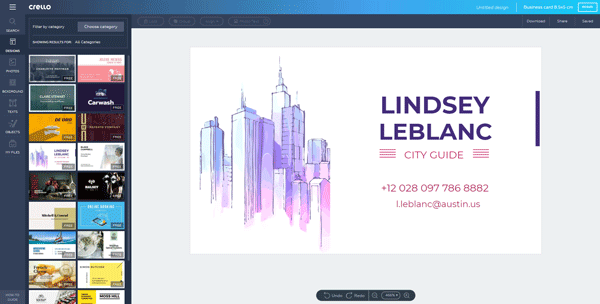
If you do not like Canva’s user interface, but you want to use the same options, you can opt for Crello, which is another free online tool to create a business card within moments. Crello offers many options to customize the card and make it as professional as possible. You can customize everything, including the card background, enter custom text and contact details, use the brand logo and much more. Crello offers templates to help you save time and create a good-looking business card quickly. You can find various options, including JPG, PNG and PDF, to download the file in. The best thing is that you do not have to create an account to use this tool.
Bonus Tip: MakeBadge is another free business card maker you may want to check out.
How can I make a digital business card online for free?
There are multiple online tools available to create digital business cards. Not only can you create and print digital cards, but you can also distribute them at a conference or meeting. Some of the best and free online tools are mentioned in this article. For example, you can use Canva, Crello, Shopify, Design Hill and others to get the job done.
Which software is best for designing business cards?
It depends on how you want to design your card and how much experience you have with card design. For example, if you do not have any experience, you can use online tools that provide templates or design ideas. On the other hand, if you are fine with graphics and vectors, you can opt for Illustrator, Photoshop, etc.
Related reads:
