
Microsoft Excel helps us to do simple and complex calculations easily. If there is a list of numbers, it is straightforward to find their SUM. But sometimes, we encounter a situation where the numbers in cells are intermittent. This is called sporadic behavior in Excel. Did you not get what I said? Let us say we have a few numbers in a few cells followed by a blank cell. Sum all the numbers and display the result in the following blank cell. This is the way to calculate sporadic totals in Excel.
What are Sporadic Totals?
The sporadic definition means anything that appears or happens at irregular intervals or is occasional. Sporadic numbers are neither reliable nor periodic. These are not regular and cannot be counted on to continue. When it comes to Excel, it is not easy and cannot be done easily if we have large data in an Excel sheet in this format.
In this article, I will show you how to easily calculate sporadic totals in Excel, which helps you sum intermittent cells.
Calculate Sporadic Totals in Excel
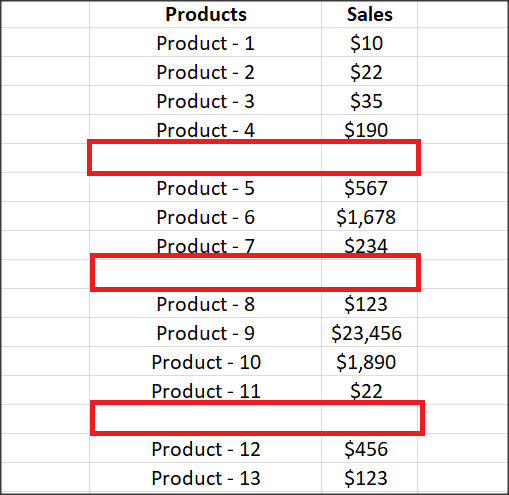
Here is the Excel sheet I have showing the Products and Sales columns. You can see a blank cell after a few cells in the Sales column. We need to sum the cells and show the result in the following blank cell, i.e., calculate sporadic totals in Excel here.
So, first, select all cells in the ‘Sales’ column. Next, press CTRL+G or F5 to open Go To dialog box. Click on the ‘Special’ button and select the ‘Constants’ radio button. Click ‘Ok,’ and it will select all cells in the ‘Sales’ column, which has numbers.
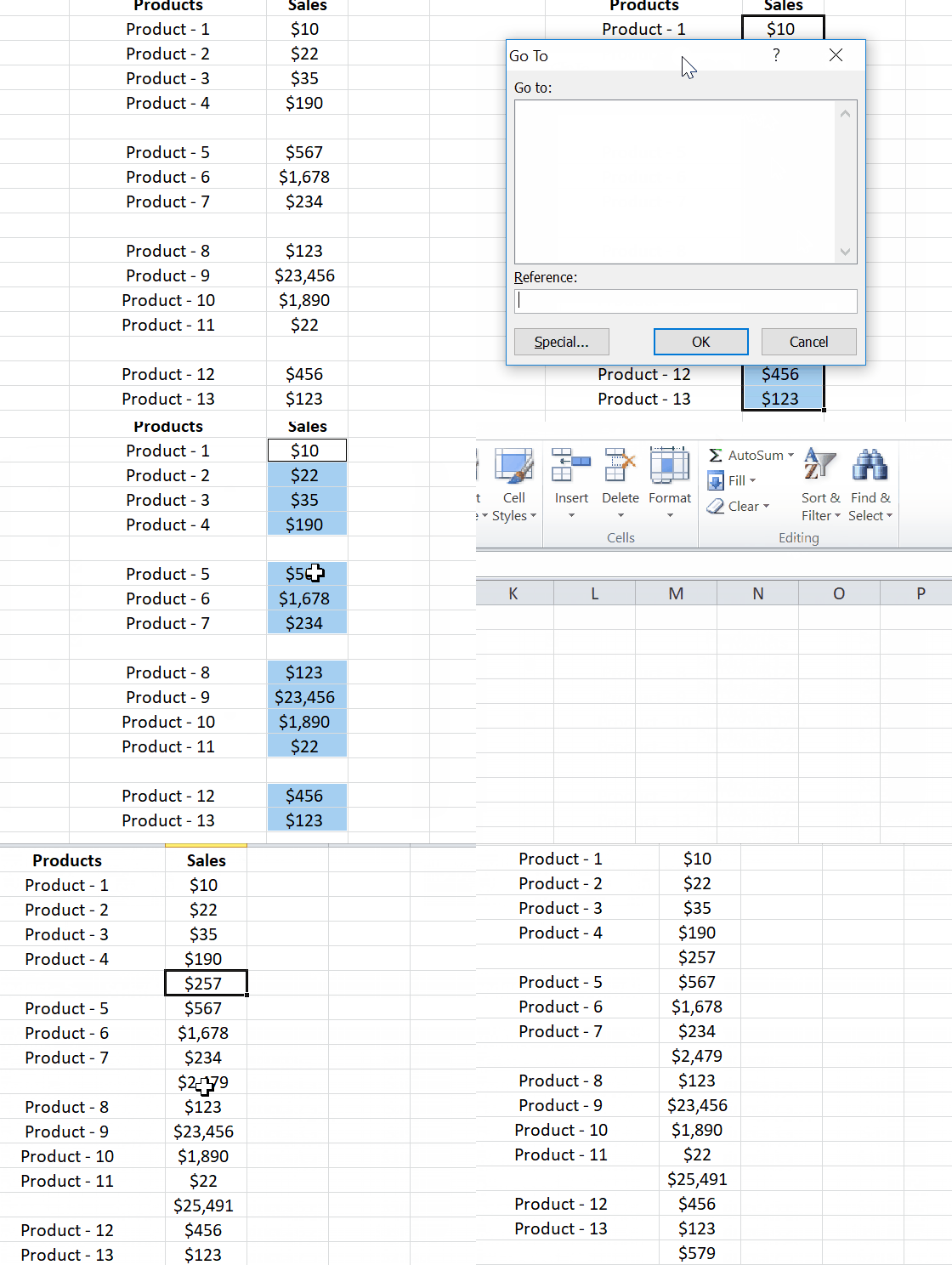
Next, go to the ‘Home’ tab and under the ‘Editing’ section, click on the ‘AutoSum’ option. This would sum up values in selected cells and displays the result in respective blank cells.
Select all cells in the Sales column to highlight blank cells with a sum of cells. Next, press CTRL+G or F5 button again to open Go To dialog box. Now, click on the Special button, select the Formulas radio button, and click ‘Ok’.
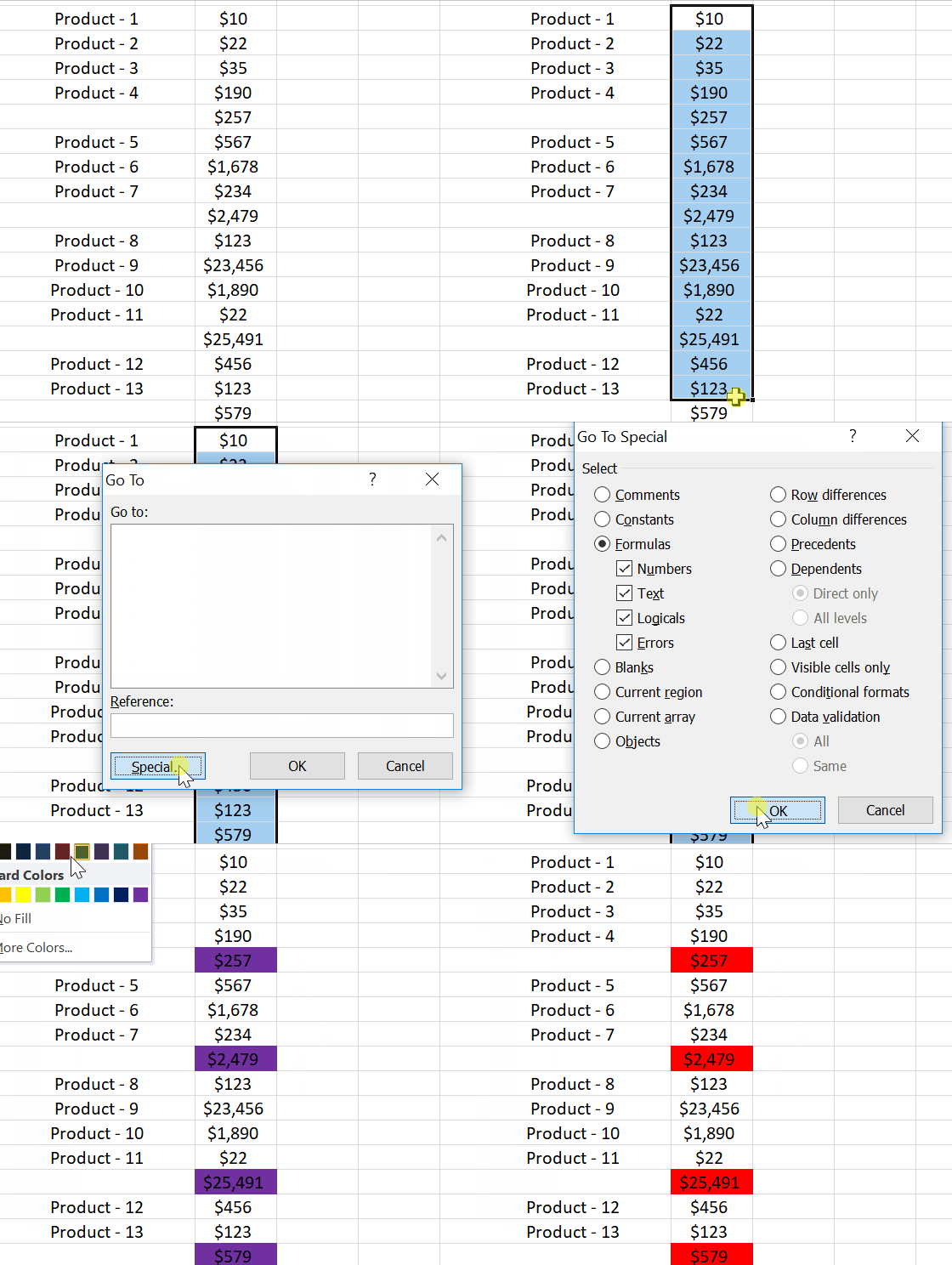
This would select cells that show the totals we calculated above as they have formulas. Fill it with color to differentiate it from other cells.
This is the simple way to calculate sporadic totals in Excel. I hope you find it useful, and if you have anything to add, please do mention us in the comments.
Read next: How to insert multiple blank cells in Excel at once.
