
Wisdom in banking and investment is important. Money multiplies and works for itself in the long run. By the time you retire, whether you live the rest of your life with financial security or struggle through the period depends largely on how you invested in your prime.
Banking and Investments apps for Windows PC
If you are looking for the list of best finance, banking or investments for Windows 11/10 available on the Microsoft Store, then here they are:
- My Stocks Alerts & Charts
- Fixer upper, foreclosure investing and flip house
- Account Balance
- Saru
- Exchange Rate
- Loan Calculator
- QuantSense
- Deposit Calculator Pro
- Virtual Portfolio Manager
- Mortgage Calculator +
Here is a list of the best banking and investment apps for Windows 10 from the Microsoft Store which could help you plan wisely.
1] My Stocks Alerts & Charts
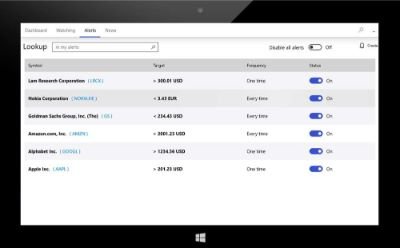
If you are into stock market trading, this is the best free app available. It is not managed by any stock trading company and simply helps to personalize your stock market data. The app is customized for beginners with little knowledge of using stock market websites. You could use it to check trending stocks and create alerts. Check more about the app on the Microsoft Store.
2] Fixer upper, foreclosure investing and flip house

Nothing could be a better investment than property. Not only does it serve as security for your future, but flipping it at the right time could bring great returns. This app helps you learn to flip houses, find fixer-uppers, and find foreclosure investing opportunities. You can download it from the Microsoft Store here.
3] Account Balance
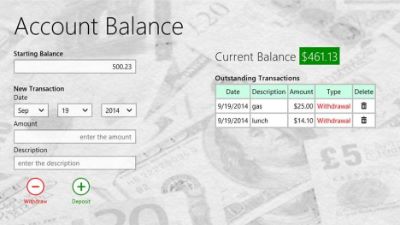
Perhaps the most important part of any financial planning is managing your account balance. Though every bank offers its own apps to monitor bank balances, they are usually mobile apps and not desktop ones. Desktop users rely on websites for the same. Even more, you might hold accounts in multiple banks. This is where the Account Balance app could be helpful. It is available on the Microsoft Store here.
4] Saru
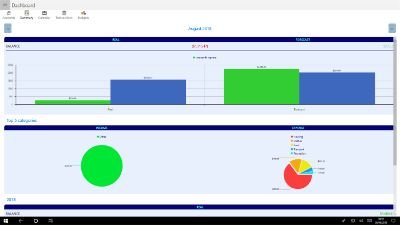
Saru is among the best apps to manage income and expenditure simultaneously. You can map all your bank accounts in the same app. It helps calculate expenditure and displays it in a separate window, so you can judge how to spend and how to curb surplus expenses. Saru is easy to use and perfect for amateurs. Download the app from the Microsoft Store here.
5] Exchange Rate
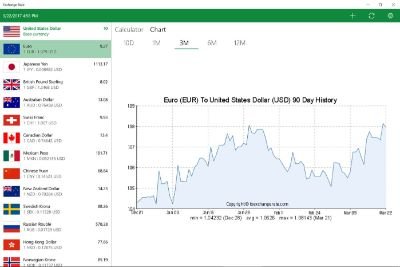
Those who work with foreign businesses or invest in currency know the importance of monitoring changes in currency exchange rates. The rates keep fluctuating rapidly, and this is where the Exchange Rate app comes into play. You can set a frequency on the app to refresh the currency prices and monitor multiple currencies at the same time. The app allows listing up to 12 currencies on the same page. Get this app from the Microsoft Store and make your work easier.
6] Loan Calculator

Other than managing income and saving, it is important to manage your debt. Poorly managed debt can hamper all your investment plans since the EMIs you pay are compounded every month. Even more, if your debt is on a credit card, it doesn’t reduce unless you keep paying a little more than the minimum balance. The Loan Calculator app is helpful for the same. You can estimate your monthly payments and manage multiple loans from different banks using the same app. Check more about it on the Microsoft Store here.
7] QuantSense
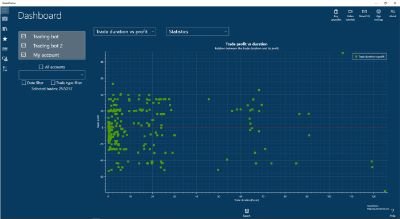
When I first used QuantSense, I was amazed that such an advanced app was available free of cost. The app helps manage graphs and sheets for any trade, making trade management easier. The sheets could be imported or exported from the software itself. The software uses MetaTrader and can be downloaded from the Microsoft Store.
8] Deposit Calculator Pro
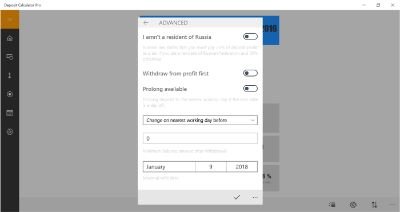
The Deposit Calculator Pro software is a basic app in which you could fill the credit and debit entries and it could list out the balance. While all banks provide such options, few are available as desktop apps. Furthermore, the Deposit Calculator Pro app is useful for those who need to manage the balance in multiple bank accounts. You could also create alerts for upcoming expenses so you don’t miss your bill payments. The app is available on the Microsoft Store.
9] Virtual Portfolio Manager
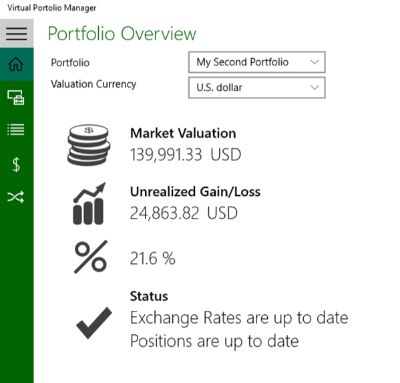
If you are looking for a complete solution software for managing all your financial portfolios, try Virtual Portfolio Manager. The software has options for organizing assets, comparing currencies, managing investments, etc. While a very simple app, Virtual Portfolio Manager can help you with the toughest of portfolio management. The app can be downloaded from the Microsoft Store here.
10] Mortgage Calculator +
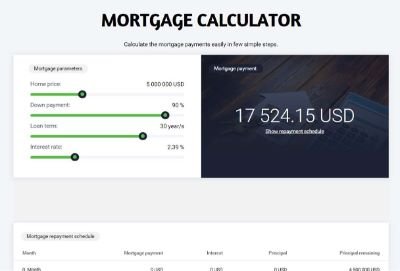
Missing mortgage repayments not only results in a fine but also affects your credit score and reputation in the market. You might also lose the mortgaged property upon multiple failures. The Mortgage Calculator + app can help in calculating the interest amounts and managing the repayment schedule. You could use it to organize multiple mortgages at the same time. The app is available on the Microsoft Store.
Now take a look at these best free Windows Apps & Games in Microsoft Store.
