
At times you may, for some reason, find that your Outlook, Hotmail, or Microsoft account has been suspended. This usually occurs when Microsoft detects that your email account has been compromised or is being misused by someone to send a large volume of spam.
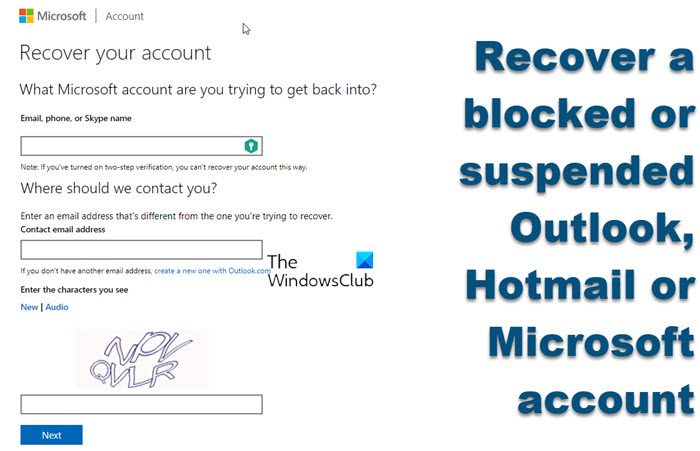
In such an eventuality, you may find that you are locked out of your email account and see the following message instead of your familiar Inbox.
Your account has been blocked
Incidentally, you may click on these images to see them in a larger size. Moreover, the images you see may differ, but the procedure remains more or less the same.
Outlook, Hotmail, or Microsoft Account Blocked
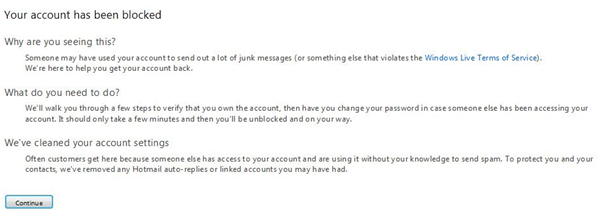
To unblock your account, click on Continue.
Here you can verify that you own this account in two ways. You can ask Microsoft to send you a verification code by mail to your alternate email ID or SMS it to your mobile number.
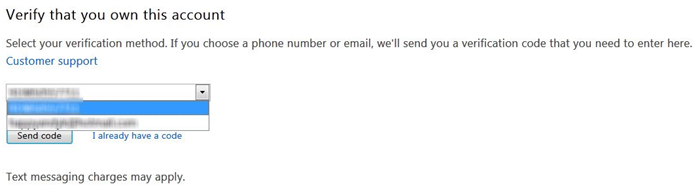
Microsoft has also introduced two kinds of proofs for account recovery. You can now link your Hotmail account to your PC and your mobile phone for enhanced security. You also want to follow some of these Hotmail Sign-In tips in the future.
If you are reading this post for informational purposes and haven’t yet set these, you may want to do so immediately via your Account Settings.
I had my account blocked. Perhaps it was because the Microsoft Store India database was recently compromised, and in an abundance of caution, Microsoft decided to block all the email IDs, or maybe there was another reason; I have no idea. But the fact remained that it was blocked!
I opted for the Send to mobile phone option and waited. When I had not received the verification code for over a half-hour, I opted for the Send to alternate mail ID option. I received the verification code in a minute! You may then decide which option you want to proceed with, in case you have registered for both.

After you receive the verification code, enter it and click on Continue.
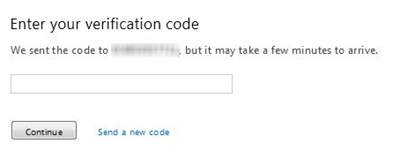
You may receive the following message if this is not your first time having your account blocked.
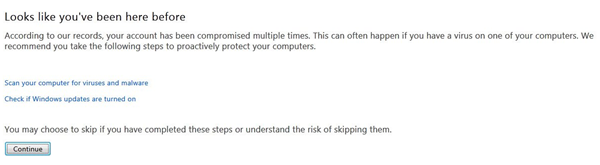
The Microsoft team probably decided to show this message as a matter of abundant precaution in the interest of its users. They want you to ensure that your Windows computer has not been compromised and that your Windows Updates are turned on. But since I was sure it did not apply to me, I clicked on Continue.
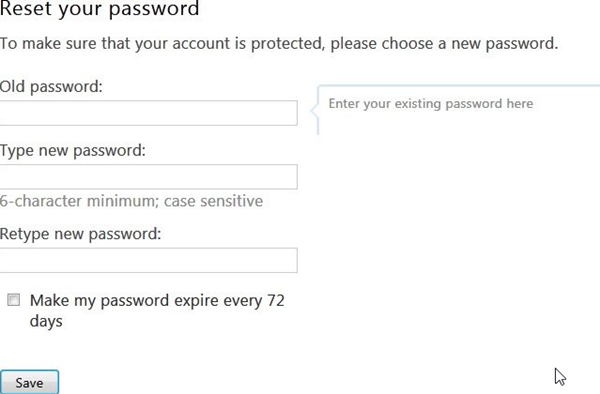
You will be asked to set a new password in the next step. Please do so and set a strong password.
Finally, you will be asked to review your alternate email ID and mobile number and confirm them. Please review them, select the appropriate response, and click Continue.
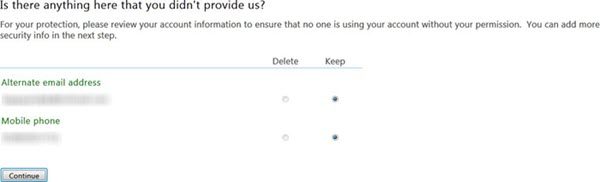
Read: It looks like someone else might be using your account.
Recover Outlook, Hotmail, or Microsoft Account
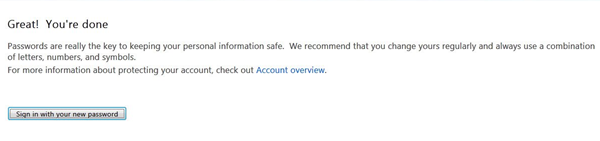
You are done and can now sign in with your new password.
If you face difficulties or require additional assistance, to recover your Microsoft account you can always contact them by visiting account.live.com/acsr to use their Microsoft account recovery form. You can also use the Microsoft Account Sign-in Helper by going here.
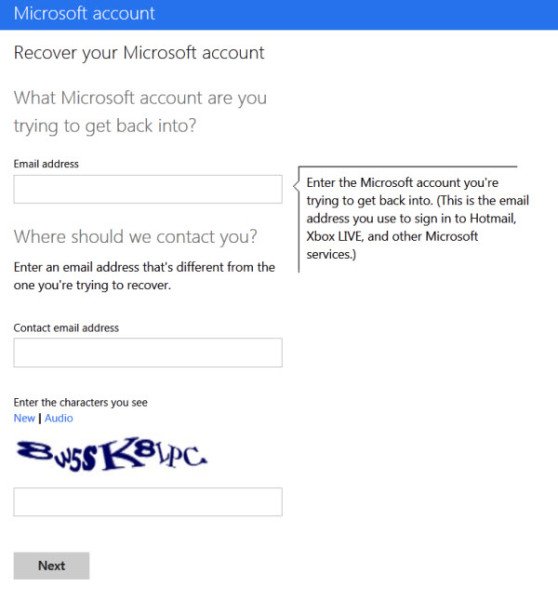
If you find that an unauthorized person has used your Microsoft Account ID to sign in to your Microsoft Account, you might want to see this post on how to reclaim your hacked Microsoft Account.
I hope this post helps you.
Why is My Outlook Account Blocked
If your Outlook account is blocked, it may be due to several reasons. One possibility is that your account has been flagged for spam activity. This can happen if you’ve been sending numerous emails to people you don’t know or if you’ve been using your account to send unsolicited commercial messages.
Another possibility is that your account has been compromised, and someone is using it to send spam or phishing emails. If this is the case, you should change your password and enable two-factor authentication to help secure your account. If you’re unsure why your account has been blocked, you can contact Outlook support for more information.
Related: Your account has been locked – Microsoft.
