Taskbar Thumbnail Tweaker & Resizer for Windows 7 Released

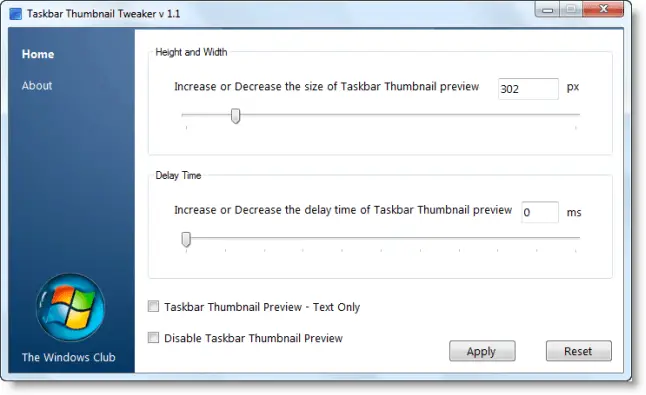
We are pleased to release Taskbar Thumbnail Tweaker for Windows 7. While one can manually edit the registry to make Taskbar Previews appear faster or increase taskbar thumbnail preview size, this freeware app lets you do so easily!

taskbar thumbnail tweaker Taskbar Thumbnail Tweaker & Resizer for Windows 7 Released

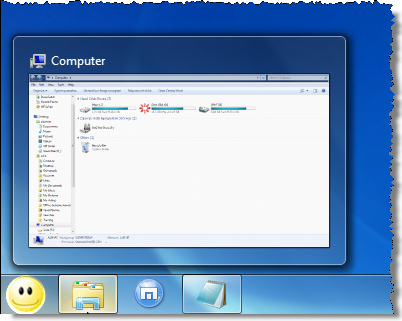
If you would to make your taskbar thumbnail previews bigger or you’d like the previews to appear faster, you can easily change the setting using Taskbar Thumbnail Tweaker.
big win7 thumbnails Taskbar Thumbnail Tweaker & Resizer for Windows 7 Released

Simply move the slider ‘Increase or Decrease the size of taskbar Thumbnail preview‘ to the desired position.

If you wish to change the  delay time, move the slider ‘Increase or Decrease the delay time of Taskbar Thumbnail preview‘. If you want them to appear fast set them as ’0′.

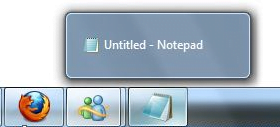
If you like Text-only preview, check the Taskbar Thumbnail preview – Text only box.
thumbnail text only Taskbar Thumbnail Tweaker & Resizer for Windows 7 Released

If you want to disable previews, check the Disable Taskbar Thumbnail Preview option.

Click Apply when done. Log off. Log on.

To restore Windows 7 defaults, click Reset button.

download1 Taskbar Thumbnail Tweaker & Resizer for Windows 7 Released

Taskbar Thumbnail Tweaker v 1.1 , has been developed for The Windows Club by Ritesh Kawadkar, based on his tutorial here. Thanks & credits are also due to Winhelponline.com.

majorgeeks Taskbar Thumbnail Tweaker & Resizer for Windows 7 Released

If you wish to give feedback or suggestions, please visit The Windows Club Feedback Thread.

You can see more of our freeware releases here.

We’d love to have you connect with us. Whats your poison – RSS, Twitter or Facebook! smile Taskbar Thumbnail Tweaker & Resizer for Windows 7 Released

If you have liked this post, you might want to check out some more, on topics like , .

About AnandK@TWC

Anand aka HappyAndyK is an end-user Windows enthusiast, a Microsoft MVP in Windows Desktop Experience since 2007, and the Admin of TheWindowsClub.com, TheGeeksClub.com & WinVistaClub.com. Creating a System Restore Point before trying out a new software or a tweak is always recommended.
Follow on Google: +AnandK@TWC

Ads

Random Posts

Comments are closed.

© 2012 The Windows Club All Rights Reserved