Replace Windows 7 System Files Easily with File Replacer

January 23rd, 2010

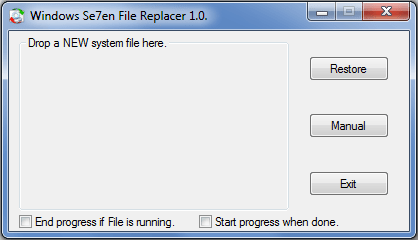
Windows Se7en File Replacer is a program will, backup the OLD file, try to “Take Ownership” and replace it with the NEW dragged or manually selected file. [Read More...]


Ways to RUN any application from Windows 7 Start Search Box

September 20th, 2009

Via the Run command in Windows, you can use certain pre-defined commands to open up applications. In fact in Windows 7 & Vista, its Start Menu Search box itself acts as a Run box. [Read More...]

Topics: Tips | Comments Off

Change Windows 7 Aero Peek Desktop Preview times.

August 20th, 2009

Aero Peek is a new feature in Windows 7. If you have many windows open on your desktop, its quite easy to lose track of them. [Read More...]

Topics: Tips | Comments Off

How to display Recyle Bin in Computer folder in Windows 7

August 14th, 2009

You may not want to clutter up your desktop with a Recycle Bin. You perhaps also do not want to pin it to your Start Menu, and yet want easy access to it. [Read More...]

Topics: Tips | Comments Off

Add Delete Folder Contents to Windows 7 Right Click Context Menu.

July 22nd, 2009

If you wish, you can add the option Delete Folder Contents to the right click context menu. So if you do not want to delete the whole folder but only to empty its contents, you need not open the folder, select all and then click Delete. [Read More...]

Topics: Tips | Comments Off

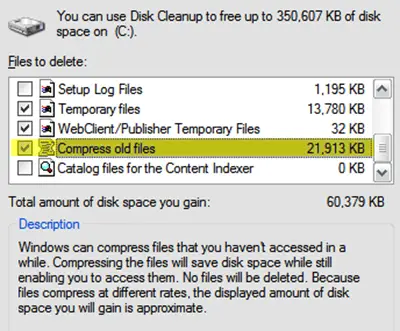
Remove Compress Old Files option from Disk Cleanup.

July 4th, 2009

The Compress Old Files option takes up quite a bit of time while cleaning up the disk with Disk Cleanup. If it exists amongst your options and if you dont use it or if you want to remove it, here is how you can go about it. [Read More...]

Topics: Tips | Comments Off

Remove Wallpaper Location history from Personalization in Windows 7

June 26th, 2009

When you right click on the Windows 7 desktop and select Personalize, you are presented with window. Now when you click on Desktop Background, in the drop down menu of the Picture locations, you will see a list of the locations from where you may have picked up the wallpapers to display them.  [Read More...]

Topics: Tips | Comments Off

Disable automatic termination of applications during shutdown in Windows

May 8th, 2009

If some application are open when you are shutting down Windows 7, such applications will be not be automatically terminated during shutdown. But you will be asked if you want to save your work. But if you find that this is not happening, you may have to do the following: [Read More...]

Topics: Tips | No Comments »

Add Search the Internet Link to Windows 7 Start Menu

April 29th, 2009

In Windows Vista, you could search the internet through the Start Menu. However this ability has been removed from the Windows 7 Start Menu. [Read More...]

Topics: Tips | No Comments »

How to un-pin or remove programs from Windows 7 start menu.

April 23rd, 2009

You can easily remove program shortcuts which may have pinned to the start menu by right clicking them and selecting Unpin from start Menu. But … [Read More...]

Topics: Tips | Comments Off

Customize visually, Windows Live Messenger 9 with A-Patch.

April 14th, 2009

A-Patch lets you customize the visual appearance of your Windows Live Messenger. [Read More...]

Topics: Live | No Comments »

Hack Windows 7 Registry To Allow Messenger Polygamy.

April 14th, 2009

If you have several Windows Live ID’s and if you prefer to logon into Messenger with more than one of them, then you can hack your Windows 7 registry to allow running of multiple instances of Messenger. [Read More...]

Topics: Live | Comments Off

Tweak Windows 7 through Local Group Policy Editor

April 11th, 2009

There are several desktop, start menu, taskbar, system tweaks you can apply using the Group Policy Editor in Windows 7.

[Read More...]

Topics: Features | Comments Off