
We are pleased to release System Folders Customizer, a free tool that lets you add important System folders and Control Panel applets to your This PC or Computer folder, Libraries, and Desktop in Windows 11/10/8/7.
Add special folders and apps to This PC folder
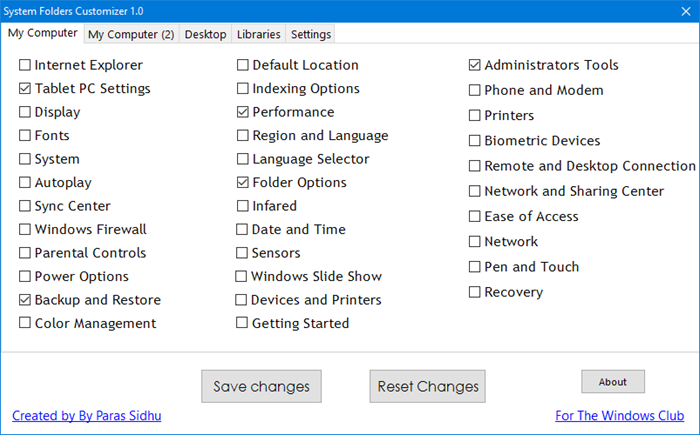
Many times we need to access these folders and we have to click a couple of times to reach them.
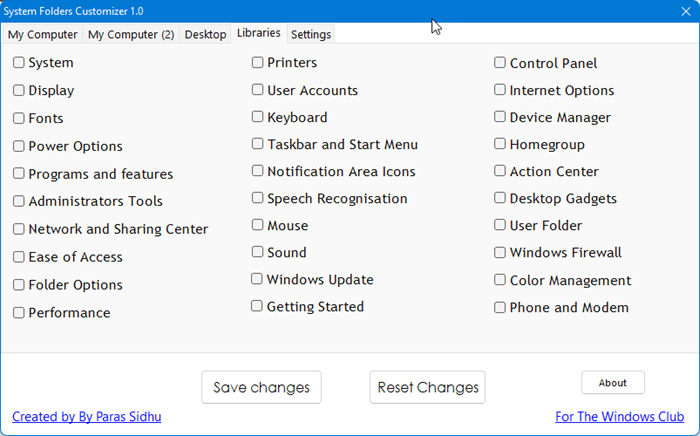
This tool will let you access them with a click since they are placed in regularly accessed places like This PC folder, Libraries, etc.
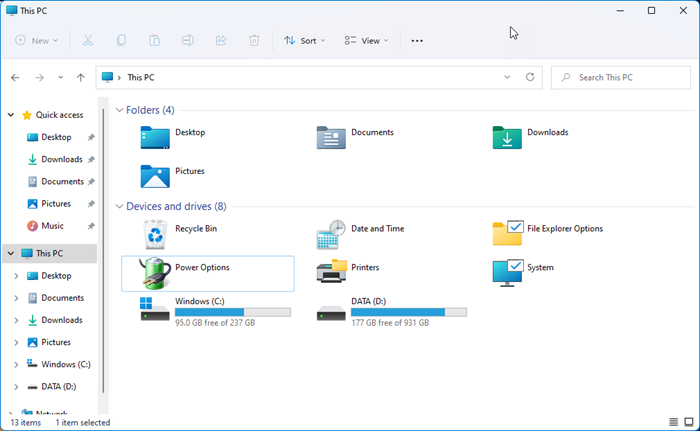
We had earlier posted on how you could add the Recycle Bin to This PC folder. You can now do so in a click using System Folders Customizer, since it lets you add many such shortcuts to your Computer folder, Libraries, and Desktop.
To add the desired shortcuts, simply check the selected boxes and click on Save Changes. To undo the changes, un-check the boxes and click Reset Changes. You may have to restart explorer.exe to see the changes on the desktop.
As mentioned, you can add such shortcuts to your Desktop too.
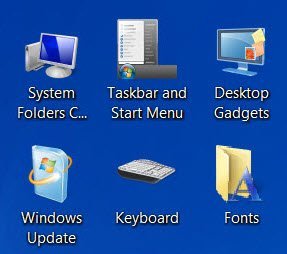
While our Windows Access Panel lets you access these controls or the in-built Windows programs from a single interface and while our Handy Shortcuts lets you add such shortcuts to the desktop, System Folders Customizer goes a step further by placing their shortcuts in Libraries, etc.

System Folders Customizer v1.0 has been developed by our Paras Sidhu for The Windows Club and has been tested on Windows 7 32-bit and 64-bit, but works just fine on Windows 11 and Windows 10 too.
How do I add folders under This PC in File Explorer in Windows 11?
If you want to manually add a folder to This PC in Windows 11, then you will need to tweak the Windows Registry. Or else, you can choose an easier way which is using a free tool for this purpose. System Folders Customizer and Windows Ultimate Tweaker are a couple of free and interesting tools to add or display any folder under This PC.
How do I change the File Explorer layout in Windows 11?
To change the File Explorer layout in Windows 11 and click on the View menu in the menu bar. This will let you change the view mode to Large icons, Medium icons, show/hide Details Pane, Preview Pane, enable or disable Compact View, show/hide hidden items, etc., and that will provide a changed layout. You can also sort items by name, type, free space, pin This PC to Quick Access, and do many other things to customize Windows 11 File Explorer.
Hope it helps.
