
Apart from shutting down Windows in the usual way, there is a way to shut down Windows 10 or Windows 11 using the command prompt. In fact, there are several switches available too. Windows 10 also offers new CMD switches for shutdown.exe.
Shutdown options using the Command Prompt
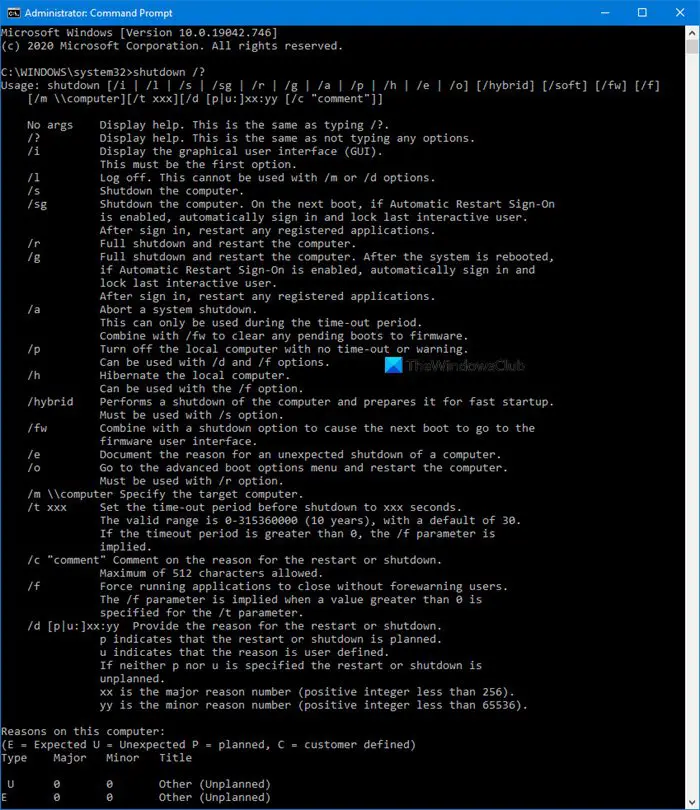
To see all the available shutdown options in Windows, type cmd in start search and hit Enter. In the cmd window, type shutdown /? and hit Enter.
This will list you the switches and shutdown options available.
For example:
- To shut down your PC type: shutdown / s
- To restart your PC type: shutdown / r
- To logoff your PC type: shutdown / l
CMD switches for shutdown.exe in Windows 11/10
The list of shutdown options include:
- /? Display help. This is the same as not typing any options.
- /i Display the graphical user interface (GUI). This must be the first option.
- /l Log off. This cannot be used with /m or /d options.
- /s Shutdown the computer.
- /sg Shutdown the computer. On the next boot, if Automatic Restart Sign-On is enabled, automatically sign in and lock last interactive user. After sign in, restart any registered applications.
- /r Full shutdown and restart the computer.
- /g Full shutdown and restart the computer. After the system is rebooted, if Automatic Restart Sign-On is enabled, automatically sign in and lock last interactive user. After sign in, restart any registered applications.
- /a Abort a system shutdown.
- This can only be used during the time-out period.
- Combine with /fw to clear any pending boots to firmware.
- /p Turn off the local computer with no time-out or warning.
- Can be used with /d and /f options.
- /h Hibernate the local computer.
- Can be used with the /f option.
- /hybrid Performs a shutdown of the computer and prepares it for fast startup.
- Must be used with /s option.
- /fw Combine with a shutdown option to cause the next boot to go to the firmware user interface.
- /e Document the reason for an unexpected shutdown of a computer.
- /o Go to the advanced boot options menu and restart the computer. Must be used with /r option.
- /m \\computer Specify the target computer.
- /t abc Set the time-out period before shutdown to xyz seconds.
- The valid range is 0-315360000 (10 years), with a default of 30.
- If the timeout period is greater than 0, the /f parameter is implied.
- /c “comment” Comment on the reason for the restart or shutdown.
- Maximum of 512 characters allowed.
- /f Force running applications to close without forewarning users.
- The /f parameter is implied when a value greater than 0 is specified for the /t parameter.
- /d [p|u:]xx:yy Provide the reason for the restart or shutdown.
- p indicates that the restart or shutdown is planned.
- u indicates that the reason is user-defined.
- If neither p nor u is specified the restart or shutdown is unplanned.
- xx is the major reason number (positive integer less than 256).
- yy is the minor reason number (positive integer less than 65536).
You can see the full details in the command prompt window.
Microsoft has introduced a new way to start your computer, called Fast Startup. Using this file during boot gives a substantial time-advantage during startup. To reinitialize Windows 11/10, you have to force a full shutdown.

