
You might have encountered a situation where your system is not acting normally – like few system application might be crashing it, etc. In such cases, we may need to repair your OS. We have already seen how to repair install Windows 7. In this article, I’ll show you how to repair your Windows 8 Operating System.
In this edition of Windows 8, Repair Install is called “Refresh PC”. It will keep your files and personal settings as it is, but the rest will be reset to default settings. Any downloads from App Store will be removed. We have already touched upon the Refresh and Reset features in Windows 8. This post tells you in detail how to do it.
Refresh Windows 8.1
Step 1:
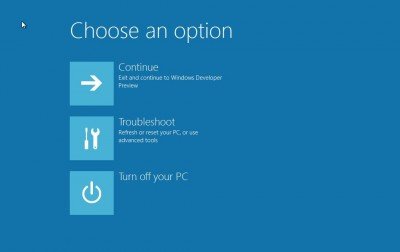
Press F8 while booting the system to go into Windows Recovery Menu. Unlike other versions, Windows 8’s recovery menu has the Metro UI style.
Step 2:
Click on Troubleshoot.
Step 3:
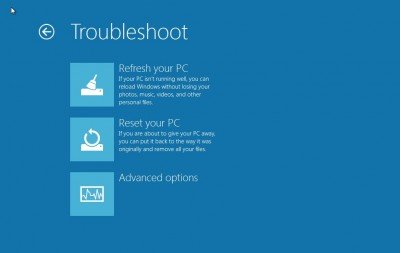
Click on “Refresh your PC” to start the process.
Step 4:
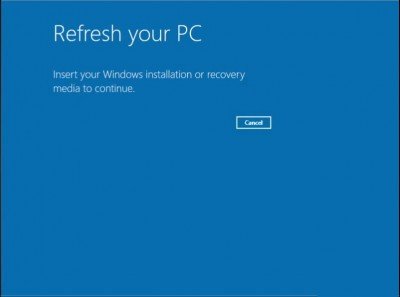
Now you have to insert your installation media i.e. your Windows 8 Installation DVD or USB drive.
Step 5:
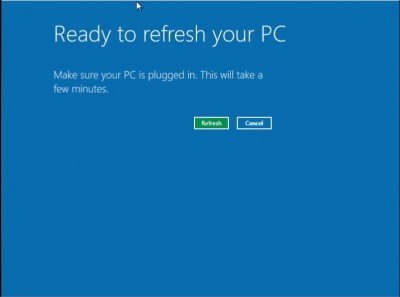
Once you insert the installation media, it automatically detects the media. Click on Refresh button to start the process.
Step 6:
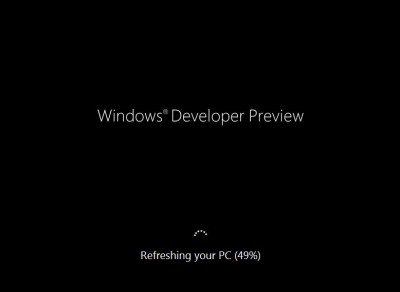
Now it will go through the Repair process and reboot the system. Once it’s complete Windows 8 should be repaired.
Hope this helps!
Go here to learn how to create a Custom System Refresh Image for use.
