
Halloween is around the corner, and keeping up with the spirit, there may be many of you looking out for scary Windows Halloween themes and wallpapers. In this post, we are listing a few which I am sure you will like.
Halloween Themes for Windows PC
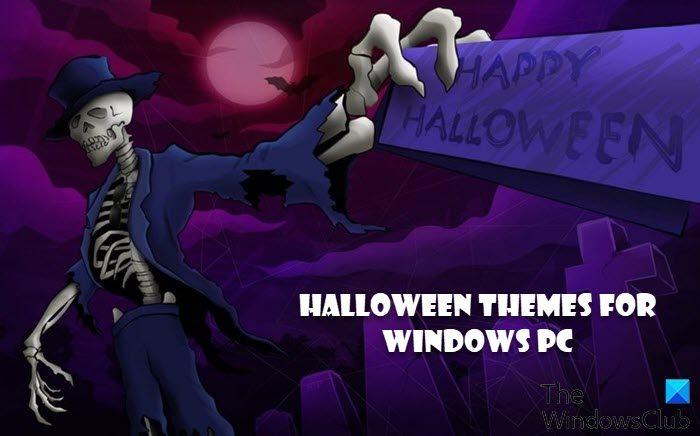
1] TWC Halloween Theme Pack
Halloween is a fun holiday celebrated on the last day of October. The day is often associated with wearing ghost costumes, ghost tours, bonfires, visiting haunted attractions, pranks, reading scary stories, and watching horror films.

To get you in the mood, we at TheWindowsClub are pleased to release the Halloween Theme Pack for Windows 11/10/8/7.

The pack contains 7 High-Quality wallpapers which are a part of the Halloween Wallpaper Pack downloaded from wp2u.blogspot.com.
2] Pumpkin Season Theme

It’s pumpkin time. They glow, they grin, and usher in the fun. Get 13 festive autumn images in this free Windows theme set.
The themepack is available on the Microsoft Store.
3] Halloween Theme

This Halloween themepack consists of 9 scary Halloween wallpapers and is available at themepack.me.
4] Trick or Treat Halloween theme for Windows
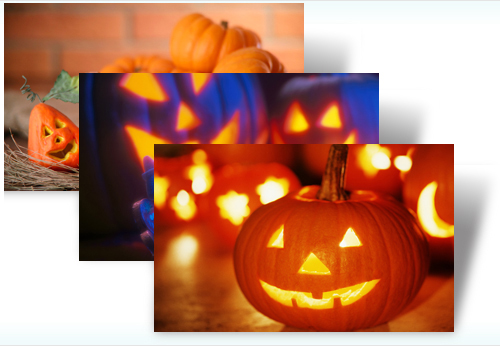
Dress up your desktop for Halloween with the cheerfully glowing jack-o’-lanterns and sweet candy treats in this free Windows theme.
The themepack is available on the Microsoft Store.
Related: Free scary Halloween Games Online to play with friends
5] Ticket to Fear Halloween theme for Windows
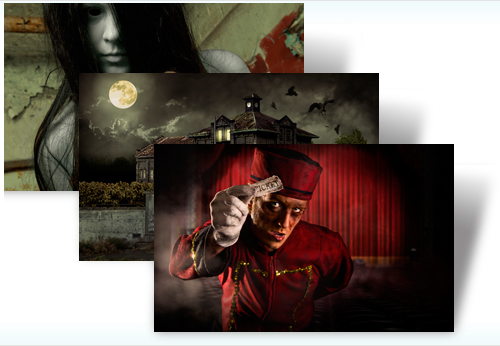
Open the creaking door to a virtual haunted house with this free Windows 11/10 theme. These ghastly ghouls are guaranteed to send a Halloween shiver up your spine, so don’t blame us if you scream!
Images in this Ticket to Fear Halloween theme may not be suitable for young children, so use your discretion. The themepack is available on the Microsoft Store.

Like all themepacks, this can be used on all Windows editions. You can also extract the wallpapers if you like them and use them on your desktop. Go here if you want to learn how to make a Windows themepack.
Can you get themes for Windows 11?
Yes, you can get themes for Windows 11. There are mainly two ways to get themes for Windows 11 computer. First, you can download a theme from a third-party website. Second, you can create a custom theme. For that, open the Personalization panel and click the Use custom theme option. Following that, you can create a custom theme as per your requirements.
How do I get classic Windows theme on Windows 11?
Windows 11 comes with a modern design and user interface that may not work well with the old classic theme. However, if you want to try the old theme, you have two ways to follow. You can either download the classic theme from a third-party resource or you can create one using the Windows Settings panel. For that, go to Personalization > Themes and click the Use custom theme button.
TIP: These Scary Sounds App For Windows PC are sure to interest you as well!
