
PDFCreator is a free tool to create PDF files from nearly any Windows application. While some programs offer the ability to convert into a PDF format or export into PDF, many do not have this capability. With this software, anything that can be printed can be turned into a PDF.
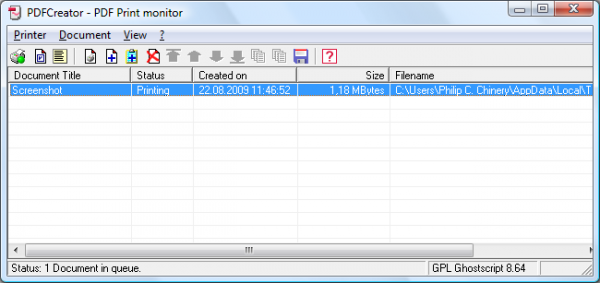
PDF Creator for Windows PC
Key Features:
- Create PDFs from any program that can print
- Security: Encrypt PDFs and protect them from being opened, printed etc
- Digitally sign your PDFs to ensure that you are the author and the file has not been modified
- Create PDF/A files for long term archives
- Send generated files via eMail
- Create more than just PDFs: PNG, JPG, TIFF, BMP, PCX, PS, EPS
- AutoSave files to folders and filenames based on Tags like Username, Computername, Date, Time etc.
- Merge multiple files into one PDF
- Easy Install: Say what you want and everything is installed
- Terminal Server: PDFCreator also runs on Terminal Servers without problems
PDFCreator is one of the top projects on SourceForge.net of all time, and there is a reason for that. PDFCreator easily creates PDFs from any Windows program. You can use it as a printer. It’s a great tool; it’s super simple to use and install, and the team works very well together.
If you are using Windows, this should definitely be in your toolbox!
Download SourceForge. It says on the home page that “This project uses a 3rd-party installer, its contents have not been scanned“.
NOTE: During installation, the installer may offer to install 3rd party software. You may want to uncheck the option! Thanks ASF!
Similar: Create PDF Files and Documents with Free PDF Editor.
Also read: How to create a PDF File on Windows 11.

