
There are times when you need to print a web page. But if you find that you are unable to print or print preview web pages, when you are using Internet Explorer on your Windows 10/8/7, this article may interest you.
Cannot print Web pages in Internet Explorer
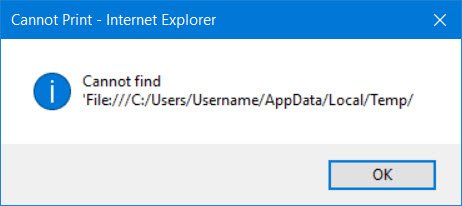
When you go on to print, you may receive the following error:
Cannot find ‘File:///C:/Users/Username/AppData/Local/Temp/
The reason this occurs is because the following folder may have been deleted due to certain reasons:
C:\Users\username\AppData\Local\Temp\Low
It could be because of some disk cleaning utility which you may be using.
Well, firstly you could restart Internet Explorer and try again and see if it works this time.
Recreate Temp folder
If not, the try to re-create this folder manually. To do so, type %Temp% in start search and hit Enter to open the Temp folder. Now in this folder, create a new folder and name it Low. That’s it!
If you are unable to re-create this folder manually, download and apply this Microsoft Fix it 50676. It will re-create the folder automatically.
Now see if it works.

Reset low integrity level on the Low folder
If it still does not help, KB973479 recommends that you reset low integrity level on the Low folder.
To do so, open command prompt as admin, type the following and hit Enter:
ICACLS "%userprofile%\AppData\Local\Temp\Low" /setintegritylevel (OI)(CI)low
Alternatively, you can download and apply Microsoft Fix it 50677 to do so automatically.
Restart the computer.
You will now be able to print or print preview webpages in your Internet Explorer.
