
If you are a Windows Phone user, you may just want to check out these transparent wallpapers for your WP mobile device.
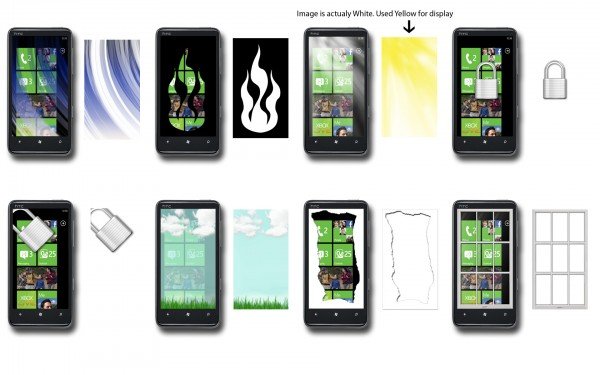
Transparent wallpapers for Phone
The transparent wallpapers are in .png format. To use transparent wallpapers on your Windows Phone, you have to mail yourself these wallpapers and then access the mail via your Windows Phone and then Set image as wallpaper.
If you save this image to your phone, the transparency will be lost as WP presumably saves images in JPG format only. The Zune software also only seems to sync JPG’s.
These wallpapers have been created by TWC Author and forum member Lee Whittington and can be downloaded here.
There is yet another fine transparent wallpaper pack for Windows Phone. The transparent wallpapers display solid logos of Windows, WP, Windows Live, Silverlight, etc.
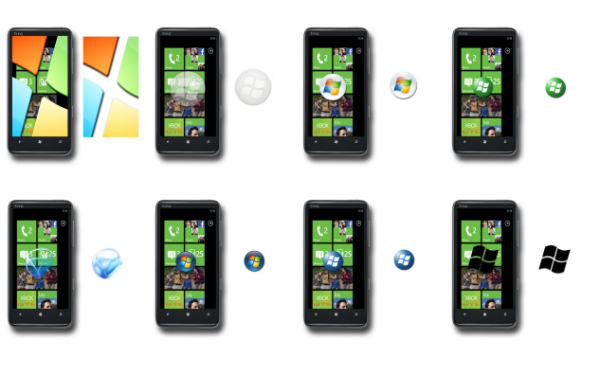
These Windows Phone wallpapers in the default size 240×320 pixels, have been created by TWC Author and forum member Lee Whittington and can be downloaded here.
Until you touch the phone and the lock screen any animation starts, the home screen will appear black. Transparency appears only after you touch the phone. Moreover, it does not work if you have set a password on the lock screen.
