
Over a period of time, you tend to install several programs on your Windows computer. Many of these programs end up adding entries to your Explorer right-click context menu, some useful, some not really.
Delete items from your right-click context menu
Over some time, you may find your context menu getting un-manageable. As a result, your Windows Explorer or Internet Explorer context menu tends to grow really large. Even after you have uninstalled some programs, you may still see their entries there!
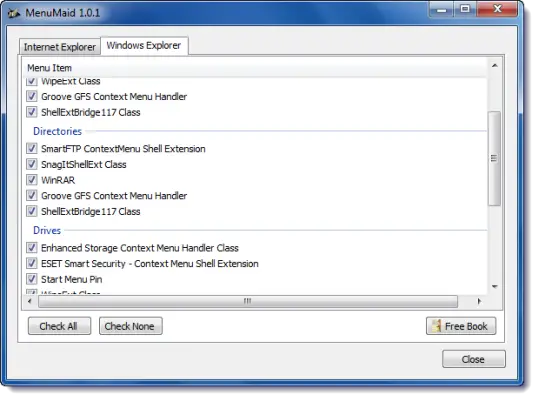
If you are you looking for a fast and easy way to clean up your Window Explorer right-click context menu, try MenuMaid.
MenuMaid download
Simply download the portable freeware app MenuMaid and uncheck the items you don’t want to show up. If you want to restore them, check them again.
Want to customize, enhance, and extend the Windows context menu, check out our Right-Click Extender for Windows.
For more options, read Add, Remove, Edit Context Menu items in Windows.
