
You can create a Logon message for Users or display custom legal notices & startup messages using Group Policy or Registry Editor in Windows 11/10, and in this post, we will show you how to do it. Windows 11/10 supports a local security policy, that allows you to create a message that will be displayed when users attempt to log on to a Windows computer. This can be implemented with the help of the Group Policy – as well as the Registry Editor.
Create a Logon message for Users using Group Policy Editor
To create and display a Logon message for users in Windows 11/10, follow these steps:
If your edition has the Group Policy Editor, you can also do so by navigating to the following folder:
Configuration\Windows Settings \Security Settings\Local Policies\Security Options
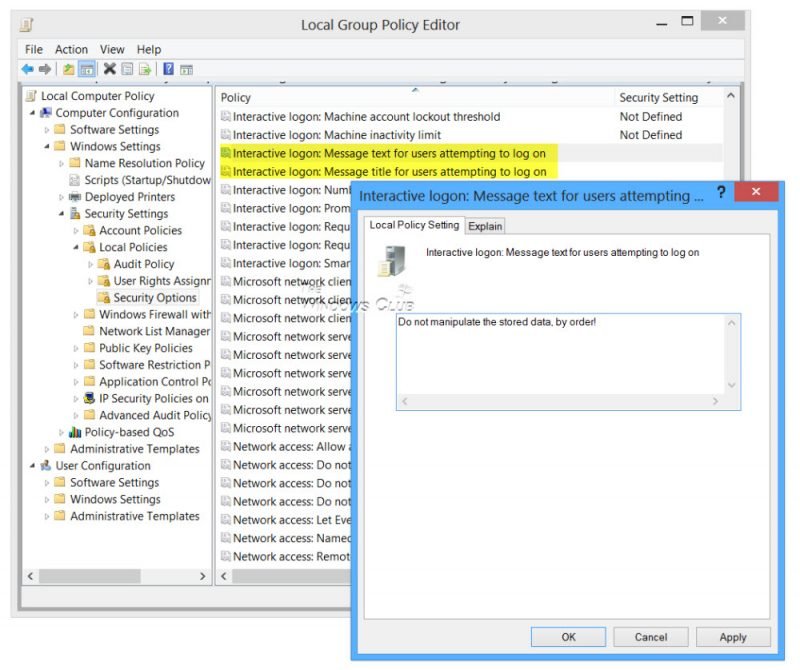
Here you will see two entries:
- Interactive logon: Message title for users attempting to log on. This security setting allows the specification of a title to appear in the title bar of the window that contains the Interactive logon: Message text for users attempting to log on.
- Interactive logon: Message text for users attempting to log on. This security setting specifies a text message that is displayed to users when they log on. This text is often used for legal reasons, for example, to warn users about the ramifications of misusing company information or to warn them that their actions may be audited.
This security setting specifies a text message that is displayed to users when they log on. This text is often used for legal reasons, for example, to warn users about the ramifications of misusing company information or to warn them that their actions may be audited. The default is, No message.
Double-click on each of them, and in the window which opens, enter the title or the text, as the case may be. Click Apply/OK/Exit.
Your Windows computer will display the start-up message every time you turn it on.
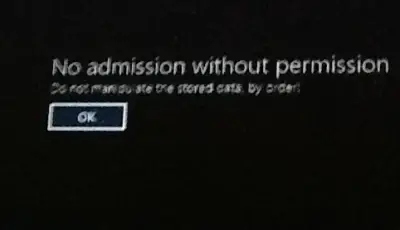
To undo the setting, simply reverse the changes made.
TIP: This post will show you how to change the Windows Boot Logo.
Display Legal message on start-up using Windows Registry
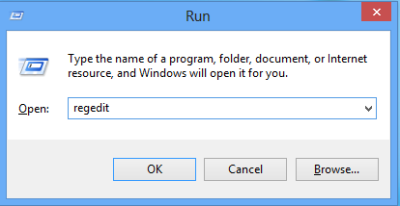
To display messages on startup, press Win+R in combination to show up the ‘Run’ dialog box. In the empty field of run dialog box, type the following keyword – regedit and hit the ‘OK’ button.
Next, when in the ‘Registry Editor’ window, navigate to the following key:
HKEY_LOCAL_MACHINE\Software\Microsoft\Windows\Current Version\Policies\System
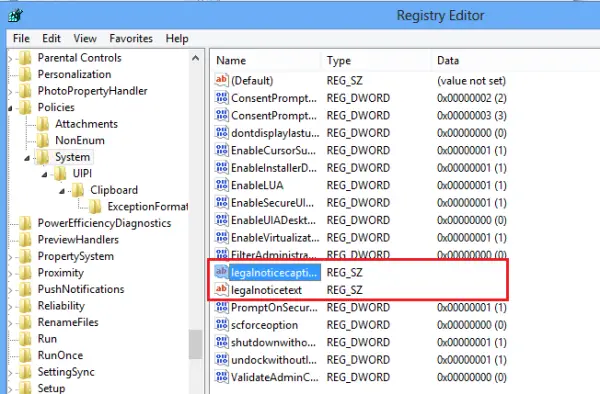
Under this key, you will notice two entries. It is these entries that need modification, to activate a start-up message:
- legalnoticecaption
- legalnoticetext
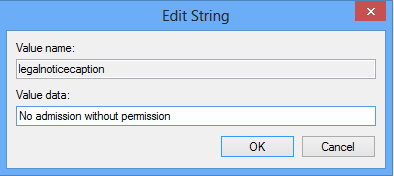
For doing so, right-click on the each of them, one after the other and choose the ‘Modify’ option.
It is first essential to understand the function of these two values. The first one, i.e., the legalnoticecaption value controls the title of the message. The message appears in a large font on your computer screen.
The second one, i.e., the legalnoticetext value, controls the body of the message. It can be seen below the title. It is this place wherein you can enter any additional information to be displayed in your message.
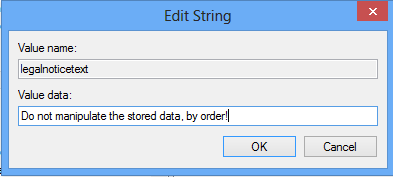
Click OK and Exit.
That’s it!
Incidentally, our Windows Logon Notifier makes the job very easy for you.
