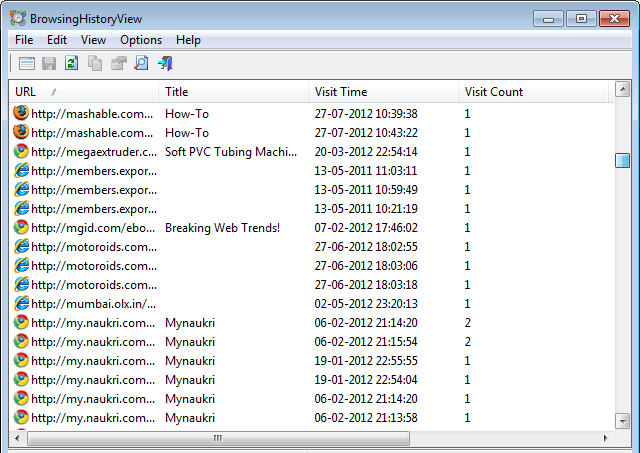
BrowsingHistoryView is a free tool lets you see Browsing History data of Chrome, Edge, Firefox & Opera at the same time on Windows 11/10.
We live in a generation where deleting history is considered more important than creating it. Not only does this help in protecting your privacy but it also keeps the system clean and healthy. Windows stores the history of most things, like what documents you use, websites you visit, images and movies you watch, and more. Anyone can easily check what you have been doing with your computer, raising privacy concerns. Having said that, there are also benefits to keeping history. For instance, you can quickly recover a lost web address you previously visited by searching history.
BrowsingHistoryView for Windows PC
Now, every browser has a different way of handling browsing history and also displaying them. BrowsingHistoryView is capable of searching the browser history of all the browsers combined. It is a simple program that is capable of reading the history of different browsers and display them under one table. The list of browsers include:
- Google Chrome
- Mozilla Firefox
- Microsoft Edge
- Opera.
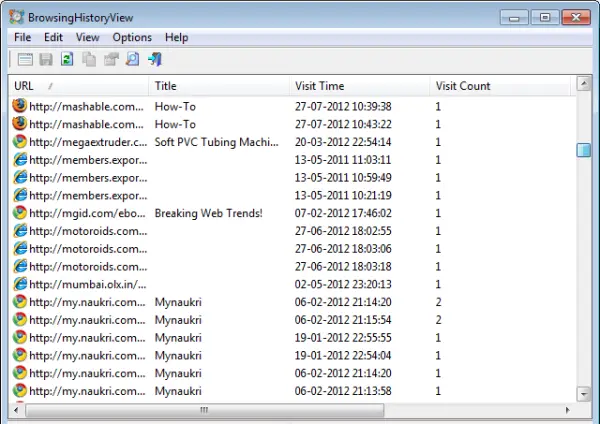
Information pertaining to title, visit time, visited URL, Web Browser and User Profile is displayed in the browsing history table. The ingenious program really allows you to watch the browsing history of all the user profiles in a running system, as well as to get the browsing history from an external hard drive.
View Browsing History of multiple browsers
Download BrowsingHistoryView. To use it simply run the BrowsingHistoryView.exe executable file. In my case, the program was up and running in less than a minute. Pretty quick!
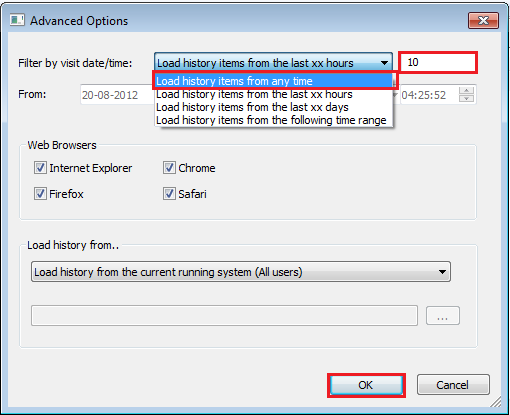
Run the program. By default, BrowsingHistoryView prompts you to load 10 days old history of all web browsers and user profiles however, you can change it. To do this, click on the options menu and choose ‘Advanced options’.

Then, change the load history time under ‘Advanced Options’ window and click on ‘OK’. Check out the screen-shot below!
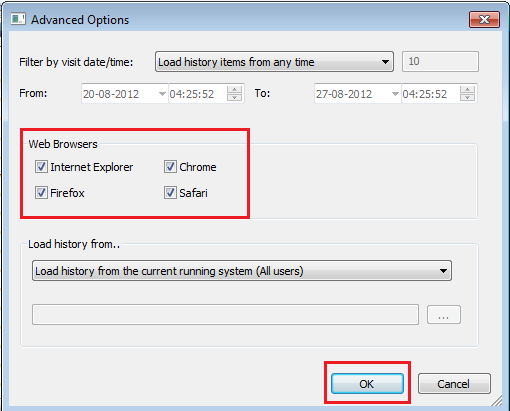
You can also select which browser’s results should be displayed in the report.
Once done, the freeware utility will load and display the browsing history according to the preferences set.
BrowsingHistoryView is compatible with most versions of Windows OS, including Windows 11/10 and supports both, 32 and 64-bit editions.
You can download BrowsingHistoryView from here.
Read: How to delete Browsing History using CMD in Chrome & Edge.