
In Windows Vista, you could search the internet through the Start Menu. However this ability has been removed from the Windows 7 Start Menu. In this post we will see how you can add Search the Internet link to Windows 7 Start Menu.
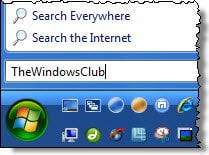
Add Search Internet Link to Start Menu
Should you wish, you can this functionality back to your Windows 7 start menu.
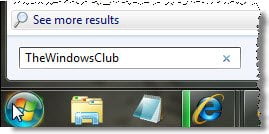
To do so, type gpedit.msc in start search and hit enter to open the Group Policy Editor.
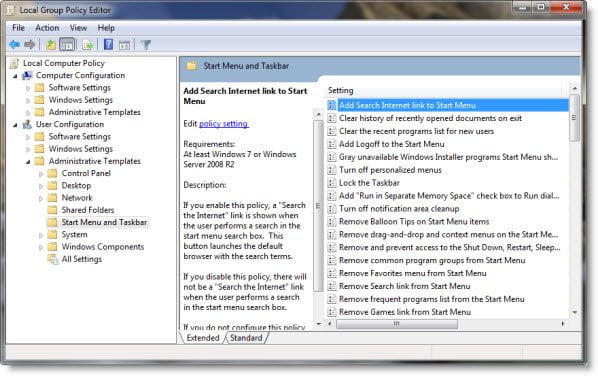
Navigate to User Configuration > Administrative Templates > Start Menu and Taskbar.
Now in the RHS panel, on the top you will see Add Search Internet Link to Start Menu. Double click on it to edit its policy settings. Select Enabled > Apply > OK.
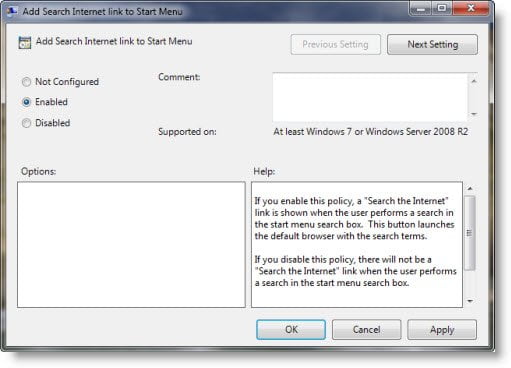
If you enable this policy, a “Search the Internet” link is shown when the user performs a search in the start menu search box. This button launches the default browser with the search terms. If you disable this policy, there will not be a “Search the Internet” link when the user performs a search in the start menu search box. If you do not configure this policy (default), there will not be a “Search the Internet” link on the start menu.
