
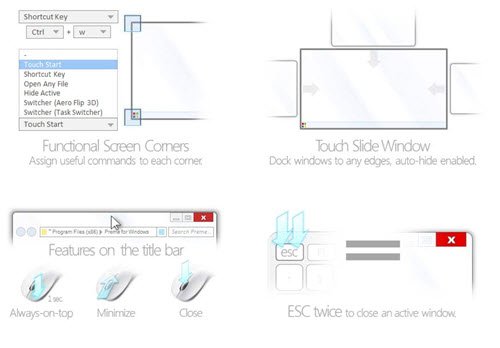
Preme for Windows is a freeware application that enhances your desktop by adding more functionality & features to your corners & mouse. It speeds up your window switching and reduces the need for pointer aiming, allowing you to switch faster.
Preme for Windows
Features of Preme for Windows:
- Touch the upper left corner of your desktop to see all your open Windows either in Flip 3D or Alt-Tab style
- Hold the mouse button on the title bar area of the window to keep your window on top of other windows
- Move the mouse cursor to title bar area and scroll down mouse wheel to minimize the particular window
- Hover the mouse cursor on the title bar area and then click the wheel to close the window
- Right-click on the taskbar button and the mouse cursor will point to the Close window option
- Press the ESC button twice to close the active item
- Move the cursor to the Start button area to open the Start menu automatically.
The application simply places itself in the start folder and does not add any entries to the registry.
