
Wi-Fi and Ethernet are some of the most common ways to connect to the internet, but they have their shortcomings. While one needs a lot of wiring and pre-planning, the other creates a lot of dead spots. Powerline Ethernet Adaptor offers a middle ground working on an existing solution in your Home—Electrical Wiring. This post attempts to explain Powerline Ethernet Adaptor, how it works, and the drawbacks.
What is Powerline Ethernet Adaptor?
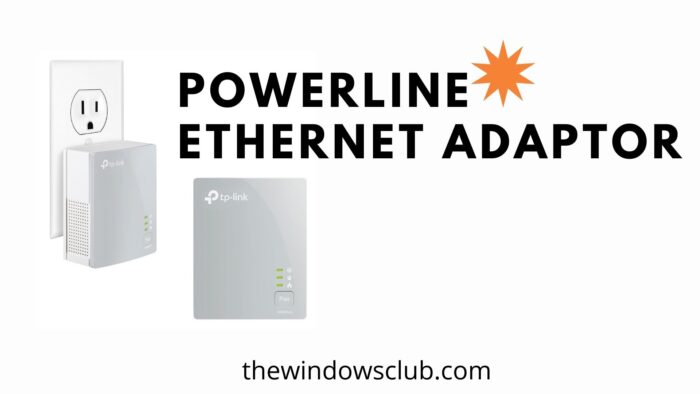
A Powerline Ethernet Adaptor is a device that uses your home’s electric wiring to transmit internet & other communications signals. It is interesting to know that internet connection can be shared over electrical wiring. The hardware is offered in two parts.
- First is the primary adaptor, which connects to the router using Ethernet wire. Also, it is directly plugged into your mainline.
- Then comes the secondary adaptor, which is similar to wireless hotspots or extenders. Like the primary adaptor, it is also plugged directly into the electrical outlet. From the secondary outlet, you can connect the device over wifi or through the Ethernet wire.
How does a Powerline Ethernet Adaptor or Plug Work?
These adaptors are not dumb devices but are rather smart. Using their smart algorithm, it can figure out all the connected adaptors, and send data or internet, and eventually to connected devices. It makes a perfect solution to enable an ethernet connection to every room in your house without wires.
Are Ethernet Adaptors as fast as WiFi and Ethernet?
Yes, and No. According to standards, they can offer up to 100-200 MBPS speed, which is good enough to stream 4K content. However, a lot depends on the wiring of your house. If you have multiple phases in your house, then the speed will change as the phase changes.
When setting up Powerline Ethernet Adaptor in a three-phase house, it is best to prepare a circuit diagram and connect the device on technical ground, each phase will be a separate network, and you will have to bring them together.
Pros and Cons of Powerline Ethernet Adaptor
While they definitely look worth a try, they have their own set of drawbacks that you should know.
Pros:
- Fairly easy to set up if all the units are from the same manufacturer.
- As stable as the Ethernet connection and better than WiFi without blind hotspots.
- Easily move them around the house wherever you need to connect a device.
- Reduces load on the Wifi network as more devices are connected via Ethernet
Cons:
- It is cumbersome to set up if you have multiple phases in your house as the strength will drop.
- Most of the adaptors are large in size, which means they can take up two sockets.
- If you have different wiring for each floor, you will have to draw circuit diagrams under one network properly.
- There can be interferences from other devices, and they cannot be used over a secondary extension board.
How many devices can one connect to a single Powerline Adaptor?
You can use a single adapter next to the router and then one next to each computer. It is similar to how you can add any number of extenders to expand your Wifi adaptor.
Read: WiFi Extender vs WiFi Repeater – Which one is better?
Are Ethernet Adaptors secure? Can my neighbor hack into it?
Like how an open network can be tempered with, if you have not set up a username-password for your Powerline Adaptors, anyone who plugs into your powerlines will access the internet using the right set of devices.
How many of these Ethernet Adaptor devices can you use?
Depending on the model, you should connect up to two devices, and then the rest of the devices can be connected through WiFi.
I hope the post was able to surprise you with this new way of connecting to the internet, and you at least gave it a try and see how it works for you at home or office.

