
Adobe AIR, also known as Adobe Integrated Runtime, is a Runtime Environment or runtime engine that developers use to create cross-platform rich internet applications. Adobe launched Adobe AIR in early 2008, and the company provided support for the product till 2020. After that, the development and support of Adobe AIR were handed over to HARMAN International. Adobe is a well-known brand that has developed numerous products, including Adobe Acrobat Reader and Adobe Flash Player. Each of Adobe’s products is used for different purposes. In this article, we will see what Adobe AIR is used for and whether you really need it on your PC.
Above, we have used some technical terms. Before we begin our discussion on the use of Adobe AIR, it is essential to understand the meaning of these technical terms. A Runtime Engine is software that is required by other apps to run. Many online gaming websites utilize runtime environments for their games. If the Runtime Environment is not installed on your system, you will receive a pop-up message to install it first.
Let’s discuss Rich Internet Applications, commonly referred to as RIA. An RIA is a web-based application that offers many features similar to desktop applications. RIAs generally run on web browsers and do not require to be installed on the client’s machine. However, the client requires the installation of specific platforms or Runtime Environments, such as Adobe Flash and Adobe AIR, to run the Rich Internet Applications.
Cross-platform apps are those apps that can run on different platforms. On the contrary, native apps are those developed for a specific platform, such as Windows OS or iOS. Cross-platform apps have many advantages over native apps. From the developer’s point of view, they do not need to write separate code for different platforms when developing a cross-platform app. On the other hand, if a developer wants to develop a native app for a different platform, he has to write different codes for different platforms.
What is Adobe AIR used for?
Developers use Adobe AIR to create web apps that can be used on different operating systems. The Rich Internet Applications developed using Adobe AIR can be used without a web browser. The user just has to install Adobe AIR on his computer to run such RIAs. By developing a web app that runs on the Adobe AIR Environment, an organization can enhance users’ experience, which is beneficial from a business perspective. How? RIAs developed on the Adobe AIR Environment let users browse the company’s products directly from the web app without visiting the company’s website in a web browser. Moreover, a company can also make its web app notify users every time it launches a new product which will increase users’ retention.
Do I need Adobe AIR on my PC?
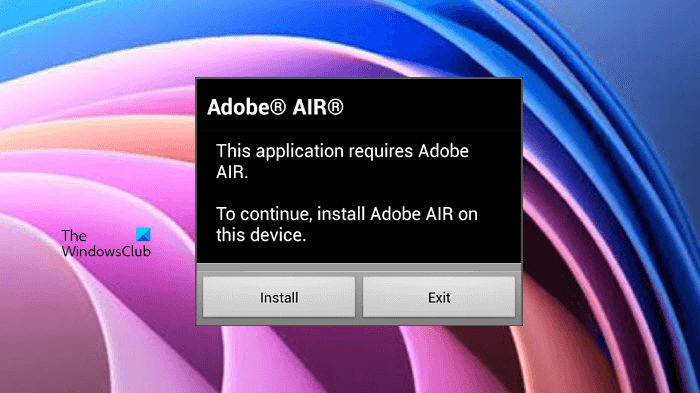
As explained earlier in this article, numerous Rich Internet Applications utilize Adobe AIR as a platform to run properly. Adobe Media Player, ImageDropr, FlickrFlipper, etc., are some of these RIAs. If you have installed such RIAs on your system, you need Adobe AIR. In this case, if you uninstall Adobe AIR from your computer, you will not be able to run such applications. Doing so, you will receive an error message on your screen which looks like this:
This application requires Adobe AIR, To continue, install Adobe AIR on this device.
Can I remove Adobe AIR from my computer?
As explained above, if you do not need the apps that run on Adobe AIR Runtime Environment, you can remove Adobe AIR from your computer. There are two ways by which you can remove Adobe AIR from your system. Both of these ways are explained below:
- Via the Windows Settings.
- Via the Control Panel.
1] Uninstall Adobe AIR from Windows 11/10 Settings
Here, we will explain the steps to uninstall Adobe AIR from both Windows 11 and Windows 10 operating systems via the Settings app.
Windows 11
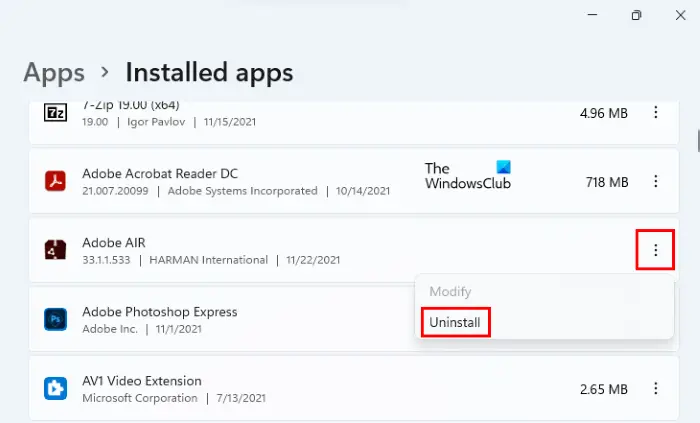
Windows 11 users have to follow the steps below:
- Right-click on the Start Menu and select Settings.
- Select the Apps category from the left side.
- Click on the Installed Apps tab on the right side.
- Locate Adobe AIR in the list of installed apps and click on the three vertical dots.
- Click Uninstall.
Windows 10
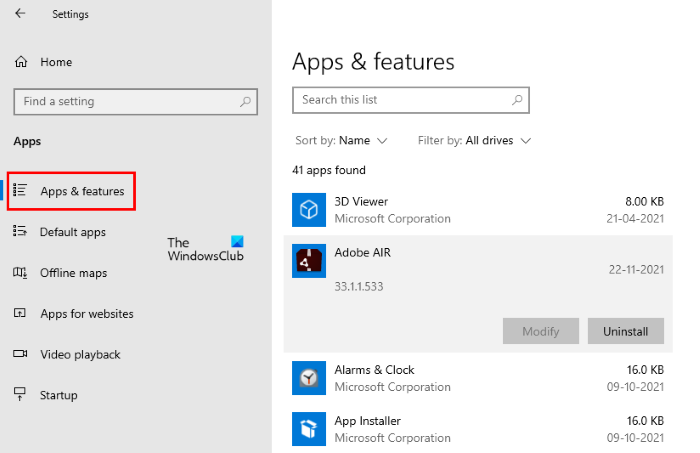
Windows 10 users have to follow the steps below:
- Right-click on the Windows 10 Start Menu and select Settings.
- Click Apps.
- Select Apps & features from the left side.
- Scroll down on the right pane and locate the Adobe AIR app.
- Once you find it, select it and click Uninstall.
2] Uninstall Adobe AIR from the Control Panel
This method applies to both Windows 11 and Windows 10 users. Follow the instructions listed below:
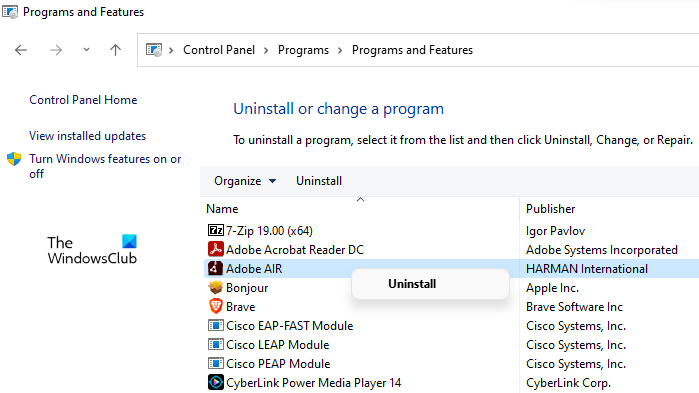
- Press Win + R keys to launch the Run Command box.
- Type Control Panel and click OK.
- Select Category in the View by mode.
- Go to “Programs > Uninstall a program.”
- Locate Adobe AIR in the list of installed programs.
- Once you find it, right-click on it and select Uninstall.
What is the use of Adobe AIR on PC?
Adobe AIR is a cross-platform Runtime Environment that is used to deploy RIAs (Rich Internet Applications) on a wide range of devices running on different operating systems. These RIAs use Adobe AIR as a platform to run properly. We have already discussed this in detail above in this article.
Read next: How to fix Adobe Creative Cloud Installer failed to initialize error.
