
Keyboards have been an integral part of computer systems since the beginning. Though there are many input devices, keyboards are essential to perform most functions in an average computer with Windows operating systems. Did you ever wonder what type of keyboard to buy for Windows PC? If yes, here are some details that should help you decide.
Types of Computer Keyboard Hardware & Technologies
There are two major types of computer keyboards: Basic and Extended. The Basic keyboard contains 104 keys and is enough to perform all the functions that can be done on a Windows PC. The Extended keyboard may have additional keys, and the design varies among the companies manufacturing them. These are usually customized keyboards that are specific to certain operating systems or applications. The best example I can think of for Extended keyboards is the Windows keyboard designed by Microsoft for use with its first “start screen” operating system.
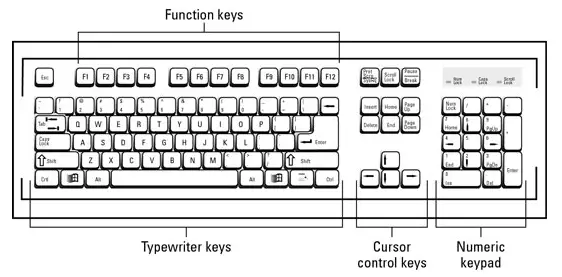
Types of keyboard technologies
The Windows Club has already covered some good keyboards from Microsoft. We will be looking at them in a while. Before that, let us take a look at the different types of keyboard technologies. When I say keyboard technology, I speak of the mechanism that is used to send signals to the computer that a key was pressed or a combination of keys were pressed. The work of translating key presses into digital information (key press, code of key, hold time, repeat instances, etc.) is done by the device drivers of the keyboard. You need not worry about drivers of keyboards as Windows OS has them built-in for most of the keyboards. Rarely, you may have to install keyboard drivers separately – in the case of special, extended keyboards.
Types of Computer Keyboards
| Keyboard Type | Core Feature | Ideal For | Limitations |
|---|---|---|---|
| Gaming | Macro keys, RGB lighting, mechanical feel | Gamers, Power users | Expensive, Bulky |
| Mechanical | Individual spring switches | Typing enthusiasts, developers | Loud; heavier |
| Membrane | Pressure pads under keys | Office work, Budget setups | Less tactile; Prone to errors |
| Ergonomic | Split/curved design for comfort | Long sessions, For Health-conscious | Requires an adjustment period |
| Virtual | On-screen keyboard interface | Touchscreen devices | No tactile feedback |
| Projection | Laser-projected layout | Portable, Futuristic setups | Needs a flat surface; Error-prone |
| Wireless | Bluetooth or RF connection | Clutter-free workspaces | Battery-dependent |
| Backlit | Illuminated keys | Low-light use, Aesthetics | Higher power usage |
| Flexible | Foldable rubber material | Travel, outdoor environments | Needs a firm surface for typing |
Some images:
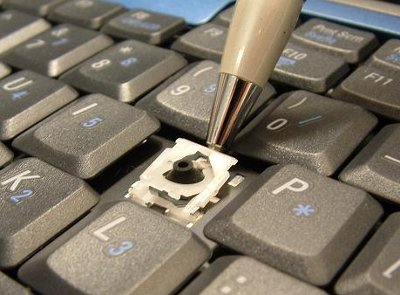
Scissor Switch Keyboards
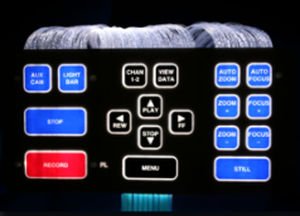
Flat Panel Membrane Keyboards
Full Press Membrane Keyboards
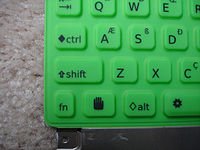
Direct Switch Keyboards
If you’d like to see top models or recommended brands in any category—or filter by gaming, ergonomic needs, compact size—I’m happy to help!
I hope you find this useful.
