
As users, some of you may be nonplussed by the two terms now appearing on almost every technical site: Cloud Computing and Virtualization. We had covered introductory articles on Cloud Computing, but Virtualization has not been covered here. So let’s try to understand what virtualization is and what it offers, because of which it has become a buzzword.
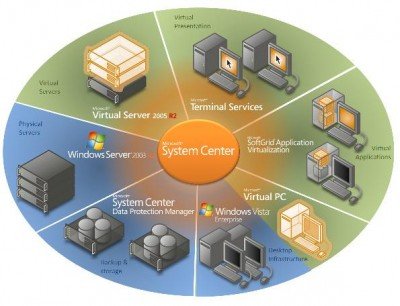
What is Virtualization in computers?
First of all, understand that Virtualization is nothing new – it was always there; it had great importance during the Mainframe Computer time when it was required to share the resources efficiently, as they were quite costly at that time.
With the advent of time, Virtualization lost its importance due to two major reasons:
- Hardware costs dropped drastically with LSI and VLSI.
- x86 architecture became very popular.
In short:
Virtualization is any framework or process or layer which divides the resources like servers, databases, networks, operating system into one or more different execution environments.
It allows users to run a single physical resource, such as a server or storage device, so it appears to be running multiple logical resources. Virtualization abstracts the characteristics of computing resources so that other processes, applications, or systems can interact with those resources in a non-conflicting fashion.
Examples include partitioning the drive, using the mobile emulator, or using virtualization products like Virtual PC or VMware Desktop.
Virtualization, like Cloud Computing, lacks a standard industry definition, and any definition can be correct. It also doesn’t have standard types, so we can classify it under three broad categories :
- Operating System Virtualization
- Storage Device Virtualization
- Application Virtualization
Other types of virtualization have evolved over the years and are now gaining prominence in emerging fields such as cloud and grid computing. These are storage virtualization, service virtualization, hardware virtualization, network virtualization, management virtualization, and application server virtualization.
Read: How to enable or disable Hardware virtualization vis BIOS.
The scope of virtualization is rising, and with single on-chip architecture to be rolled out soon, I expect a lot of investments in this field.
I will be throwing light on the above-said types in my future posts.
Take a look at Nested Virtualization in Windows OS.
Why is virtualization introduced?
One of the main benefits of virtualization is that it allows multiple virtual machines (VMs) to run on a single physical server, improving server utilization rates and reducing the need for additional hardware. Organizations can save money on hardware, power consumption, and maintenance costs.
What are the benefits of Virtualization?
There are many, but keeping IT and company resources in mind, the list includes Efficient resource utilization, Cost savings, Scalability and flexibility, Improved disaster recovery and business continuity, security, and more. Overall, virtualization can help organizations to reduce costs, improve efficiency, increase flexibility and scalability, enhance security, and improve IT management.
