
SMB, or Server Message Block, is a protocol used to transfer files over a network. Then comes SMB Compression which compresses file size to make sure large file transfer can speed up further. The advantage of using SMB compression is that you do not need to use any third-party software to compress and decompress when moving files between servers and even to the client PC.
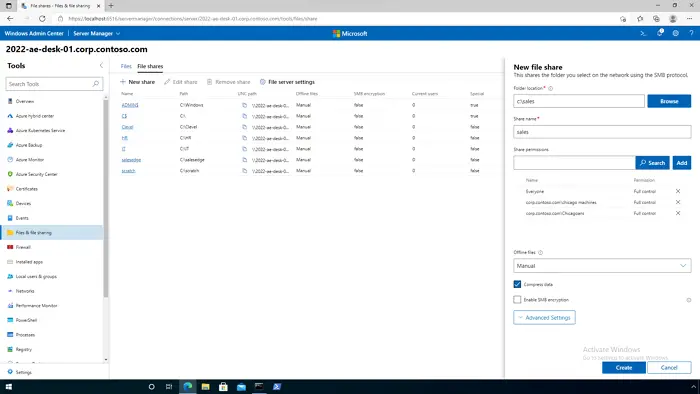
How to improve network speed using SMB compression in Windows 11
Here is the set of registry values that the IT admin can modify on their Windows 11 client or server to speed up the transfer process.
1] Agressive Compression
On the client PC, open Registry Editor, and navigate to the following path:
HKEY_LOCAL_MACHINE\System\CurrentControlSet\Services\LanManWorkstation\parameters
Right-click and create a new REG_DWORD value name: CompressibilitySamplingSize
Set to a decimal value of: 4294967295
Create a new REG_DWORD value name: CompressibleThreshold
Set to a value of: 0
Close regedit.
This setting takes effect immediately, no reboot is required.
2] Smb2CreditsMin and Smb2CreditsMax
HKLM\System\CurrentControlSet\Services\LanmanServer\Parameters\Smb2CreditsMin
HKLM\System\CurrentControlSet\Services\LanmanServer\Parameters\Smb2CreditsMax
You can change the minimum and maximum values of these parameters that can throttle the client within specified values. You can increase the value so the throughput can increase and ultimately increase the copying files’ speed.
3] AdditionalCriticalWorkerThreads
HKLM\System\CurrentControlSet\Control\Session Manager\Executive\AdditionalCriticalWorkerThreads
By increasing the value of this one, you can allocate more worker threads, which will enable more queued I/O in the storage subsystem. This, in turn, will improve the performance of I/O devices. If you are using high-end storage hardware that has its own logic system, this improvement will be even more significant.
4] MaxThreadsPerQueue
HKLM\System\CurrentControlSet\Services\LanmanServer\Parameters\MaxThreadsPerQueue
If you have too many requests i.e. concurrent requests, then increasing the value of this queue will increase the scale. You should see more work done in less time with improved performance and response times.
5] AsynchronousCredits
HKLM\System\CurrentControlSet\Services\LanmanServer\Parameters\AsynchronousCredits
This key can increase the number of concurrent asynchronous SMB commands allowed on a single connection. Some file transfer scenarios require a large number of commands to be executed; increasing this number will improve performance.
More on SMB Compression on the official document.
What are the SMB Performance Counters?
You can use the following counters to determine if you are achieving the speed you expected after optimization. The list includes: Client Shares, Server Shares, Server Sessions, and Direct Connections.
Why is SMB Compression important?
Apart from eliminating the need for an additional tool, SMB compression ensures that the process consumes less network bandwidth, time, and, in turn, reduces the cost of CPU usage. Overall, it saves a significant amount of time and energy, making it a cost-effective process.
According to Microsoft, the process is most effective when using a 1Gbps Ethernet or WiFi network and an uncongested 100 Gbps Ethernet network.
