
At times you may feel the need to grab YouTube thumbnail images. These thumbnails are important for anyone who wants to give potential viewers an idea of what they’ll be seeing. The best content creators make the most of thumbnails. Instead of simply using generic images, it is always a good idea to create custom thumbnails for your own videos.
How to download YouTube Thumbnails
You can download YouTube Video Thumbnails easily without any special software. The task is easier than you might think. The information below should help with getting the thumbnails you want for your special YouTube video:
- Open the preferred video on YouTube
- Locate and copy the video ID from the URL
- Insert the ID in this special URL
- The YouTube Thumbnail will be displayed
- Right-click on the image and select Save image as.
- The YouTube Video Thumbnail will be saved to your PC.
Open the preferred video on YouTube
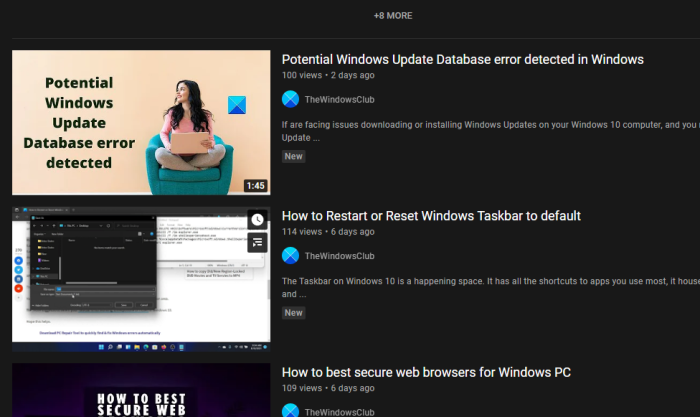
The first thing you should do is visit the exact link of the YouTube video associated with the thumbnail you want. Complete this task by visiting YouTube, then searching for the video using the search box and selecting it from the search results.
Locate and copy the video ID
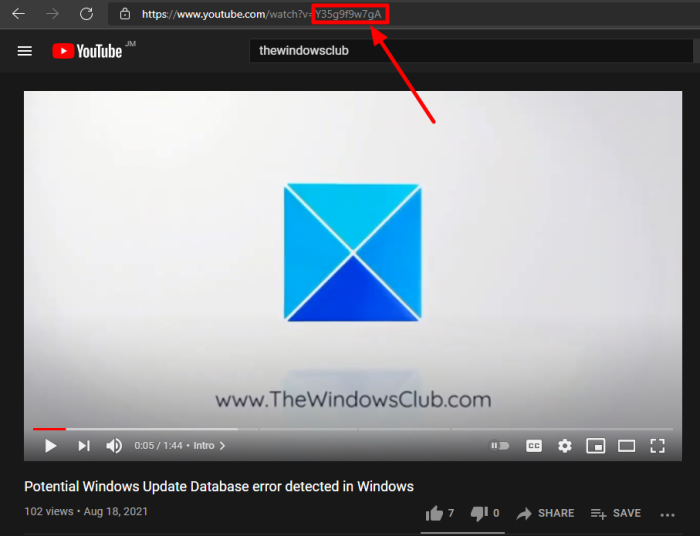
Here’s the thing, the video ID is not the URL, but it is part of the URL. In fact, it is the last 11 characters of the URL, and it comes right after the equal sign.
So, from the URL bar, look for the ID, highlight it, then copy it to the Windows 11/10 clipboard.
View & Save the thumbnail
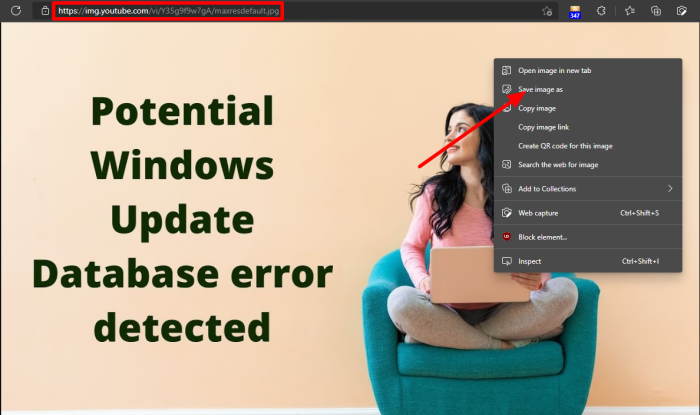
After copying the ID linked to the video, you will want to insert it into the following URL:
img.youtube.com/vi/[VideoID]/maxresdefault.jpg
So, if the ID is Y35g9f9w7gA, then the final URL should look similar to what you’re looking at below:
img.youtube.com/vi/Y35g9f9w7gA/maxresdefault.jpg
Copy the finished work, then paste it into your URL bar. Finally, hit the Enter key and watch as the thumbnail shows up on your screen.
Right-click and hit Save Image As if you are using Microsoft Edge. Other browsers will likely have a different name, but not too different.
TIP: Stay in touch with the latest in the world of Windows; Subscribe to our TWC YouTube Channel.
Is it possible to screenshot YouTube thumbnails?
Well, yes, you can do this, but it won’t be of any help because the photos will end up being too small with low resolution. Furthermore, the professional look and feel you are seeking will not be a factor. Not to mention, the platform does not provide a way for users to download thumbnails. If you’re not keen on asking creators to send a copy of their thumbnails, our method should make your life much easier.
If you have any further questions, please feel free to contact us through the comment section below.
READ: How to unsubscribe from all your YouTube channels at once.
