
If you use Facebook to chat with friends, clients, relatives, etc. and you do not want to use an additional browser window for this purpose, then you can use one of these Facebook Messenger apps for Windows 11/10. Facebook allows you to ditch the Facebook interface and open Messenger to check Facebook messages using these apps.
Facebook Messenger apps for Windows PC
Please note that the fourth app, released by Facebook, is the official Facebook Messenger client for Windows 11/10, while the first three are unofficial third-party clients for Windows 11/10.
- Messenger for Desktop
- Caprine
- Franz
- Messenger from Facebook.
1] Messenger for Desktop
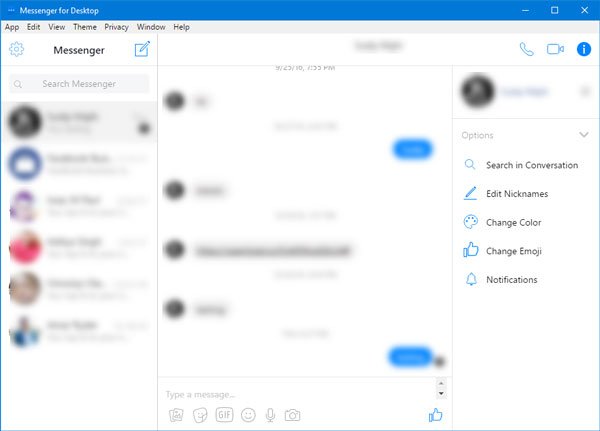
Messenger for Desktop is a pretty simple Facebook Messenger client for Windows. The user interface is just like the official Facebook Messenger website. You can send text, audio, video, emoji, sticker, etc. to your friends. Apart from that, you can use voice and video calls. It is possible to browse all messages of the Inbox, Archive, etc. In case you want to switch from the regular Messenger to Workplace Messenger, that is possible too. The best thing about this tool is that you can use a dark theme. To enable it, go to Theme > Dark. Apart from this theme, you can have Black, Midnight, Mosaic, etc.
Download it from the Softpedia website. It is ad-supported, though.
2] Caprine
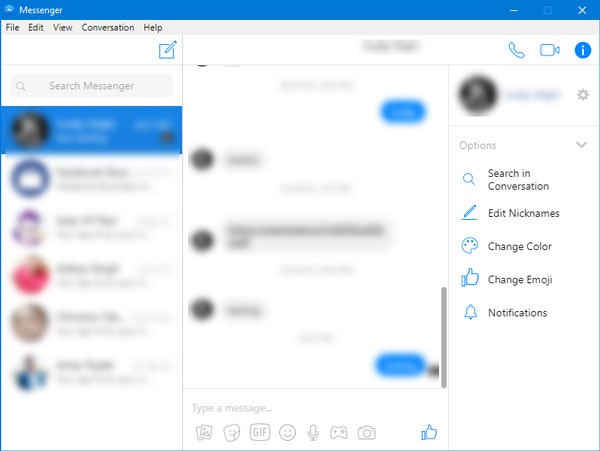
Caprine is an open-source Facebook Messenger client for Windows 11/10 that you can download for free. There is no difference in the user interface as compared with other apps – but it loads faster. It lets you use a dark theme, but it doesn’t offer different modes like the first app. Caprine offers some useful options such as-
- Mute notifications
- Show unread badge
- Block seen indicator
- Block typing indicator
- Custom style
For many people, the Seen indicator, and the Typing indicator would be quite helpful. You can download it from Github.
3] Franz
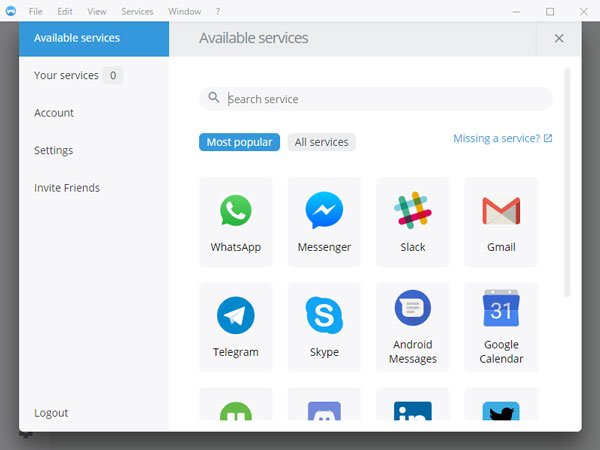
In terms of features, Franz is far ahead of both tools mentioned above, since it allows you to add other chatting services such as WhatsApp, Slack, Telegram, etc., as well. In the Franz Facebook Messenger client, you can navigate through various folders, such as Inbox, Archive, Unread, etc. You can make voice, video, or other calls. The only thing that is missing in this tool is a dark theme. You need to create an account on Franz first. If you want to download it, you can visit their site. Take care of any third-party offers and opt-out.
TIP: All-In-One Messenger can merge all your messaging apps in one place.
4] Messenger from Facebook – Official app
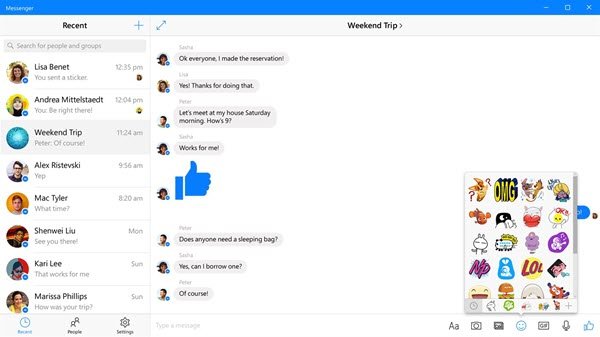
This is the official Facebook app, and we recommend you use it. With Messenger from Facebook, you can keep your conversations going wherever you are, and chat on the go! It is available for download from the Microsoft Store.
What is difference between Messenger app and Facebook Messenger?
The Messenger app is different from Facebook Messenger. It is a separate app that you can install on your Windows 11/10 computers, Android smartphones, and iPhones. As the name implies, the Messenger app is used to send and receive Facebook messages. On the other side, Facebook Messenger is a messaging service integrated into facebook.com. You can use this messaging service by signing in to your Facebook account in your web browser.
How do I use Messenger without Facebook app?
You can install the Messenger app from Microsoft Store, Google Play Store, or App Store. After installing it on your device, sign in using your Facebook account credentials. After this, you will be able to use Messenger without the Facebook app.
Read next: How to see who blocked you on Facebook?
