
Most people around the world prefer to use wireless internet at home due to its convenience. However, there are still those who use wired internet since in many cases, it is still better than Wi-Fi where stability is concerned. Some folks may want to connect several devices to their wired network, but they run into a very common problem. That problem has a lot to do with routers and their limited number of Ethernet ports. So, in a situation like this, the option is to add more ports, but that’s easier said than done.
How to add more Ethernet ports to a Router
To learn how to do this, we recommend reading the information below. It contains only the data that is known to work 100 percent.
- Use an Ethernet Switch to add more ports
- The possibility of slower internet connection across devices
- Gigabit Ethernet ports are ready
- Can an Ethernet Switch be used in a different space?
1] Use an Ethernet Switch to add more ports
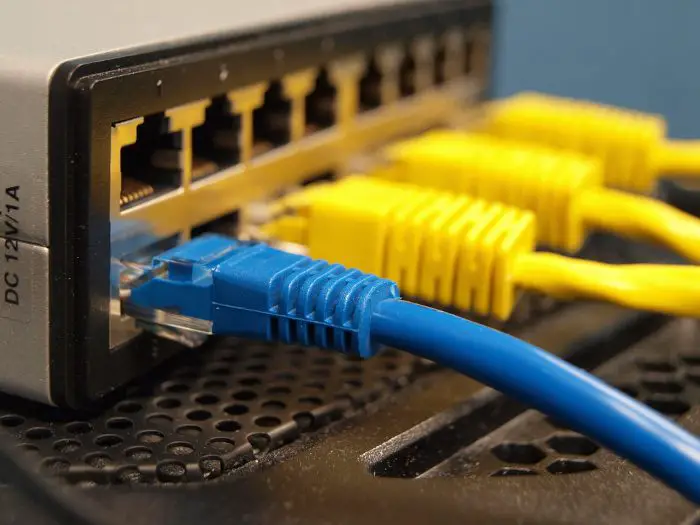
To increase the number of Ethernet ports available to you, we suggest getting an Ethernet switch. These devices will plug directly into one of the Ethernet ports on your router, and from there you can use the additional ports on the switch.
Now, an Ethernet Switch is not freely accessible unless someone is willing to make that happen for you. However, the cost of ownership is relatively affordable; just know that the more ports you want, the more you’ll have to pay.
We should point out that it’s possible to transform your old Wi-Fi router into a switch, but due to the complexities involved, we will have to discuss it in more detail in another article. You can buy some good ones here at Amazon.
2] The possibility of slower internet connection across devices
Here’s the thing, when you connect an Ethernet Switch to your router, it will do so by a single port. That port supports limited bandwidth, which means that if your switch has four ports, then all devices connected to those ports would be effectively running from one, the main port on the router.
If all devices are using the internet at the same time, the bandwidth from the main port will be shared across the four ports on your switch.
By tailoring to how each device is used, you should have few problems with overall bandwidth sharing.
3] Gigabit Ethernet ports are ready
One way to possibly ensure increased speeds for all devices connected to the Ethernet Switch is to make sure your router and the switch itself support gigabit performance. For example, the ports can support speeds up to 10Gb; therefore, if your internet connection speed is lower, a 10Gb port will have no problem accommodating it and delivering to all devices.
Note that if your router can only support up to 100 Mbps, you should consider upgrading to a gigabit router that supports up to 1000 Mbps, which is about 10 times the speed of 100 Mbps. To take advantage of these new routers, you will need devices that support faster speeds. One of the products that can do this is the Xbox Series X.
4] Can an Ethernet Switch be used in a different space?
If you want to have your Ethernet Switches in a different room, then this can be done with ease. However, you will need assistance from an Ethernet extension cable. You can determine the size that is best for your needs and then get to work.
Read: Internet works through WiFi router but not Ethernet modem OR vice versa.
What is an Ethernet cable used for?
OK, so the purpose of an Ethernet cable is to send broadband signals between your modem, router, computer, and other internet-capable devices that are connected via wires. For those with high-speed connections, an Ethernet cable makes more sense for delivering them due to its capabilities.
We recommend using Cat 5e, Cat 6e, or higher when deciding which Ethernet-capable to invest in. You can buy some good ones here at Amazon.
Is Ethernet cable faster than Wi-Fi?
Make no mistake, Wi-Fi is wonderful and can deliver a fast, consistent internet connection to your devices. However, if you are looking for greater reliability, speed, and security, you cannot go wrong with an Ethernet cable.
