
Windows 11/10 Enterprise Edition does not offer an option to enter your serial number during installation. In my case, when you click on “Activate” it tried for a few minutes and gave me an error DNS name does not exist. Windows Activation is the process that verifies a Windows installation on a PC is properly licensed and genuine, and it’s quick and easy. Every Windows user should do it. Here is a way to activate Windows Enterprise Edition. But of course, you can follow this procedure to activate any version or edition of Windows, including Windows 8.1 and Windows 7.
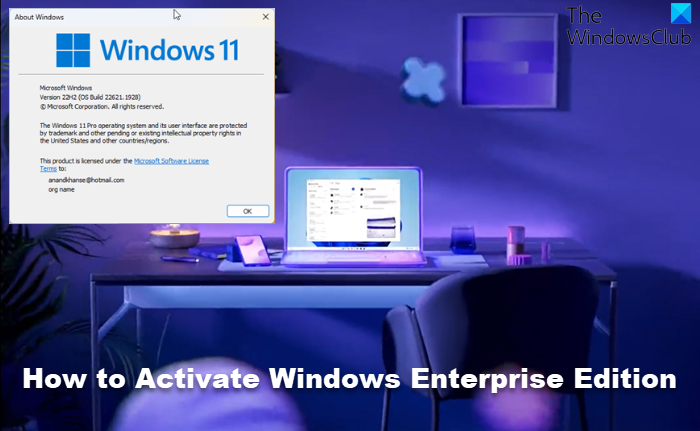
Activate Windows Enterprise Edition
If you have installed Windows 11 or Windows 10 Enterprise Edition, you will now want to activate it. There are two ways to do it. One via the Internet and others by using the Phone.
Activate Windows Enterprise Edition over the Internet
To do so, open an elevated Command prompt.
Next, type in SLUI.EXE 3 and hit Enter.
This will open the Windows Activation dialog box. You can enter the serial number here.
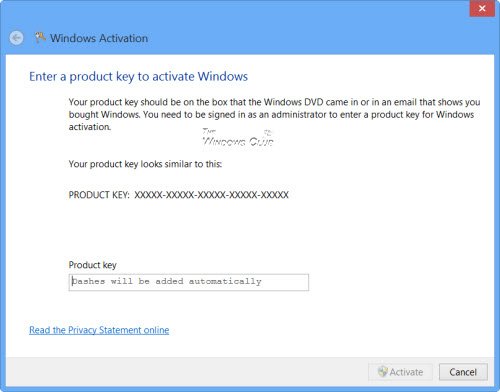
Type in the serial number and click on Activate. You will be required to be connected to the Internet.
Activate Windows Enterprise Edition by Phone
If you wish to activate Windows by phone, type SLUI.EXE 4 instead in the command prompt. This will open a box that lets you activate your Windows license by phone.
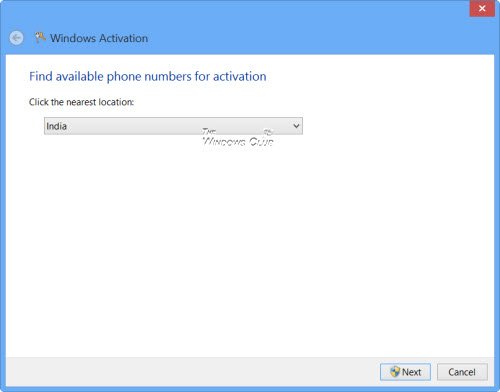
Select your country from the drop-down menu and click on Next.
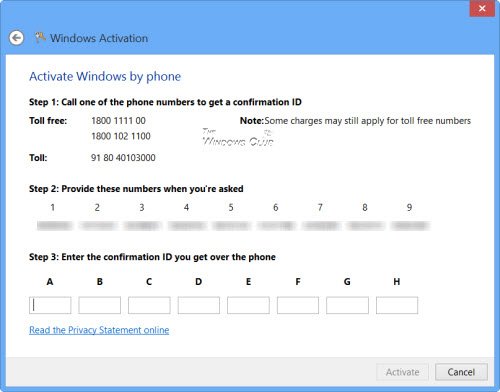
Here you will find toll-free phone numbers you can call. You will be required to provide the specified numbers to the other person, who will, in turn, issue a Confirmation ID that you will need to enter. Once done, click on Activate.
Once activated, you may wish to view the Licensing Status and Activation ID of your Windows OS with slmgr.vbs.
UPDATE: Microsoft has retired phone-based activation for Windows and Office wef December 3, 2025, replacing it with an online portal that requires signing in with a Microsoft account.
“Support for product activation has moved online.”
Calling the activation number no longer connects you to the automated system.
As mentioned, you can follow this procedure to activate any version or edition of Windows. Go here if you want to learn how to change your product license key in Windows.
These posts may interest you:
