
If you have an NTFS formatted SD card, you may be using Advanced Direct Memory Access (ADMA) to transfer data between the SD card and a computer that is running Windows 7 system. When you transfer data from the computer to the SD card, the data on the SD card may be corrupted. Additionally, unexpected problems may occur when you try to use the affected data.
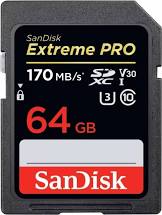
Fix Windows 7 data corruption issues in SD Cards
During an ADMA transfer process, the Secure Digital Bus Driver (Sdbus.sys) converts the DMA data structure of the operating system to the ADMA data structure of the SD card.
The DMA and the ADMA data structures are also known as the descriptor tables.
The descriptor table contains a data length value and a buffer address. The data-length field is 16-bit and has a maximum size of 64K (kilobytes).
However, during the data conversion process, the Sdbus.sys driver does not check the buffer size in the descriptor table of the system. Therefore, Sdbus.sys driver may set an incorrect data length in the SD descriptor table.
For example, Sdbus.sys driver may set the data length larger than 0xFFFF. Also, corrupted I/O occurs. This causes data corruption.
An update has been released which fixes a data corruption issue that occurs in Secure Digital (SD) cards. For details & download, please visit Microsoft.

