
We have seen where the Windows Registry is located physically on the disk and how we can access and edit it using the Registry Editor. However, if you wish, you can access and modify the registry directly through Windows File Explorer using Windows Registry shell extension.
Browse and edit the Registry from Explorer
The Windows Registry is a directory that stores settings and options for Microsoft Windows’s operating system. It contains information and settings for all the hardware, operating system software, most non-operating system software, users, and PC preferences.
Windows Registry shell extension
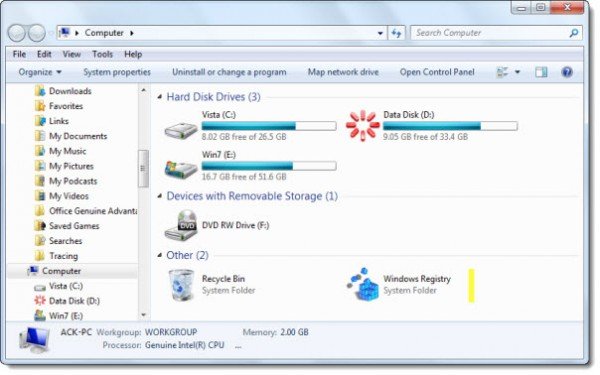
Download and install Windows Registry shell extension.
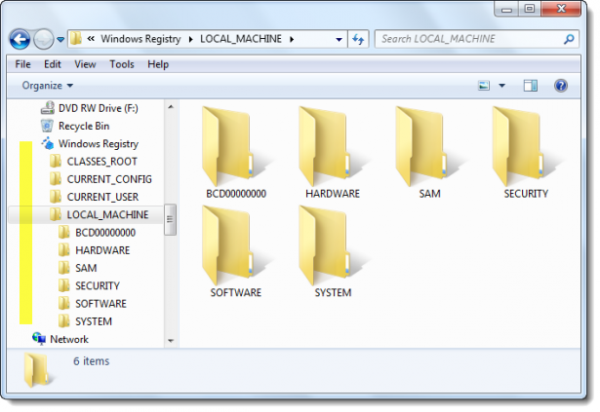
It is a Shell Namespace Extension that allows you to browse and edit the Windows Registry from the Computer folder.
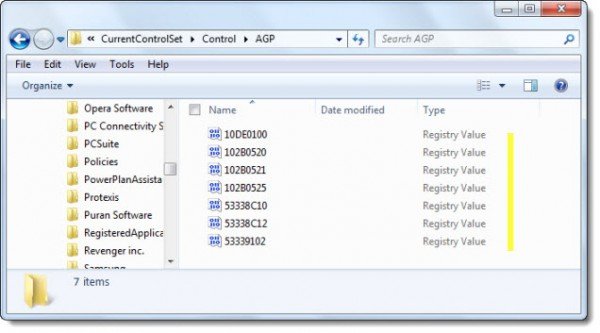
It creates a virtual folder in the (My) Computer/This PC folder and populates the Windows Registry branch.
This tool allows editing the Windows Registry. This is a potentially hazardous operation that could render your system unbootable if done incorrectly. If this happens you will have to restore a registry backup or reinstall Windows.
Check it out and download it from its home page. Do not install this tool for editing the Windows Registry unless you know what you are doing.
TIP: How to edit the Windows Registry without opening regedit.exe but by using Console Registry Tool or reg.exe, may also interest you.


Leave a Reply