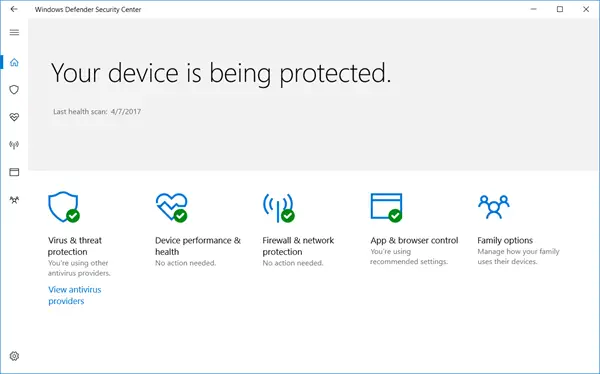
Which antivirus software do you recommend?

Installing a good antivirus & keeping your Windows & your security software updated at all times helps protect your Windows computer from viruses and other security threats.

windowssecurity Which antivirus software do you recommend?

Now I know there is no such thing as a best anti-virus software; but nevertheless, I’d like to know which antivirus software do you use to protect your Windows PC from security threats, and why you think its the best!

Do you use a free AntiVirus software for Windows 7; or a paid one? Or do you use a fully integrated Security Suite? Do you have a second layer of defense in terms of an additional anti-spyware or anti-malware software installed?

Please do share below in the comments – which one you recommend and why!

Love to hear which antivirus you use! smile Which antivirus software do you recommend?

If you have liked this post, you might want to check out some more, on topics like .

About AnandK@TWC

Anand aka HappyAndyK is an end-user Windows enthusiast, a Microsoft MVP in Windows Desktop Experience since 2007, and the Admin of TheWindowsClub.com, TheGeeksClub.com & WinVistaClub.com. Creating a System Restore Point before trying out a new software or a tweak is always recommended.

Ads

Random Posts

  • Newman

    Well, if you ask me I think Microsoft has done a pretty good job with their free antivirus. I used to earlier use AVG free but now use MSE.

  • Abertha

    I think Kasperky is the best one going around presently.

  • andrew

    i currently use comodo antivirus but i prefer to use a-squared anti mailware but the trial version donot stay much , hope i can win licence here please , i adore EMSI softwares

  • SE

    I use both MS Security Essentials and Norton Security on my home computer with Windows 7 and XP installed. I can boot in one OS and scan all drives, then boot in the other and scan the entire computer with a completely different tool. Norton received a bad rep, but over the last three years it has vastly improved. Another add-on to the main antivirus I highly suggest is PREVX, which is very light on resources and very effective. Finally, if you get a questionable warning run the file in Virustotal.com to see what the other AV/anti-malware products say as the warning may be a false positive.

  • Frank

    With Microsoft Security Essentials i’ve found the peace.

  • Ilir

    I use MSE and so far so good. I’ve used Symantec AV corporate edition which is nice, NOD32 ESET very good and now have switched to MSE and will stick to it.

  • http://www.rgbstock.com/ Cris DeRaud

    I am a second year user of Emisoft Anti-Malware (formally called a-squared) I frequently run sweeps with Malwarebytes, Kapersky and online scanners and they all fail to find anything Emisoft missed.

    I also run in the background MS Essentials, SpywareBlater and Panda cloud without any conflict. I never hear from them as Emisoft catches everything before it gets to them.

  • jimmy

    I have use kaspersky for 3 years and all i can say it’s getting better and better. Especially the latest release(11.0.1.400), which really tie up the loose end it has on the previous and have better utilization on processing power

  • http://www.webtrickz.com Mayur

    Kaspersky 2010 is always my first choice.

  • Peteh

    Avira Anti-virus Personal, free and the best ?ne!

  • http://www.mstechpages.com Dustin Harper

    I use MSE for a free AV, and it has done an excellent job. I used to highly recommend AVG, but they have been overtaken by Microsoft with MSE.

    For a paid AV (which doesn’t do much better or worse than a free one), it’s either Kaspersky or NOD32. NEVER Norton or McAfee. :)

  • Hans

    Indead theres is notONE solution for Virus protection. I use MS Defender Windows 7, EMISOFT a Super tool, BitDefender and Malwarebytes, Yes 4 in total and….. stil I’m not 100% protected. They all cover different aspects of the virus/malwares threads.

  • http://yethz.wordpress.com yethz

    NOD32 and MBAM to protect my PC…
    MSE is the also good but takes more memory footprint than NOD32, well, in my pc…

  • David Sekirka

    I use Avast On both my Desktop runing Windows XP & on my Laptop runing Windows 7.

  • Ron Rahav

    NOD32 as the primary, and PREVX as the secondary.

    NOD32 has consistently been near (or at) the top, over the past few years – according to these 2 ANTIVIRUS ranking sites: http://www.av-comparatives.org/ and http://www.virusbtn.com/index

    PREVX (Behavioral Antimalware) is among the best at detection and removal of malware, based on behavior analysis. It also has a VERY low Memory, CPU, and Hardisk footprint. (It does, however, require a constant, live Internet connection)

  • Jimmy

    I use Avira AntiVir free and was using Malwarebytes till it tried to block Avira. Going to look for a different anti-spyware or anti-malware app.

  • http://www.intowindows.com Tweaky

    KIS 2010 is the best one. Have been using KIS for the last three years without a problem.

  • PChammer

    I have used Avira Anti Virus for some time now. For a free version Anti Virus, it seems to detect faster, use less resources and has a great detection rate. Our local college is now using it instead of AVG for their lab computers and since, have had no slow downs and far less infections. It’s what I recommend to others and use myself. If it stays the way it has, I won’t change to any other. I also use MBAM.

  • Mike

    I use Avast on all my machines.Win7&XP.
    Never had a problem.

  • redk9258

    I’m using the beta version of MS Security Essentials version 2. It seems to work just as well as the current released version. They claim it has an improved engine. I used to use Norton AV, then Symantec AV (corporate version). When I updated to Windows 7, I heard about MSE, tried it and never looked back. I like how it doesn’t bother you and just works quietly in the background .

  • itconcerned

    Without counting on XP Mode as a security layer for security testing purposes, I use MSE, Malwarebytes and UAC at its up on a standard account for day-to-day use and I am doing well so far.

  • Jim Cuppy

    McAfee and MS Security Essentials. Both seem to back each other up and McAfee comes with site adviser (so you don’t long on to site McAfee has teated) Also has a virtual Technician to check all components of the suite and corrects them as needed.Yoy will also notice on many site on the net ,that McAfee has tested 95% of them.After 4 yrs of use it has never failed me.

  • TheBigOldDog

    The right Anti-virus and more broadly, internet security tool is user dependent. What’s best for a nontechnical user is usually completely different from a tech user, which in-turn may be different still for a gamer. In addition, users can be further broken down into subsets based on their risk profile. That is, how risky their net activities are.

    Anybody who thinks there’s a best or worst solution is thinking about the problem from a very narrow perspective originating around their navel.

  • OldElmerFudd

    Four of my machines run NOD32 4.0 and one runs Sunbelt Vipre AV – all very good. All machines have MBAM Pro, a-squared (now Emsisoft), and WinPatrol. I don’t personally prefer suites; IMO, each has a weak link in the security chain.

    All have worked very well at intercepting potential problems and asking for permission. No complaints.

  • TestGOTD75

    I use Kaspersky Internet Security 2011 CF1 (customized settings for my need) as main protection suite. It is one of the best suites with the best detection and cure. KIS 2011 is stronger than before. I am using Kaspersky Lab products since 2006 and never have suffered from an infection. Recently to supplement my protection, I have added WinPatrol PLUS 2010 (18.1.2010) and Malwarebytes Anti-Malware Pro (1.46) in my already strong security. Moreover, I am also using Returnil Virtual System 2010 Free (3.1.8774.5254) to virtualize my system mostly (return to normal mode every three days to permanently install updates of windows/software (if any) and antivirus updates). Everything is running fine on my Windows 7 Ultimate x64 desktop.

  • bonbonboi

    Hi peeps! I am using Avira AntiVir Personal. I tried the paid version of it also. but as a techie person I do not want the AV to take any action before asking what to do. To me Avira is doing so good with their solid security products. even With Avira AntiVir you still protected almost of many malwares , Check out the Threat Categories and you will see to how far you can choose the protection level, even it can catch any thing like warez programs, keygens, and TR autoruns etc… about the Microsoft AV, umm well I have never trusted them before, so it wont happen now.
    Regards,

  • Emil

    Hi!

    Must telling everyone of you about a nice offer that arrived from another blog recently.

    Called “SSDownloader”, a free informative tool that helps the user like a download manager specially designed for security software.

    Lets you download the most popular & reliable security suites and other useful tools directly from desktop in just a few clicks.
    http://sourceforge.net/projects/ssdownloader/

    Myself using Comodo AV, firewall with HIPS and sandbox (virtual protection).
    HostsMan hosts-file editor for manage and update my hosts-file for new malicious threats and websites as well adds. For additional scanning and investigation of drives and files I’m using MBAM and Virustotal uploadtool.
    One place which is important to clean out regularly is the folders for cookies and temporary internet-files as well flashcontent. For this I use CCleaner/FCleaner among other tools.
    Always use newest uppdates for Windows and servicepacks. It’s not unusual that I take advantage from using VirtualBox and reach internet through a virtual machine as it’s much more safe.
    And hey, don’t forget secure your running services by visit BlackViper and keep an eye regularly by using Sysinternals ProcessExplorer or similar.
    Did I mention I’m using Sunbelt Vipre AV & firewall on my virtual machines? Sorry:)

  • Emil

    @SE
    “I can boot in one OS and scan all drives, then boot in the other and scan the entire computer with a completely different tool”

    That’s a good choice which I used myself quite much before especially for checking files.
    There’s just one problem with it, it can not scan the registry were the settings is in offline mode from another drive. But for just files is great.

  • roger

    I use MS Security Essentials, Immunet cloud AV and run regular scans with Malwarebytes. I figure between them they should catch most things and don’t actively interfere with each other.

  • Emil

    ……….
    For offline scanning of the registry with another AV product in offline mode it’s needed use e.g Live CD and run it from the CD/DVD burner or USB pen drive or remote from another connected computer.

  • Ian

    I use the free edition of AVG antivirus and Spyware

    and also Spywareblaster as a secondary protector as
    it catches the threats “before” they get to the files, both programs work well together and I never have any problems.

  • acr

    I have Windows 7 Ultimate and use the Applocker feature. It’s a little funky but I’m getting more used to it. Since I’ve used Applocker I have been able to reduce my real time protection quite a bit. I just run Avast 5 free version with most settings on lowand I have the added scanner of Prevx. Both Avast and Prevx combined are lighter than any other single antivirus I have used.

  • Eddie

    Avast free version for me also.

  • http://www.dushansprojects.wordpress.com Dushan

    First of all I would like to say that it’s really important that you have one “main security app” and a few more “additional apps”.
    For example I use:
    Kaspersky Internet Security 2011+Malwarebytes’ Anti-Malware+Comodo Firewall

    I think that I have a good shield against threats only with KIS but adding these two is an extra protection that’s really useful.
    There are many other alternatives, for example KIS is paid software but you can use free combinations as well:
    Avast Anti-Virus+Malwarebytes’ Anti-Malware + Comodo Firewall

    Besides that you can use:
    1. Avira A-V Personal/AVG A-V/…
    2. SUPER Anti-Spyware/Spybot S&D/Ad-Aware/…
    3. Windows Firewall(Built in)/…

    Also I would like to add that KIS or ESET Smart Security as “Universal Security Apps” for example are really good but I strongly recommend some additional apps as well.
    Regards, Dushan

  • keivan

    I use nod32 av, because:
    1. has low false positive results.
    2. is compatible with windows defender.

    But I wish it had sandbox technology used in kaspersky.

  • FreD

    I use MSE. It’s light on resources and best of all, it’s free. Highly recommended. :)

  • Saif Ali

    I and my brother and all friends use KIS 2010. We’ve been using KIS for last few years and it is just awesome.

  • Mike markwick

    I use Avast Free,Zone Alarm free, Malwarebytes, Threatfire. So far no problems, But I am constantly looking for something better and keep up with testing that is being done by Security Companies.

  • torned

    NOD32 and MBam for me at home and at work.

  • subgrampus

    Use AVG Free and MS Security Essentials…the two (2) co-exist nicely and play fairly, not interfering with the other at all. Have been running both concurrently for a number of months on the computer with XP and the computer with Vista. Will soon be doing the same on a computer with Windows 7.

  • Wesley

    We use Avast Home Edition (Free), and back it with other programs as in spybot search and destroy. Like that of Norton software, I found MS Security Essentials to use alot of resouces and tie up the machine. Also having more than two similar programs running to compliment each other, also makes confilicts in the system.

  • Frederick

    SUPERAntiSpyware and NOD32. NOD32 is expensive, but it’s a good program. SAS is free. Between the two I feel well protected. I have tried others, but they are either too resource-intensive,too cumbersome to use, or simply didn’t work. I like MBAM too, but I can’t run a scan and do anything else without the system hanging, so I only use it occassionally or when I’m not going to use the computer for anything else while scanning. I don’t seem to have that issue with the others.

  • http://www.akatsukisos4.blogspot.com Yodith

    MICROSOFT SECURITY ESSENTIALS IS THE BEST,…!!!
    I fully trust MSE…!!

  • Sujay

    Freeware AV is sufficient to stay protected. For me Avast is the most featured Free AV. For layered protection I use Panda Cloud AV along with that with no problem. There are MBAM, SAS and Emsisoft for on-demand scan. Winpatrol is also there in real time. Firewall: Comodo or Private Firewall.

  • mohsen

    free version of avira or avast,some times with a free firewall like comodo or outpost.after a few years experience with computer i know 30% of security is antivirus and 70% is myself.

  • thEGA

    Avira Premium. I have paid for it for about 6 years now.
    If something works that well then I like to support development of it.

  • Macethic

    well. I would recommend avira for freeware and kaspersky for shareware.

  • Mustafa Farooq

    I always prefer Avira for Free Antivrus, ts the best besides being free, and way better than avg, and i think avast as well…..

  • ErnieK

    I use the FREE version of AVAST anti-virus on both laptop and desktop. It is easy to use and allows the user to disable any of the 7 (seven) separate shields for a set time (10 minutes for example) and then it re-starts the shield) if required for downloading a file file from the net etc that Avast flags as dangerous. It also allows BOOT SCANS.

    I also use a2 (now Emisoft)
    On my laptop (main PC) I have the PAID version. I do DIS-ABLE the (auto start)GUARD on it because it slows the PC down a lot when running with Avast. I use the paid version because of the Auto-updating and user configured automatic scans. Some folks might think that this defeats the purpose of having it but I do not) I do daily auto scans as follows:
    A2 = Monday – Wednesday – Friday
    Avast = Tuesday – Thursday – Saturday
    On Sundays I do a BOOT scan on both PC’s with Avast.

    As for a FIREWALL I now use Zone Alarm (paid – for which I won a years license here in the Windows Club)on my laptop. On my desktop I use Comodo which was also previously run on my laptop. I also have SPYWAREBLSATER installed on both PC’s
    Ernie

  • jellymelly

    I used to use Kaspersky Internet Security 2010 but then I tried Norton IS2010 and found out it starts up faster than KIS and also uses less memory. So I switched to norton =) together with malwarebytes

    For my netbook with way crappier specs i use mse. Is it true that MSE doesn’t have good internet protection?

© 2012 The Windows Club All Rights Reserved