
One feature of Linux that you may have liked that is you can switch between different virtual desktops. You can do so for Windows by using a free program named ‘Desktops’. Desktops from SysInternals creates four virtual desktops. Plus you can switch between them very easily and fast.
Sysinternals Desktops
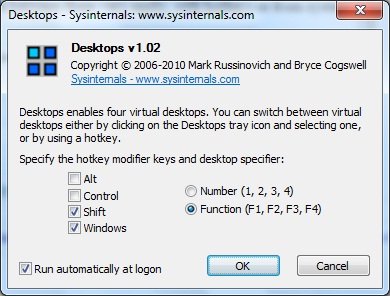
Windows Sysinternals develops some very useful and good applications for windows. Whether you are an IT Pro or a general Windows user, you can use many of Sysinternals utilities. You don’t need to install the application as it is a stand-alone application.
With Desktops you can create virtual desktops; it actually creates three additional desktops, to the one you are running. It is very tiny being just a 60 KB download. Unlike other virtual desktop utilities that implement their desktops by showing the windows that are active on a desktop and hiding the rest, Sysinternals Desktops uses a Windows desktop object for each desktop.
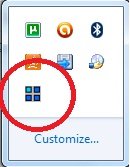
You can make the application auto-start with your Windows. The application doesn’t get minimized to the taskbar; it is just minimized to the Notification Area. You can specify the hotkeys so that you can switch between virtual desktops very easily.
If you forget on which desktop you were working, you can see its icon in the system tray. The icon will indicate which desktop you are working on.
The interface of the program is very user-friendly. There isn’t much on the interface – no menus, no more buttons – except “OK” and “Cancel”, etc.
You can minimize it to the system tray after you are done with your settings and clicking on OK. Do remember to check the check-box which says “Run automatically at logon” so that at every login, you don’t need to open the application.
You can download it for Windows by visiting SysInternals. You can also run Desktops from SysInternals Live.

