
Keeping a backup of VMware and Hyper-V virtual machines is as important as backup up Windows 11/10 from time to time. Many need to use virtual machines to test, develop software, and even use a different version of Windows to test. In this post, I will share a list of best free backup software for VMware and Hyper-V virtual machines.
Free Backup software for VMware & Hyper-V
- Veeam Backup Free Edition
- Nakivo Backup & Replication Free edition
- Altaro VM backup free
- Unitrends Backup Free version
- Vembu BDR Suite Free Edition
- Azure Backup
- Bacula.
While we haven’t compared VMware backup solutions one to one, it is easy to understand based on features.
1] Veeam Backup Free Edition
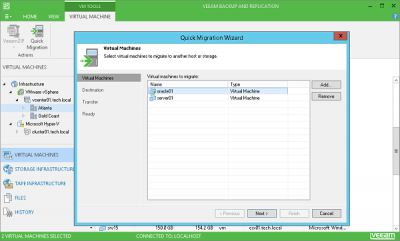
Veeam Backup Free Edtion is a powerful software which offers a fast, flexible and reliable operational experience for no price at all. Here is the list of features:
- Enhanced native tape support
- Ad-hoc backup of an active VM
- Parallel processing and virtual tape libraries for consulting usage
- End-to-encryption adds another level to the security
- Export Hyper-V Virtual Machines
- Quick VM Migration for VMware machines
- It backs up all your configuration files as well. The backup is one single compressed file which you can easily export to another host.
You might want to check it out.
2] Nakivo Backup & Replication Free edition
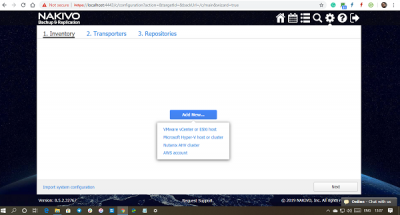
- Offers native backup and replication for VMware, Hyper-V, or AWS environments, i.e., work over browser.
- All backups are incremental which improves performance, especially when it is over NAS
- Does not include swap data, global deduplication, and variable backup compression.
- Backup verification, recovery of VMs, files, Exchange objects, MS SQL objects, Active Directory objects; DR with VM replicas
The Free Edition of NAKIVO Backup & Replication is free, forever. The Free Edition includes a license for two VMs.
Download the free edition of Nakivo Backup from its download page.
Read: How to take a Snapshot in VMware Workstation Player
3] Altaro VM backup free
While Altaro offers professional VM Backup software, it also provides a free version which can backup or restore two VMs per host, forever. If you are a micro business, then it’s a great solution.
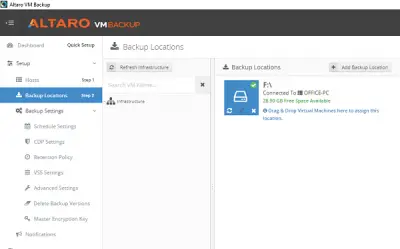
It also offers:
- Manual mode for Backup Retention
- Flexible Backup Scheduling
- Hot/Live Backups
- Fast & Small Backups – Compression.
The download also includes a 30-day trial of Altaro VM Backup – Unlimited Plus Edition. When the trial expires, you can choose to keep backup of two VMs forever.
Download it from its homepage.
4] Unitrends Backup Free edition
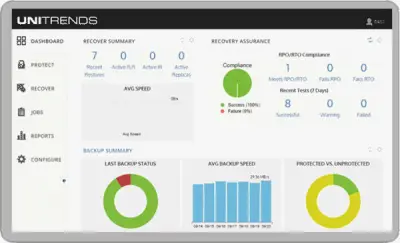
Unitrends Backup Free edition can not only it can back up on a local drive, but it can also back up in the cloud. It offers all the advantages of their physical backup appliance solutions, but with the flexibility of a software-only deployment
- Ability to protect the virtual environment as well as physical servers
- Instant recovery of virtual machines & VMware guests
- File-level recovery of files and folders.
- Clone, copy, export, and manage VMs.
- Rotational archiving to disk, tape, NAS and SAN. Ability to file data to tertiary storage for long-term retention
- Automatic backup scheduling with flexible strategies.
- Includes File-level, block-level, and appliance-level protection.
- It can protect RDM’s.
Unitrends Enterprise Backup supports Hyper-V, VMware virtual appliance, Windows Server 2012. The Free Edition protection to up to 4 VMs.
5] Vembu BDR Suite Free Edition
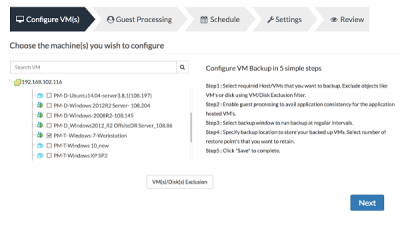
Similar to the above tools, you first get a 30-day trial period with no restrictions. Once the trial is over, you can keep using the free edition. Here is the list of features in the free edition.
-
Backup virtual machines running on VMware and Hyper-V.
-
You can also physically backup machines with Windows, Linux, and Mac Operating Systems
- Flexible backup configuration.
- Multiple recovery options.
- Vembu’s filesystem, VembuHIVE brings in inbuilt compression, encryption, error correction, and version control
- Continue running the backups even after the expiry of the trial period, without any license involved
- Backup unlimited virtual and physical servers irrespective of testing or production environment
Download from Vembu download page.
6] Microsoft Azure Backup Server
Officially from Microsoft, MABS or Microsoft Azure Backup Server is a cloud-first backup solution. It offers data protection across wide-ranging and diverse IT environments of enterprises. While the application is free, your cost on Azure will be calculated so choose wisely.
7] Bacula
Bacula is another free Open Source VMware Backup Solution for your Windows computer.
Web-based backup clients are getting more common these days. While the software works fine but installing and using a web-based solution is rather easy. Let us know which solution do you use.
Now read: Free backup software for Windows Server.
