
If when you try to delete a Registry key in Windows 11/10 or Windows Server, you are unable to delete it, and you get an error message: Error while deleting key, then this article may interest you.

Error while deleting Registry key
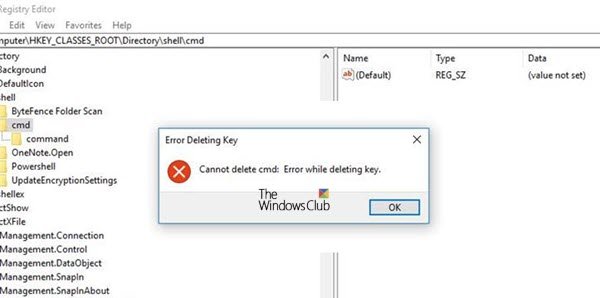
Error Deleting Key, Cannot delete Registry key, Error while deleting key.
This can be caused if you attempt to delete a registry key that contains embedded null characters. These characters are not visible when viewing the registry entry.
To delete a registry key that contains an embedded null character, you must first replace the null character with another character.
It is best to back up the Registry or create a Restore Point first.
1] Use Systernals RegDelNull tool
You can accomplish this by using the RegDelNull tool from Sysinternals.
This command-line utility searches for and allows you to delete Registry keys that contain embedded-null characters and that are otherwise undeletable using standard Registry-editing tools.
You should note that deleting Registry keys may cause the applications they are associated with to fail.
2] Use Registry DeleteEx
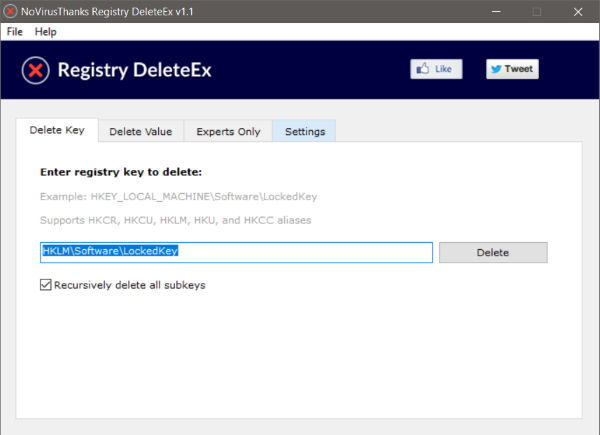
Registry DeleteEx can delete the keys that the Registry Editor and other tools fail to do so. The tool deletes locked keys and values using a kernel-mode driver. This means any Registry value can be deleted even if an application or malware has locked it.
3] Take ownership and then try to delete
Using our free tool RegOwnIt, you can take ownership of the Registry key and then try to delete it.
All the best.
Read: Error Opening Registry Key, An error is preventing this key from being opened
Why can I not delete registry key?
You may be unable to delete a registry key because it contains an embedded null character. It can also occur if the Registry key is system-protected or currently locked.
How do I manually delete registry keys?
To manually delete registry keys, open Registry Editor and navigate to the desired key or registry value. Right-click on it, and select Delete. Do note that you will not be able to delete top-level keys or registry hives.

