
In this post, we will show you what you can do if your Windows Troubleshooter is not working, does not start, is stuck or closes before completing its job and you see an error message An error occurred while troubleshooting, A problem is preventing the troubleshooter from starting, with Error Codes 0x80070002, 0x8e5e0247, 0x80300113, 0x803c010b.
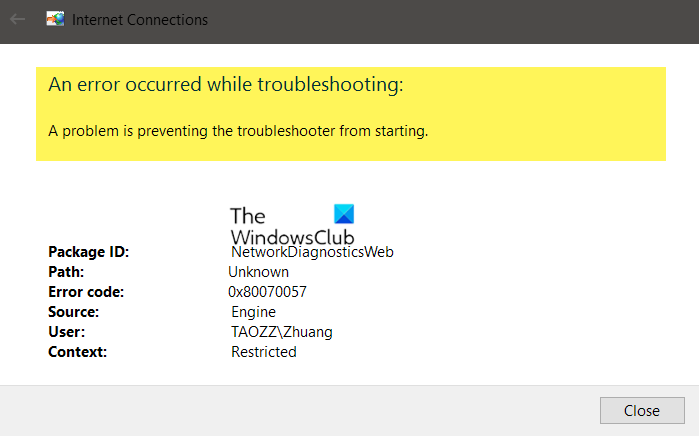
An error occurred while troubleshooting, A problem is preventing the troubleshooter from starting
While the very efficient & effective inbuilt Windows Troubleshooters in Windows are meant to make your life easy, what if they refuse to work properly, someday, for some reason!? The error message you may see is An error occurred while troubleshooting, A problem is preventing the troubleshooter from starting.
Fix Windows Troubleshooters not working
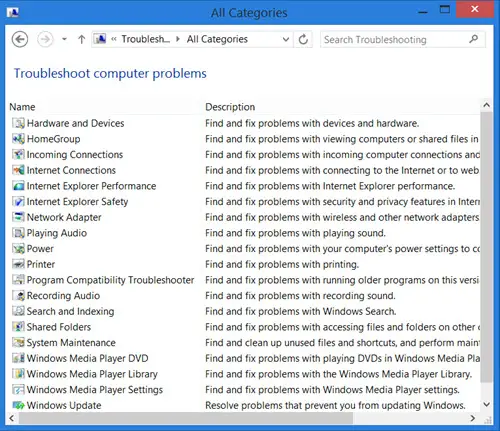
You are aware that you can see all the built-in Windows Troubleshooters at the following location:
Control Panel\All Control Panel Items\Troubleshooting\All Categories
In Windows 11/10 you can access them via the Settings Troubleshooters page:
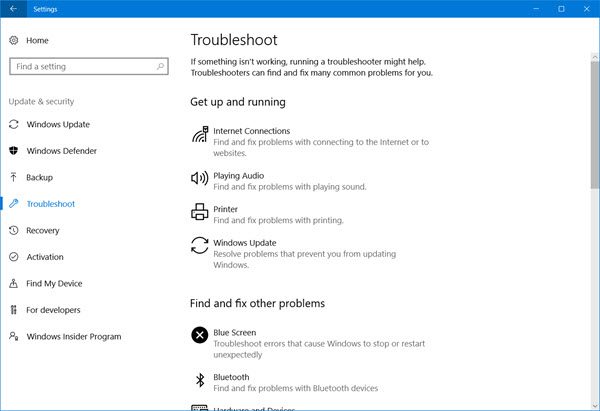
If when you try to run a Troubleshooter, you receive the following error message – An error occurred while troubleshooting, A problem is preventing the troubleshooter from starting, then try these suggestions. If they are unable to run or never work, well, here are a few general steps you may want to try out to troubleshoot the Windows Troubleshooters.
Fix Troubleshooter Error Codes 0x80070002, 0x8e5e0247, 0x80300113, 0x803c010b
1] Run System Restore
See if a System Restore helps you.
2] Run System File Checker
Click Start >Search Menu Bar >cmd >rt click on result > Run As Administrator > Type sfc /scannow > Hit Enter. This will run the System File Checker. This will examine all your system files and replace them if any are found to have been corrupted. Reboot when asked. Alternatively, simply download FixWin and click the Run System File Checker button.
3] Check Service status
Open Services Manager and ensure that the Cryptographic Service is Started and set to Automatic.
4] Log in as Administrator
Try using the Troubleshooters when logged on as a new Administrator user.
5] Use alternative Troubleshooting
If it’s your online troubleshooters which are failing, try a local troubleshooter. It’s possible that there may be issues with the connection to the site where you download the online troubleshooters
6] Run Disk Cleanup
It could even be an issue with the files being stored in %temp% folder/s. Run Disk Cleanup utility to clear temp and junk files.
TIP: If Windows Update Troubleshooter is not working or is taking forever & is stuck on resolving problems or at checking for pending restart, then see the linked post.
7] Check Logs
The troubleshooting reports, logs & other data are saved in the following locations:
-
%LocalAppData%\Diagnostics : It contains folders for the previously run troubleshooter.
-
%LocalAppData%\ElevatedDiagnostics : It contains folders for each troubleshooter which was Run as Administrator.
-
Windows Logs/Application
-
Applications and Services Logs/ Microsoft/ Windows/ Diagnosis-Scripted/ Admin
-
Applications and Services Logs/ Microsoft/ Windows/ Diagnosis-ScriptedDiagnosticsProvider/ Operational
-
Applications and Services Logs/ Microsoft/ Windows/ Diagnosis-Scripted/ Operational
See if anything there helps you.
TIP: See this post if you receive An unexpected error has occurred, The troubleshooting wizard can’t continue message with error codes 0x803c010a, 0x80070005, 0x80070490, 0x8000ffff, etc.
While this eventuality may never arise, should it, hope some of these general suggestions are of help to someone, someday.

