
The .NET Framework Setup Removal & Cleanup Utility

Speed Up My PC

The .NET Framework Setup Cleanup Utility is designed to automatically perform a set of steps to remove selected versions of the .NET Framework from a computer. It will remove files, directories, registry keys and values and Windows Installer product registration information for the .NET Framework.
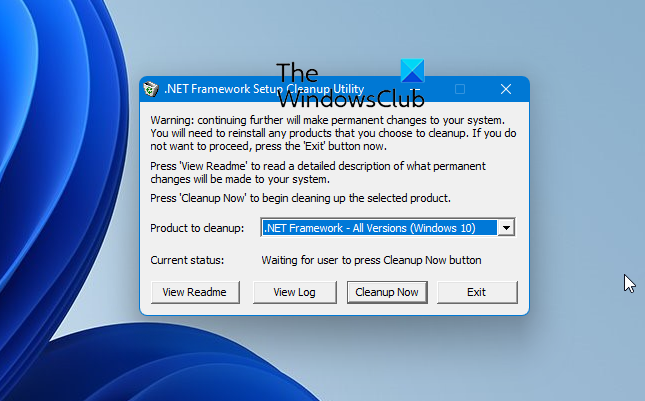
net cleanup 400x247 The .NET Framework Setup Removal & Cleanup Utility

The tool is intended primarily to return your system to a known (relatively clean) state in case you are encountering .NET Framework installation, un-installation, repair or patching errors so that you can try to install again.

There are a couple of very important caveats that you should review before using this tool to remove any version of the .NET Framework from your system:

This tool is designed as a last resort for cases where install, uninstall, repair or patch installation did not succeed for unusual reasons.  It is not a substitute for the standard uninstall procedure.  You should try the steps listed in this blog post before using this cleanup tool.

This cleanup tool will delete shared files and registry keys used by other versions of the .NET Framework.  If you run the cleanup tool, you will need to perform a repair/re-install for all other versions of the .NET Framework that are on your computer or they will not work correctly afterwards.

.NET Framework Setup Cleanup Utility for Windows 7 download

Download & Details : MSDN.

Posted by on , in Category Downloads with Tags
Anand aka HappyAndyK is an end-user Windows enthusiast, a Microsoft MVP in Windows Desktop Experience since 2007, and the Admin of TheWindowsClub.com, TheGeeksClub.com & WinVistaClub.com. Creating a System Restore Point before trying out a new software or a tweak is always recommended.
  • http://www.greggdeselms.com/ Gregg L. DesElms

    I’m sorry, but I cannot more strongly recommend that no version of the .NET framework ever be removed from any Windows machine.

    Windows just isn’t made for it. Most .NET framework installations so integrate themselves with the very core of Windows that to remove any part of it can break Windows so fast you won’t know what hit you!

    I’m not saying this utility doesn’t work at least sometimes. But trust me when I tell you that if it purports to remove a .NET framework version, yet Windows isn’t harmed in some way by it, then, again, trust me, it only did a very superficial job. Most of the core of the framework, believe me, remains, else your copy of Windows would likely stop working quite right.

    The .NET framework is so huge and challenging that I’ve even seen Microsoft employees from the .NET framework group login to a machine with .NET framework problems, and not be able to fix it.

    In fact, there’s a guy on the Internet who’s a former manager in the .NET framework group at Microsoft who has probably the best information website on the .NET framework on the planet. And I once retained him to remote-desktop-in to a machine on which the user had tried to uninstall a .NET framework version, and something like 12 man-hours later he was still stumped.

    I’m telling you, the .NET framework is not to be messed with. Install it, keep it up-to-date, and then just leave it alone! Trust me. It hurts nothing for it to be there, and as long as all its updates and patches are routinely applied as they are released by Microsoft, it will never give you a moment’s trouble, or slow down the machine or anything. But if you try to remove any of it, oh, lawdy! What a mess it can cause.

    Do not mess with the .NET framework!

    Refuse to believe me, and heed my warning, at your peril!

    ___________________________________
    Gregg L. DesElms
    Napa, California USA
    gregg at greggdeselms dot com