<?xml version="1.0" encoding="UTF-8"?>
<rss version="2.0"
	xmlns:content="http://purl.org/rss/1.0/modules/content/"
	xmlns:wfw="http://wellformedweb.org/CommentAPI/"
	xmlns:dc="http://purl.org/dc/elements/1.1/"
	xmlns:atom="http://www.w3.org/2005/Atom"
	xmlns:sy="http://purl.org/rss/1.0/modules/syndication/"
	xmlns:slash="http://purl.org/rss/1.0/modules/slash/"
	>

<channel>
	<title>The Windows Club &#187; Windows Updates</title>
	<atom:link href="http://www.thewindowsclub.com/tag/windows-updates/feed" rel="self" type="application/rss+xml" />
	<link>http://www.thewindowsclub.com</link>
	<description>The Windows Club is  created by Anand Khanse, a Microsoft MVP and is primarily targeted at the Windows 7, 8 &#38; Vista user and will address and cover issues in relation to Microsoft and Windows OS.</description>
	<lastBuildDate>Thu, 09 Feb 2012 03:47:25 +0000</lastBuildDate>
	<language>en</language>
	<sy:updatePeriod>hourly</sy:updatePeriod>
	<sy:updateFrequency>1</sy:updateFrequency>
	<generator>http://wordpress.org/?v=3.3.1</generator>
<xhtml:meta xmlns:xhtml="http://www.w3.org/1999/xhtml" name="robots" content="noindex" />
		<item>
		<title>Microsoft announces automatic updates for Internet Explorer</title>
		<link>http://www.thewindowsclub.com/microsoft-announces-automatic-updates-internet-explorer?utm_source=rss&#038;utm_medium=rss&#038;utm_campaign=microsoft-announces-automatic-updates-internet-explorer</link>
		<comments>http://www.thewindowsclub.com/microsoft-announces-automatic-updates-internet-explorer#comments</comments>
		<pubDate>Thu, 15 Dec 2011 16:35:59 +0000</pubDate>
		<dc:creator>Asrartheone@TWC</dc:creator>
				<category><![CDATA[IE]]></category>
		<category><![CDATA[Browsers]]></category>
		<category><![CDATA[Windows Updates]]></category>

		<guid isPermaLink="false">http://www.thewindowsclub.com/?p=40310</guid>
		<description><![CDATA[<div style=" float: left; padding: 4px; margin: 0 10px 5px 0; width: 75px; height: 75px;"><img style=" float: left; padding: 4px; margin: 0 10px 5px 0;" width="75" height="75" src="http://www.thewindowsclub.com/wp-content/themes/Twc/scripts/thumb.php?src=http://www.thewindowsclub.com/wp-content/uploads/2011/12/ieeee-400x166.jpg&amp;w=75&amp;h=75&amp;zc=1"/></div>Microsoft has just announced an automatic upgrade process for its browser, Internet Explorer. This was long overdue since the update process was considered to be a mess by many. Microsoft shall test this automatic update process first in Brazil and Australia <span><a class="more-link" href="http://www.thewindowsclub.com/microsoft-announces-automatic-updates-internet-explorer">...more &#62;&#62;&#62;</a></span>]]></description>
		<wfw:commentRss>http://www.thewindowsclub.com/microsoft-announces-automatic-updates-internet-explorer/feed</wfw:commentRss>
		<slash:comments>1</slash:comments>
		</item>
		<item>
		<title>Factors which may prevent Windows Updates from offering you Windows 7 SP1</title>
		<link>http://www.thewindowsclub.com/factors-prevent-windows-updates-offering-windows-7-sp1?utm_source=rss&#038;utm_medium=rss&#038;utm_campaign=factors-prevent-windows-updates-offering-windows-7-sp1</link>
		<comments>http://www.thewindowsclub.com/factors-prevent-windows-updates-offering-windows-7-sp1#comments</comments>
		<pubDate>Fri, 26 Aug 2011 13:52:19 +0000</pubDate>
		<dc:creator>AnandK@TWC</dc:creator>
				<category><![CDATA[Windows]]></category>
		<category><![CDATA[Installation]]></category>
		<category><![CDATA[Service Pack 1]]></category>
		<category><![CDATA[Windows Updates]]></category>

		<guid isPermaLink="false">http://www.thewindowsclub.com/?p=32578</guid>
		<description><![CDATA[<div style=" float: left; padding: 4px; margin: 0 10px 5px 0; width: 75px; height: 75px;"><img style=" float: left; padding: 4px; margin: 0 10px 5px 0;" width="75" height="75" src="http://www.thewindowsclub.com/wp-content/themes/Twc/scripts/thumb.php?src=http://www.thewindowsclub.com/wp-content/uploads/2011/08/windows-7-service-pack-1.jpg&amp;w=75&amp;h=75&amp;zc=1"/></div>By now, I presume that most of you may have installed Service Pack 1 for Windows 7, after checking its pre-requisites. But in case you have not, the reason being that you don&#8217;t see your Windows Updates offering it to <span><a class="more-link" href="http://www.thewindowsclub.com/factors-prevent-windows-updates-offering-windows-7-sp1">...more &#62;&#62;&#62;</a></span>]]></description>
		<wfw:commentRss>http://www.thewindowsclub.com/factors-prevent-windows-updates-offering-windows-7-sp1/feed</wfw:commentRss>
		<slash:comments>2</slash:comments>
		</item>
		<item>
		<title>Let Windows 7 download latest Drivers and Icons for your Devices automatically</title>
		<link>http://www.thewindowsclub.com/windows-7-download-latest-drivers-icons-devices-automatically?utm_source=rss&#038;utm_medium=rss&#038;utm_campaign=windows-7-download-latest-drivers-icons-devices-automatically</link>
		<comments>http://www.thewindowsclub.com/windows-7-download-latest-drivers-icons-devices-automatically#comments</comments>
		<pubDate>Thu, 18 Aug 2011 22:39:29 +0000</pubDate>
		<dc:creator>AnandK@TWC</dc:creator>
				<category><![CDATA[Windows]]></category>
		<category><![CDATA[Drivers]]></category>
		<category><![CDATA[Windows Updates]]></category>

		<guid isPermaLink="false">http://www.thewindowsclub.com/?p=32293</guid>
		<description><![CDATA[<div style=" float: left; padding: 4px; margin: 0 10px 5px 0; width: 75px; height: 75px;"><img style=" float: left; padding: 4px; margin: 0 10px 5px 0;" width="75" height="75" src="http://www.thewindowsclub.com/wp-content/themes/Twc/scripts/thumb.php?src=http://www.thewindowsclub.com/wp-content/uploads/2011/08/device-cp-1.jpg&amp;w=75&amp;h=75&amp;zc=1"/></div>You can if you wish let your Windows download the latest recommended drivers, detailed information and the latest realistic icons for your hardware devices. To do so, open Control Panel &#62; Device and Printers. Right-click on the Computer icons and select <span><a class="more-link" href="http://www.thewindowsclub.com/windows-7-download-latest-drivers-icons-devices-automatically">...more &#62;&#62;&#62;</a></span>]]></description>
		<wfw:commentRss>http://www.thewindowsclub.com/windows-7-download-latest-drivers-icons-devices-automatically/feed</wfw:commentRss>
		<slash:comments>2</slash:comments>
		</item>
		<item>
		<title>Microsoft pushes update to deactivate counterfeit Windows 7 copies</title>
		<link>http://www.thewindowsclub.com/microsoft-pushes-update-to-deactivate-counterfeit-windows-7-copies?utm_source=rss&#038;utm_medium=rss&#038;utm_campaign=microsoft-pushes-update-to-deactivate-counterfeit-windows-7-copies</link>
		<comments>http://www.thewindowsclub.com/microsoft-pushes-update-to-deactivate-counterfeit-windows-7-copies#comments</comments>
		<pubDate>Sun, 17 Apr 2011 05:03:42 +0000</pubDate>
		<dc:creator>AnandK@TWC</dc:creator>
				<category><![CDATA[Windows]]></category>
		<category><![CDATA[Genuine]]></category>
		<category><![CDATA[Windows Updates]]></category>

		<guid isPermaLink="false">http://www.thewindowsclub.com/?p=26722</guid>
		<description><![CDATA[Microsoft has updated Windows Activation Technologies for Windows 7 and released an update for Windows 7 which silently examines your operating system for unauthorized attempts at activating Windows 7.  This update for Windows Activation Technologies  detects validation errors and activation <span><a class="more-link" href="http://www.thewindowsclub.com/microsoft-pushes-update-to-deactivate-counterfeit-windows-7-copies">...more &#62;&#62;&#62;</a></span>]]></description>
		<wfw:commentRss>http://www.thewindowsclub.com/microsoft-pushes-update-to-deactivate-counterfeit-windows-7-copies/feed</wfw:commentRss>
		<slash:comments>7</slash:comments>
		</item>
		<item>
		<title>Windows Update Troubleshooter from Microsoft, fixes Windows Updates problems</title>
		<link>http://www.thewindowsclub.com/windows-update-troubleshooter-from-microsoft-fixes-windows-updates-problems?utm_source=rss&#038;utm_medium=rss&#038;utm_campaign=windows-update-troubleshooter-from-microsoft-fixes-windows-updates-problems</link>
		<comments>http://www.thewindowsclub.com/windows-update-troubleshooter-from-microsoft-fixes-windows-updates-problems#comments</comments>
		<pubDate>Sun, 27 Feb 2011 12:16:17 +0000</pubDate>
		<dc:creator>AnandK@TWC</dc:creator>
				<category><![CDATA[Windows]]></category>
		<category><![CDATA[Fix It]]></category>
		<category><![CDATA[Troubleshoot]]></category>
		<category><![CDATA[Windows Updates]]></category>

		<guid isPermaLink="false">http://www.thewindowsclub.com/?p=24812</guid>
		<description><![CDATA[<div style=" float: left; padding: 4px; margin: 0 10px 5px 0; width: 75px; height: 75px;"><img style=" float: left; padding: 4px; margin: 0 10px 5px 0;" width="75" height="75" src="http://www.thewindowsclub.com/wp-content/themes/Twc/scripts/thumb.php?src=http://www.thewindowsclub.com/wp-content/uploads/2011/02/windows-update-troubleshooter-400x295.jpg&amp;w=75&amp;h=75&amp;zc=1"/></div>If you find that you are facing any issues in running Windows Updates, including Service Pack, due to any reasons, you might want to check out this Automated Fix It Solution, Windows Update Troubleshooter from Microsoft. Download and open the <span><a class="more-link" href="http://www.thewindowsclub.com/windows-update-troubleshooter-from-microsoft-fixes-windows-updates-problems">...more &#62;&#62;&#62;</a></span>]]></description>
		<wfw:commentRss>http://www.thewindowsclub.com/windows-update-troubleshooter-from-microsoft-fixes-windows-updates-problems/feed</wfw:commentRss>
		<slash:comments>2</slash:comments>
		</item>
		<item>
		<title>Terms used by Microsoft to describe the various software updates released by it</title>
		<link>http://www.thewindowsclub.com/terms-used-by-microsoft-to-describe-the-various-software-updates-released-by-it?utm_source=rss&#038;utm_medium=rss&#038;utm_campaign=terms-used-by-microsoft-to-describe-the-various-software-updates-released-by-it</link>
		<comments>http://www.thewindowsclub.com/terms-used-by-microsoft-to-describe-the-various-software-updates-released-by-it#comments</comments>
		<pubDate>Tue, 15 Feb 2011 23:49:15 +0000</pubDate>
		<dc:creator>AnandK@TWC</dc:creator>
				<category><![CDATA[Windows]]></category>
		<category><![CDATA[Resources]]></category>
		<category><![CDATA[Windows Updates]]></category>

		<guid isPermaLink="false">http://www.thewindowsclub.com/?p=24061</guid>
		<description><![CDATA[You may have noticed that Microsoft uses various terms like Critical Update, Cumulative Update, Hotfix, Security Update, Upgrade, etc to the various software updates and enhancements that it releases. This post describes the standard terminology that Microsoft is adopting to <span><a class="more-link" href="http://www.thewindowsclub.com/terms-used-by-microsoft-to-describe-the-various-software-updates-released-by-it">...more &#62;&#62;&#62;</a></span>]]></description>
		<wfw:commentRss>http://www.thewindowsclub.com/terms-used-by-microsoft-to-describe-the-various-software-updates-released-by-it/feed</wfw:commentRss>
		<slash:comments>0</slash:comments>
		</item>
		<item>
		<title>When to and how to remove Windows Updates which cause problems in Windows 7</title>
		<link>http://www.thewindowsclub.com/when-to-and-how-to-remove-windows-updates-which-cause-problems-in-windows-7?utm_source=rss&#038;utm_medium=rss&#038;utm_campaign=when-to-and-how-to-remove-windows-updates-which-cause-problems-in-windows-7</link>
		<comments>http://www.thewindowsclub.com/when-to-and-how-to-remove-windows-updates-which-cause-problems-in-windows-7#comments</comments>
		<pubDate>Mon, 31 Jan 2011 18:19:35 +0000</pubDate>
		<dc:creator>NitinA@TWC</dc:creator>
				<category><![CDATA[Windows]]></category>
		<category><![CDATA[Windows Updates]]></category>

		<guid isPermaLink="false">http://www.thewindowsclub.com/?p=23385</guid>
		<description><![CDATA[<div style=" float: left; padding: 4px; margin: 0 10px 5px 0; width: 75px; height: 75px;"><img style=" float: left; padding: 4px; margin: 0 10px 5px 0;" width="75" height="75" src="http://www.thewindowsclub.com/wp-content/themes/Twc/scripts/thumb.php?src=http://www.thewindowsclub.com/wp-content/uploads/2011/01/windows-update-icon.png&amp;w=75&amp;h=75&amp;zc=1"/></div>We all prefer to keep our Windows operating system updated. But sometimes some Windows Updates may make your PC go crazy. Maybe your Windows computer has gone in a loop! If you find yourself in one of these situation while <span><a class="more-link" href="http://www.thewindowsclub.com/when-to-and-how-to-remove-windows-updates-which-cause-problems-in-windows-7">...more &#62;&#62;&#62;</a></span>]]></description>
		<wfw:commentRss>http://www.thewindowsclub.com/when-to-and-how-to-remove-windows-updates-which-cause-problems-in-windows-7/feed</wfw:commentRss>
		<slash:comments>3</slash:comments>
		</item>
		<item>
		<title>Tips to fix common driver problems in Windows 7</title>
		<link>http://www.thewindowsclub.com/tips-to-fix-common-driver-problems-in-windows-7?utm_source=rss&#038;utm_medium=rss&#038;utm_campaign=tips-to-fix-common-driver-problems-in-windows-7</link>
		<comments>http://www.thewindowsclub.com/tips-to-fix-common-driver-problems-in-windows-7#comments</comments>
		<pubDate>Sat, 23 Oct 2010 15:56:42 +0000</pubDate>
		<dc:creator>NitinA@TWC</dc:creator>
				<category><![CDATA[Windows]]></category>
		<category><![CDATA[Drivers]]></category>
		<category><![CDATA[Windows Updates]]></category>

		<guid isPermaLink="false">http://www.thewindowsclub.com/?p=19436</guid>
		<description><![CDATA[<div style=" float: left; padding: 4px; margin: 0 10px 5px 0; width: 75px; height: 75px;"><img style=" float: left; padding: 4px; margin: 0 10px 5px 0;" width="75" height="75" src="http://www.thewindowsclub.com/wp-content/themes/Twc/scripts/thumb.php?src=http://www.thewindowsclub.com/wp-content/uploads/2009/10/windowsdrivers.jpg&amp;w=75&amp;h=75&amp;zc=1"/></div>Windows 7 has inbuilt driver support for a multitude of devices, but there are many hardware devices that requires special drivers to work properly and that&#8217;s why if a hardware that is installed in or attached to a computer doesn&#8217;t <span><a class="more-link" href="http://www.thewindowsclub.com/tips-to-fix-common-driver-problems-in-windows-7">...more &#62;&#62;&#62;</a></span>]]></description>
		<wfw:commentRss>http://www.thewindowsclub.com/tips-to-fix-common-driver-problems-in-windows-7/feed</wfw:commentRss>
		<slash:comments>1</slash:comments>
		</item>
		<item>
		<title>The Update Center for Microsoft Office 2010</title>
		<link>http://www.thewindowsclub.com/the-update-center-for-microsoft-office-2010?utm_source=rss&#038;utm_medium=rss&#038;utm_campaign=the-update-center-for-microsoft-office-2010</link>
		<comments>http://www.thewindowsclub.com/the-update-center-for-microsoft-office-2010#comments</comments>
		<pubDate>Sat, 04 Sep 2010 01:39:39 +0000</pubDate>
		<dc:creator>AnandK@TWC</dc:creator>
				<category><![CDATA[Office]]></category>
		<category><![CDATA[Windows Updates]]></category>

		<guid isPermaLink="false">http://www.thewindowsclub.com/?p=16202</guid>
		<description><![CDATA[<div style=" float: left; padding: 4px; margin: 0 10px 5px 0; width: 75px; height: 75px;"><img style=" float: left; padding: 4px; margin: 0 10px 5px 0;" width="75" height="75" src="http://www.thewindowsclub.com/wp-content/themes/Twc/scripts/thumb.php?src=http://www.thewindowsclub.com/wp-content/uploads/2009/04/microsoftoffice.jpg&amp;w=75&amp;h=75&amp;zc=1"/></div>The Update Center for Microsoft Office lists and helps you find and manage updates in one place for Office, Forms Server, Groove Server, PerformancePoint Server, Project Portfolio Server, Project Server, Search Server, SharePoint Server, SharePoint Foundation, Windows SharePoint Services, and <span><a class="more-link" href="http://www.thewindowsclub.com/the-update-center-for-microsoft-office-2010">...more &#62;&#62;&#62;</a></span>]]></description>
		<wfw:commentRss>http://www.thewindowsclub.com/the-update-center-for-microsoft-office-2010/feed</wfw:commentRss>
		<slash:comments>0</slash:comments>
		</item>
		<item>
		<title>Windows Update Stand-alone Installer – Improvements in Windows 7</title>
		<link>http://www.thewindowsclub.com/windows-update-stand-alone-installer-improvements-in-windows-7?utm_source=rss&#038;utm_medium=rss&#038;utm_campaign=windows-update-stand-alone-installer-improvements-in-windows-7</link>
		<comments>http://www.thewindowsclub.com/windows-update-stand-alone-installer-improvements-in-windows-7#comments</comments>
		<pubDate>Tue, 17 Aug 2010 23:59:17 +0000</pubDate>
		<dc:creator>NitinA@TWC</dc:creator>
				<category><![CDATA[Windows]]></category>
		<category><![CDATA[Windows Updates]]></category>

		<guid isPermaLink="false">http://www.thewindowsclub.com/?p=15200</guid>
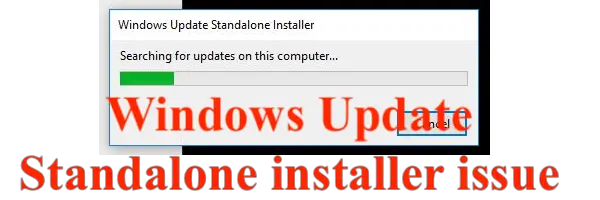
		<description><![CDATA[<div style=" float: left; padding: 4px; margin: 0 10px 5px 0; width: 75px; height: 75px;"><img style=" float: left; padding: 4px; margin: 0 10px 5px 0;" width="75" height="75" src="http://www.thewindowsclub.com/wp-content/themes/Twc/scripts/thumb.php?src=http://www.thewindowsclub.com/wp-content/uploads/2010/08/18-Aug-10-12-12-41-AM.png&amp;w=75&amp;h=75&amp;zc=1"/></div>Windows Update Stand-alone installer is a small utility which is used to install Stand-alone updates.  Stand-alone updates are updates that are not automatically available at Windows Update in your Windows PC. These are special type of updates that are used <span><a class="more-link" href="http://www.thewindowsclub.com/windows-update-stand-alone-installer-improvements-in-windows-7">...more &#62;&#62;&#62;</a></span>]]></description>
		<wfw:commentRss>http://www.thewindowsclub.com/windows-update-stand-alone-installer-improvements-in-windows-7/feed</wfw:commentRss>
		<slash:comments>0</slash:comments>
		</item>
	</channel>
</rss>