Toolwiz TimeFreeze: Free system protection and restore software for Windows 7

Toolwiz TimeFreeze: Free system protection and restore software for Windows 7

You may remember of Microsoft SteadyState, a useful tool that helped defend shared computers from unauthorized changes and restricted users from changing system settings or files. However, it supported 32-bit versions of Windows XP and Windows Vista only and did …more >>>

Fix: Restore operation using Backup and Restore fails in Windows 7 SP1

Fix: Restore operation using Backup and Restore fails in Windows 7 SP1

Are you facing an issue, where when you try to restore or backup files using the Backup and Restore service via Control Panel, on a computer that is running Windows 7 Service Pack 1 (SP1) or Windows Server 2008 R2 …more >>>

Using Last Known Good Configuration in Windows 7

Using Last Known Good Configuration in Windows 7

Sometimes when you shutdown your Windows PC, it gets stuck half-way and is not able to complete the shutdown process successfully, or sometimes your computer may not be able to restart successfully. And when you restart your computer again manually, it will …more >>>

How to find out progams & files which will be affected after a System Restore

How to find out progams & files which will be affected after a System Restore

Will a system restore affect or delete my personal files or documents? Which programs or drivers will be affected after I effect a system restore? What all changes will a system restore effect? How do I find this out? Some …more >>>

Too many system restore points may slow down your Windows 7 startup

Too many system restore points may slow down your Windows 7 startup

If you find that your Windows 7 or Windows Server2008 R2 is rather slow to start up, these days, you may, inter alia, also want to check out the number of sytem restore points your computer has.

System Restore Points deleted in Windows 7 – Troubleshoot and Fix!

System Restore Points deleted in Windows 7 – Troubleshoot and Fix!

Are your System Restore Points missing in Windows 7? Maybe you opened the System Restore panel, rstrui.exe, with the intention of restoring your Windows computer back to a restore point and you found that the system restore points were deleted!

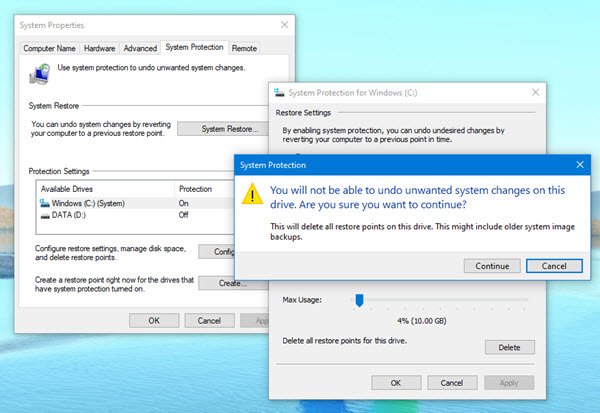
How to delete ALL System Restore Points and Previous versions of files in Windows 7

How to delete ALL System Restore Points and Previous versions of files in Windows 7

Most of us are aware that we can clean all but the most recent System Restore Point, by using the in-built Windows Disk Cleanup utility.

How to restore your Windows Phone 7 to an earlier version

How to restore your Windows Phone 7 to an earlier version

If after updating your Windows Phone 7 operating system to the latest version, you wish to do a ‘system restore’ of your Windows Phone, this is the way you can do it.

System Restore Manager for Windows Released

System Restore Manager for Windows Released

System Restore Manager is a freeware portable utility which allows you to completely manage your Windows system restore points and customize its options. UPDATE 18.02.2011: System Restore manage v2.0 has been released. Change log here.

Selectively delete System Restore Points with QRM Plus Manager

Selectively delete System Restore Points with QRM Plus Manager

We are pleased to release QRM Plus Manager. QRM Plus Manager lets you create restore points, carry out system restore operations & selectively delete system restore points in your Windows computer. You can also add these options to your right-click …more >>>

Windows 7 Bug – System Restore Points being deleted on reboot!

Some users of Windows 7 are reporting that Windows 7 deletes all system restore points on reboot. It could just be a possible bug, in an otherwise cool operating system!

Create a System Restore Point in 1-click with Quick Restore Point Maker

Create a System Restore Point in 1-click with Quick Restore Point Maker

We are pleased to release Quick Restore Point Maker, a smart 1-click freeware app for creating a System Restore Point in Windows 7 & Vista. UPDATE 4th Sept 2010: Customizable Quick Restore Point Maker has got a new UI with …more >>>

Utility to create System Restore Point in a click.

If you are one who frequently installs or uninstalls applications or one who loves to play with the Windows Registry, then this is one freeware portable app you’d want to have around!

© 2012 The Windows Club All Rights Reserved