<?xml version="1.0" encoding="UTF-8"?>
<rss version="2.0"
	xmlns:content="http://purl.org/rss/1.0/modules/content/"
	xmlns:wfw="http://wellformedweb.org/CommentAPI/"
	xmlns:dc="http://purl.org/dc/elements/1.1/"
	xmlns:atom="http://www.w3.org/2005/Atom"
	xmlns:sy="http://purl.org/rss/1.0/modules/syndication/"
	xmlns:slash="http://purl.org/rss/1.0/modules/slash/"
	>

<channel>
	<title>The Windows Club &#187; Stop Errors</title>
	<atom:link href="http://www.thewindowsclub.com/tag/stop-errors/feed" rel="self" type="application/rss+xml" />
	<link>http://www.thewindowsclub.com</link>
	<description>The Windows Club is  created by Anand Khanse, a Microsoft MVP and is primarily targeted at the Windows 7, 8 &#38; Vista user and will address and cover issues in relation to Microsoft and Windows OS.</description>
	<lastBuildDate>Thu, 09 Feb 2012 03:47:25 +0000</lastBuildDate>
	<language>en</language>
	<sy:updatePeriod>hourly</sy:updatePeriod>
	<sy:updateFrequency>1</sy:updateFrequency>
	<generator>http://wordpress.org/?v=3.3.1</generator>
<xhtml:meta xmlns:xhtml="http://www.w3.org/1999/xhtml" name="robots" content="noindex" />
		<item>
		<title>Even the Windows 8 Blue Screens have been re-imagined!</title>
		<link>http://www.thewindowsclub.com/windows-8-blue-screens-userfriendly?utm_source=rss&#038;utm_medium=rss&#038;utm_campaign=windows-8-blue-screens-userfriendly</link>
		<comments>http://www.thewindowsclub.com/windows-8-blue-screens-userfriendly#comments</comments>
		<pubDate>Thu, 15 Sep 2011 06:36:22 +0000</pubDate>
		<dc:creator>AnandK@TWC</dc:creator>
				<category><![CDATA[Windows]]></category>
		<category><![CDATA[Humor]]></category>
		<category><![CDATA[Stop Errors]]></category>

		<guid isPermaLink="false">http://www.thewindowsclub.com/?p=33722</guid>
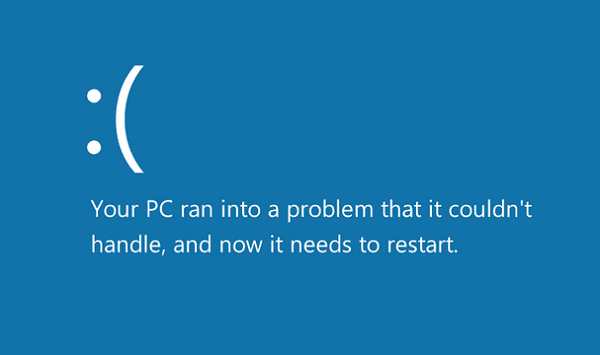
		<description><![CDATA[<div style=" float: left; padding: 4px; margin: 0 10px 5px 0; width: 75px; height: 75px;"><img style=" float: left; padding: 4px; margin: 0 10px 5px 0;" width="75" height="75" src="http://www.thewindowsclub.com/wp-content/themes/Twc/scripts/thumb.php?src=http://www.thewindowsclub.com/wp-content/uploads/2011/09/windows8-bsod-400x296.png&amp;w=75&amp;h=75&amp;zc=1"/></div>The Windows Blue Screens have many a times frustrated even the best of geeks and proved to be rather traumatic experience for many! Everything about Windows 8 appears to be better and more user-friendly, even its BSODs or Blues Screens! They are <span><a class="more-link" href="http://www.thewindowsclub.com/windows-8-blue-screens-userfriendly">...more &#62;&#62;&#62;</a></span>]]></description>
		<wfw:commentRss>http://www.thewindowsclub.com/windows-8-blue-screens-userfriendly/feed</wfw:commentRss>
		<slash:comments>3</slash:comments>
		</item>
		<item>
		<title>Fix: DRIVER_IRQL_NOT_LESS_OR_EQUAL Stop Error after you enable iSCSI Initiator</title>
		<link>http://www.thewindowsclub.com/fix-driver_irql_not_less_or_equal-stop-error-after-you-enable-iscsi-initiator?utm_source=rss&#038;utm_medium=rss&#038;utm_campaign=fix-driver_irql_not_less_or_equal-stop-error-after-you-enable-iscsi-initiator</link>
		<comments>http://www.thewindowsclub.com/fix-driver_irql_not_less_or_equal-stop-error-after-you-enable-iscsi-initiator#comments</comments>
		<pubDate>Mon, 25 Oct 2010 05:49:12 +0000</pubDate>
		<dc:creator>ShyamS@TWC</dc:creator>
				<category><![CDATA[Windows]]></category>
		<category><![CDATA[HotFix]]></category>
		<category><![CDATA[Stop Errors]]></category>

		<guid isPermaLink="false">http://www.thewindowsclub.com/?p=19662</guid>
		<description><![CDATA[<div style=" float: left; padding: 4px; margin: 0 10px 5px 0; width: 75px; height: 75px;"><img style=" float: left; padding: 4px; margin: 0 10px 5px 0;" width="75" height="75" src="http://www.thewindowsclub.com/wp-content/themes/Twc/scripts/thumb.php?src=../wp-content/uploads/2009/12/hotfix_icon.png&amp;w=75&amp;h=75&amp;zc=1"/></div>You might receive a Stop 0x000000D1 i.e DRIVER_IRQL_NOT_LESS_OR_EQUAL error after you enable an iSCSI Initiator data digest setting that uses CRC or that uses checksum in Windows Server 2008 R2 or in Windows 7. This can happen because the iSCSI <span><a class="more-link" href="http://www.thewindowsclub.com/fix-driver_irql_not_less_or_equal-stop-error-after-you-enable-iscsi-initiator">...more &#62;&#62;&#62;</a></span>]]></description>
		<wfw:commentRss>http://www.thewindowsclub.com/fix-driver_irql_not_less_or_equal-stop-error-after-you-enable-iscsi-initiator/feed</wfw:commentRss>
		<slash:comments>0</slash:comments>
		</item>
		<item>
		<title>Windows Kernel event ID 41 error &#8211; System has rebooted without cleanly shutting down</title>
		<link>http://www.thewindowsclub.com/fix-windows-kernel-event-id-41-error-the-system-has-rebooted-without-cleanly-shutting-down-first?utm_source=rss&#038;utm_medium=rss&#038;utm_campaign=fix-windows-kernel-event-id-41-error-the-system-has-rebooted-without-cleanly-shutting-down-first</link>
		<comments>http://www.thewindowsclub.com/fix-windows-kernel-event-id-41-error-the-system-has-rebooted-without-cleanly-shutting-down-first#comments</comments>
		<pubDate>Mon, 18 Oct 2010 14:09:23 +0000</pubDate>
		<dc:creator>ShyamS@TWC</dc:creator>
				<category><![CDATA[Windows]]></category>
		<category><![CDATA[Stop Errors]]></category>

		<guid isPermaLink="false">http://www.thewindowsclub.com/?p=19117</guid>
		<description><![CDATA[Windows kernel Event ID 41 is a very common error to find on out in the Event Viewer, now-a-days on Windows 7 and Windows Server 2008. Microsoft recently published an article about ways to fix those issues. Symptoms are your <span><a class="more-link" href="http://www.thewindowsclub.com/fix-windows-kernel-event-id-41-error-the-system-has-rebooted-without-cleanly-shutting-down-first">...more &#62;&#62;&#62;</a></span>]]></description>
		<wfw:commentRss>http://www.thewindowsclub.com/fix-windows-kernel-event-id-41-error-the-system-has-rebooted-without-cleanly-shutting-down-first/feed</wfw:commentRss>
		<slash:comments>0</slash:comments>
		</item>
		<item>
		<title>Identify Windows Error Messages with ErrMsg</title>
		<link>http://www.thewindowsclub.com/identify-windows-error-messages-with-errmsg?utm_source=rss&#038;utm_medium=rss&#038;utm_campaign=identify-windows-error-messages-with-errmsg</link>
		<comments>http://www.thewindowsclub.com/identify-windows-error-messages-with-errmsg#comments</comments>
		<pubDate>Fri, 07 May 2010 03:37:03 +0000</pubDate>
		<dc:creator>AnandK@TWC</dc:creator>
				<category><![CDATA[Downloads]]></category>
		<category><![CDATA[Freeware]]></category>
		<category><![CDATA[Stop Errors]]></category>

		<guid isPermaLink="false">http://www.thewindowsclub.com/?p=9007</guid>
		<description><![CDATA[<div style=" float: left; padding: 4px; margin: 0 10px 5px 0; width: 75px; height: 75px;"><img style=" float: left; padding: 4px; margin: 0 10px 5px 0;" width="75" height="75" src="http://www.thewindowsclub.com/wp-content/themes/Twc/scripts/thumb.php?src=http://www.thewindowsclub.com/wp-content/uploads/2010/05/windows-error-message.png&amp;w=75&amp;h=75&amp;zc=1"/></div>ErrMsg is a small portable freeware which lets you identify the Error Message codes which you may receive on your Windows computer. The app returns error descriptions and HRESULT return codes. A typical Windows system error would be decimal 5 <span><a class="more-link" href="http://www.thewindowsclub.com/identify-windows-error-messages-with-errmsg">...more &#62;&#62;&#62;</a></span>]]></description>
		<wfw:commentRss>http://www.thewindowsclub.com/identify-windows-error-messages-with-errmsg/feed</wfw:commentRss>
		<slash:comments>1</slash:comments>
		</item>
		<item>
		<title>Fix: STOP 0x0000006B PROCESS1_INITIALIZATION_FAILED Blue Screen</title>
		<link>http://www.thewindowsclub.com/fix-stop-0x0000006b-process1_initialization_failed-blue-screen?utm_source=rss&#038;utm_medium=rss&#038;utm_campaign=fix-stop-0x0000006b-process1_initialization_failed-blue-screen</link>
		<comments>http://www.thewindowsclub.com/fix-stop-0x0000006b-process1_initialization_failed-blue-screen#comments</comments>
		<pubDate>Sat, 17 Apr 2010 12:51:01 +0000</pubDate>
		<dc:creator>AnandK@TWC</dc:creator>
				<category><![CDATA[Windows]]></category>
		<category><![CDATA[HotFix]]></category>
		<category><![CDATA[Stop Errors]]></category>
		<category><![CDATA[Tips]]></category>

		<guid isPermaLink="false">http://www.thewindowsclub.com/?p=8444</guid>
		<description><![CDATA[<div style=" float: left; padding: 4px; margin: 0 10px 5px 0; width: 75px; height: 75px;"><img style=" float: left; padding: 4px; margin: 0 10px 5px 0;" width="75" height="75" src="http://www.thewindowsclub.com/wp-content/themes/Twc/scripts/thumb.php?src=http://www.thewindowsclub.com/wp-content/uploads/2009/12/hotfix_icon.png&amp;w=75&amp;h=75&amp;zc=1"/></div>If you have a computer that is running Windows 7 or Windows Server 2008 R2, which crashes during the startup process before you are prompted for user credentials, then this article may interest you. In addition, you may also receive <span><a class="more-link" href="http://www.thewindowsclub.com/fix-stop-0x0000006b-process1_initialization_failed-blue-screen">...more &#62;&#62;&#62;</a></span>]]></description>
		<wfw:commentRss>http://www.thewindowsclub.com/fix-stop-0x0000006b-process1_initialization_failed-blue-screen/feed</wfw:commentRss>
		<slash:comments>12</slash:comments>
		</item>
		<item>
		<title>Fix: Stop Error Message 0x0000007E or 0&#215;00000050 in Windows 7</title>
		<link>http://www.thewindowsclub.com/fix-stop-error-message-0x0000007e-or-0x00000050-in-windows-7?utm_source=rss&#038;utm_medium=rss&#038;utm_campaign=fix-stop-error-message-0x0000007e-or-0x00000050-in-windows-7</link>
		<comments>http://www.thewindowsclub.com/fix-stop-error-message-0x0000007e-or-0x00000050-in-windows-7#comments</comments>
		<pubDate>Wed, 31 Mar 2010 15:50:04 +0000</pubDate>
		<dc:creator>AnandK@TWC</dc:creator>
				<category><![CDATA[Windows]]></category>
		<category><![CDATA[Stop Errors]]></category>
		<category><![CDATA[Tips]]></category>

		<guid isPermaLink="false">http://www.thewindowsclub.com/?p=7829</guid>
		<description><![CDATA[<div style=" float: left; padding: 4px; margin: 0 10px 5px 0; width: 75px; height: 75px;"><img style=" float: left; padding: 4px; margin: 0 10px 5px 0;" width="75" height="75" src="http://www.thewindowsclub.com/wp-content/themes/Twc/scripts/thumb.php?src=http://www.thewindowsclub.com/wp-content/uploads/2009/12/hotfix_icon.png&amp;w=75&amp;h=75&amp;zc=1"/></div>If you frequently receive the following Stop Error messages in Windows 7 or Windows Server 2008 R2 : Stop 0x0000007E or Stop 0&#215;00000050, then this hotfix from Microsoft may be able to help you. On a computer that is running <span><a class="more-link" href="http://www.thewindowsclub.com/fix-stop-error-message-0x0000007e-or-0x00000050-in-windows-7">...more &#62;&#62;&#62;</a></span>]]></description>
		<wfw:commentRss>http://www.thewindowsclub.com/fix-stop-error-message-0x0000007e-or-0x00000050-in-windows-7/feed</wfw:commentRss>
		<slash:comments>0</slash:comments>
		</item>
		<item>
		<title>Fix: Stop Error Message 0x0000000A on a blue screen on Windows 7</title>
		<link>http://www.thewindowsclub.com/fix-stop-error-message-0x0000000a-on-a-blue-screen-on-windows-7?utm_source=rss&#038;utm_medium=rss&#038;utm_campaign=fix-stop-error-message-0x0000000a-on-a-blue-screen-on-windows-7</link>
		<comments>http://www.thewindowsclub.com/fix-stop-error-message-0x0000000a-on-a-blue-screen-on-windows-7#comments</comments>
		<pubDate>Sun, 14 Feb 2010 18:10:58 +0000</pubDate>
		<dc:creator>AnandK@TWC</dc:creator>
				<category><![CDATA[Downloads]]></category>
		<category><![CDATA[HotFix]]></category>
		<category><![CDATA[Stop Errors]]></category>

		<guid isPermaLink="false">http://www.thewindowsclub.com/?p=6709</guid>
		<description><![CDATA[<div style=" float: left; padding: 4px; margin: 0 10px 5px 0; width: 75px; height: 75px;"><img style=" float: left; padding: 4px; margin: 0 10px 5px 0;" width="75" height="75" src="http://www.thewindowsclub.com/wp-content/themes/Twc/scripts/thumb.php?src=http://www.thewindowsclub.com/wp-content/uploads/2009/12/hotfix_icon.png&amp;w=75&amp;h=75&amp;zc=1"/></div>If you have a computer that is running Windows 7 or Windows Server 2008 R2; and if occasionally, the computer crashes after it runs for some time, with a Stop error message on a blue screen, then you may want <span><a class="more-link" href="http://www.thewindowsclub.com/fix-stop-error-message-0x0000000a-on-a-blue-screen-on-windows-7">...more &#62;&#62;&#62;</a></span>]]></description>
		<wfw:commentRss>http://www.thewindowsclub.com/fix-stop-error-message-0x0000000a-on-a-blue-screen-on-windows-7/feed</wfw:commentRss>
		<slash:comments>5</slash:comments>
		</item>
		<item>
		<title>FIX: STOP 0x0000007A, STOP 0&#215;00000077, STOP 0x000000F4 Errors</title>
		<link>http://www.thewindowsclub.com/fix-stop-0x0000007a-stop-0x00000077-stop-0x000000f4-errors-in-windows-7?utm_source=rss&#038;utm_medium=rss&#038;utm_campaign=fix-stop-0x0000007a-stop-0x00000077-stop-0x000000f4-errors-in-windows-7</link>
		<comments>http://www.thewindowsclub.com/fix-stop-0x0000007a-stop-0x00000077-stop-0x000000f4-errors-in-windows-7#comments</comments>
		<pubDate>Mon, 28 Dec 2009 08:58:20 +0000</pubDate>
		<dc:creator>AnandK@TWC</dc:creator>
				<category><![CDATA[Windows]]></category>
		<category><![CDATA[Stop Errors]]></category>
		<category><![CDATA[Tips]]></category>

		<guid isPermaLink="false">http://www.thewindowsclub.com/?p=5467</guid>
		<description><![CDATA[<div style=" float: left; padding: 4px; margin: 0 10px 5px 0; width: 75px; height: 75px;"><img style=" float: left; padding: 4px; margin: 0 10px 5px 0;" width="75" height="75" src="http://www.thewindowsclub.com/wp-content/themes/Twc/scripts/thumb.php?src=http://www.thewindowsclub.com/wp-content/uploads/2009/12/hotfix_icon.png&amp;w=75&amp;h=75&amp;zc=1"/></div>Microsoft has released a hotfix to fix Stop Error Messages STOP 0x0000007A, STOP 0&#215;00000077, STOP 0x000000F4 in Windows 7 or in Windows Server 2008 R2 when you resume a computer that has a large SATA hard disk. Consider the following <span><a class="more-link" href="http://www.thewindowsclub.com/fix-stop-0x0000007a-stop-0x00000077-stop-0x000000f4-errors-in-windows-7">...more &#62;&#62;&#62;</a></span>]]></description>
		<wfw:commentRss>http://www.thewindowsclub.com/fix-stop-0x0000007a-stop-0x00000077-stop-0x000000f4-errors-in-windows-7/feed</wfw:commentRss>
		<slash:comments>0</slash:comments>
		</item>
		<item>
		<title>Windows 7 Black Screen of Death : A Non-Issue.</title>
		<link>http://www.thewindowsclub.com/windows-7-black-screen-of-death-a-non-issue?utm_source=rss&#038;utm_medium=rss&#038;utm_campaign=windows-7-black-screen-of-death-a-non-issue</link>
		<comments>http://www.thewindowsclub.com/windows-7-black-screen-of-death-a-non-issue#comments</comments>
		<pubDate>Wed, 02 Dec 2009 07:25:11 +0000</pubDate>
		<dc:creator>AnandK@TWC</dc:creator>
				<category><![CDATA[News]]></category>
		<category><![CDATA[Black Screen]]></category>
		<category><![CDATA[Stop Errors]]></category>

		<guid isPermaLink="false">http://www.thewindowsclub.com/?p=4964</guid>
		<description><![CDATA[On 27th Nov. Prevx reported that a Black Screen issue could be a cause for woes for millions of Windows 7, Vista &#38; XP users. &#8220;Firstly, there appears to be many causes of the black screen issue. The symptoms are <span><a class="more-link" href="http://www.thewindowsclub.com/windows-7-black-screen-of-death-a-non-issue">...more &#62;&#62;&#62;</a></span>]]></description>
		<wfw:commentRss>http://www.thewindowsclub.com/windows-7-black-screen-of-death-a-non-issue/feed</wfw:commentRss>
		<slash:comments>0</slash:comments>
		</item>
		<item>
		<title>Windows 7 Stop Errors or Blue Screens Guide</title>
		<link>http://www.thewindowsclub.com/windows-7-stop-errors-or-blue-screens-guide?utm_source=rss&#038;utm_medium=rss&#038;utm_campaign=windows-7-stop-errors-or-blue-screens-guide</link>
		<comments>http://www.thewindowsclub.com/windows-7-stop-errors-or-blue-screens-guide#comments</comments>
		<pubDate>Thu, 06 Aug 2009 10:48:38 +0000</pubDate>
		<dc:creator>AnandK@TWC</dc:creator>
				<category><![CDATA[Windows]]></category>
		<category><![CDATA[Stop Errors]]></category>
		<category><![CDATA[Tips]]></category>

		<guid isPermaLink="false">http://www.thewindowsclub.com/?p=2318</guid>
		<description><![CDATA[<div style=" float: left; padding: 4px; margin: 0 10px 5px 0; width: 75px; height: 75px;"><img style=" float: left; padding: 4px; margin: 0 10px 5px 0;" width="75" height="75" src="http://www.thewindowsclub.com/wp-content/themes/Twc/scripts/thumb.php?src=http://www.thewindowsclub.com/wp-content/uploads/2009/07/win7bsod.JPG&amp;w=75&amp;h=75&amp;zc=1"/></div>Starting with Windows Vista, the incidence of Blue Screens or Stop Errors have drastically come down. When Windows encounters a condition that compromises safe system operation (i.e. a “bug”), the system halts. Windows 7 Blue Screen This condition is called <span><a class="more-link" href="http://www.thewindowsclub.com/windows-7-stop-errors-or-blue-screens-guide">...more &#62;&#62;&#62;</a></span>]]></description>
		<wfw:commentRss>http://www.thewindowsclub.com/windows-7-stop-errors-or-blue-screens-guide/feed</wfw:commentRss>
		<slash:comments>0</slash:comments>
		</item>
	</channel>
</rss>