How to switch back to Local Account log on, from Live ID log on, in Windows 8

How to switch back to Local Account log on, from Live ID log on, in Windows 8

As you know, there are various methods for logging on to a PC running Windows 8. If you had opted for logging on using Windows Live ID during the installation of Windows 8 or changed to Windows Live ID log on later, but …more >>>

Fix: Logon Process Initialization Failure in Windows 7

Fix: Logon Process Initialization Failure in Windows 7

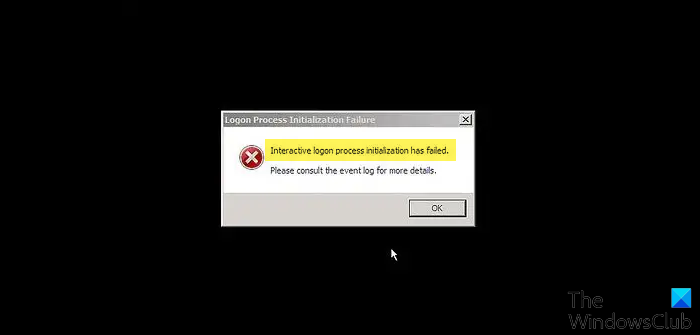
If when you try to start your Windows computer, the computer stops at the logon process and you are unable to proceed further – then this article may interest you. Not only will your logon process not start, in addition …more >>>

Fix: Windows 7 freezes at logon with blue swirl animation continuing forever

Fix: Windows 7 freezes at logon with blue swirl animation continuing forever

If you are running Windows 7 or Windows Server 2008 R2 and you find that when you start your computer, your computer stops responding durin the logon process then this article may interest you. At this juncture you may find …more >>>

How to capture screenshots of Windows logon screen easily

How to capture screenshots of Windows logon screen easily

While there are several freeware utilities that allow you to capture screenshots, there are hardly any which will let you capture screenshots of your Windows logon screens.

Fix: Windows computer freezes at Welcome screen after entering user logon password

Fix: Windows computer freezes at Welcome screen after entering user logon password

If after you enter your password or the user credentials to log on, you find that your computer freezes or stops responding at the Welcome screen, this article may interest you.

Fix: Windows 7 logon screen appears twice when you resume computer from Sleep

Fix: Windows 7 logon screen appears twice when you resume computer from Sleep

Does your logon screen appear two times when you resume a Windows 7 or Windows Server 2008 R2 based computer from Sleep or from Hibernation? If so, this article may be of interest to you!

Enable or disable CTRL+ALT+DELETE sequence for logging on to Windows 7

Enable or disable CTRL+ALT+DELETE sequence for logging on to Windows 7

While one can always manually disable Interactive logon viz. Do not require CTRL+ALT+DEL, before logging on to a Windows 7 or Vista computer, Microsoft has now released a Fix It which allows you to do so automatically.

Windows Logon Notifier lets you create user logon messages easily

Windows Logon Notifier lets you create user logon messages easily

We are delighted to release a freeware app created by one of our forum members. While one can always create logon messages for users, using the Local Security Policy, Windows Logon Notifier lets you do so easily!

Create a logon message for users in Windows 7

Create a logon message for users in Windows 7

Windows 7, like Vista, supports a local security policy that allows you to create a message that will be displayed when users attempt to log on.

Fix: Restore previous folder windows at logon does not restore correctly

Fix: Restore previous folder windows at logon does not restore correctly

If you have turned on the “Restore previous folder windows at logon” feature, but you find that on logging off and logging on, the Windows explorer windows are opened, but the position of the windows is not restored correctly, then …more >>>

How to temporarily disable Startup applications in Windows 7 easily

If for some reasons, you need to only temporarily disable your start-up applications from starting up during boot time, you can do so easily.

© 2012 The Windows Club All Rights Reserved