Auto-hide Windows desktop icons and taskbar with AutoHideDesktopIcons

Auto-hide Windows desktop icons and taskbar with AutoHideDesktopIcons

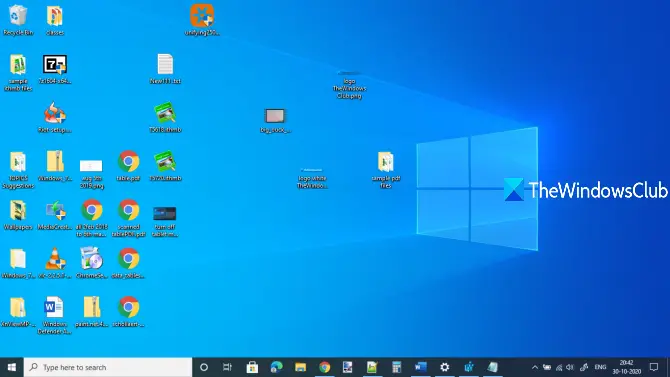
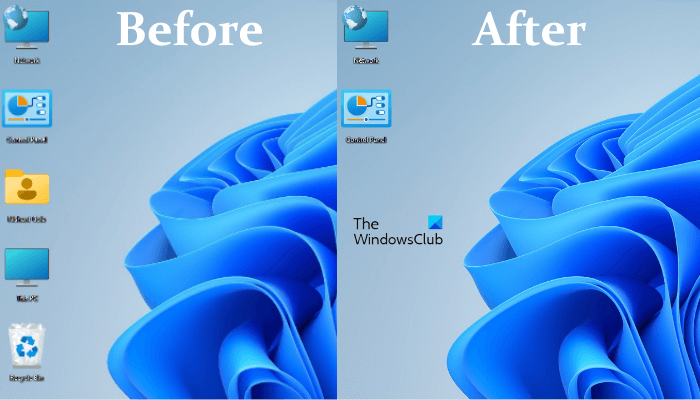
Auto Hide Desktop Icons is a freeware application that can hide your Windows desktop icons and even your taskbar, after a set time interval. If you usually have a cluttered desktop, and would like to peek behind them at your wallpaper, …more >>>

How to display Desktop icons text on the side, in Windows 7

How to display Desktop icons text on the side, in Windows 7

By default, Windows operating system displays the text below the desktop icons. But if you want to display it next to the icons, this free tool will let you do it easily. D-Color is a free portable app that lets …more >>>

Know your Windows Phone 7 icons in Status Bar

Know your Windows Phone 7 icons in Status Bar

If you are new to Windows Phone 7 then you might be confused by the icons which you see on the Windows Phone 7. Every phone has bunch of icons and every icon has its own meaning.

Pin sites using IE9 to have seamless integration with Windows 7

Pin sites using IE9 to have seamless integration with Windows 7

Internet Explorer 9 RC has been launched which comes with some of the coolest features. One of them is pinning sites which provides you with seamless integration with the Windows 7.

Instantly auto-arrange desktop icons in cool shapes with My Cool Desktop

Instantly auto-arrange desktop icons in cool shapes with My Cool Desktop

My Cool Desktop is an amazing freeware that cheers up your Windows desktop, making it cute by arranging your icons in many different shapes and styles, in one click! Choose to arrange your desktop icons into circles, stars, hearts and …more >>>

Change Windows 7 taskbar and start menu icons easily with 7Conifier

Change Windows 7 taskbar and start menu icons easily with 7Conifier

Do you enjoy customizing your Windows 7? Would you like to chnage your Windows 7 Start Menu and Taskbar icons in a click by applying select icons packages? 7Conifier will let you do so easily in a click!

Rebuild corrupt icon cache with Icon Cache Rebuilder

Rebuild corrupt icon cache with Icon Cache Rebuilder

We are pleased to released Icon Cache Builder. While one can always repair the icon cache manually in Windows 7 or Vista, our Icon Cache Rebuilder lets you do so in a click!

Windows Phone 7 icons now reveal their labels too!

Windows Phone 7 icons now reveal their labels too!

The latest build of Windows Phone 7 adds a little text descriptions to the bottom bar icons, when the bar is expanded with a swipe. Earlier the icons did not have labels!

Hide Windows 7 Desktop Icons Automatically When PC is Inactive

Hide Windows 7 Desktop Icons Automatically When PC is Inactive

DeskDuster is a free tool to hide Windows desktop icons automatically when computer has been inactive for a specified time.

The overlay icons in Windows 7

The overlay icons in Windows 7

You may have noticed several icons in your Windows operating system which have an overlay icon on it.

New Icons: Windows Live Sync, Family Safety, Devices, Groups & Profile

New Icons: Windows Live Sync, Family Safety, Devices, Groups & Profile

New icons have been spotted for Windows Live Essentials Wave 4. Here are the full versions of the new icons for Windows Live Sync, Family Safety, Devices, Groups, & Profile!

Download Application Bar Icons for Windows Phone 7 Series

Download Application Bar Icons for Windows Phone 7 Series

Microsoft has released a set of Application Bar Icons for Windows Phone 7 Series and are now available for download.

How to replace Library icons easily in Windows 7

How to replace Library icons easily in Windows 7

If you wish to change the Library icons in Windows 7, you can now do so easily with the help of this freeware utility.

Display desktop icons of removable media on insertion

Display desktop icons of removable media on insertion

Desk Drive™ solves a really annoying problem. You pop a USB thumb drive or DVD into your computer and then you have to open Window’s Explorer and find the mapped drive or folder.

Desktop icons are not showing in Windows 7

Desktop icons are not showing in Windows 7

If your desktop icons do not display on your Windows desktop, try this:

Use the keyboard to launch taskbar programs in Windows.

Use the keyboard to launch taskbar programs in Windows.

You can also use the keyboard to launch your favorite programs which may have been pinned to your Windows 7 taskbar. 

Use the keyboard to view taskbar thumbnails in Windows 7.

When you move your mouse cursor over the taskbar icons, you see the thumnail views.

Run multiple instances of applications from the Windows 7 taskbar.

Run multiple instances of applications from the Windows 7 taskbar.

Click on the pinned taskbar icon and you have the application running. Click on it again and you have the same instance appear again. So what do you do if you want to run, multiple instances of any program, like …more >>>

Re-arrange Taskbar Buttons or Notification Tray icons in Windows 7

Re-arrange Taskbar Buttons or Notification Tray icons in Windows 7

Windows 7 lets you move and re-arrange the taskbar buttons, should you wish to.

© 2012 The Windows Club All Rights Reserved