<?xml version="1.0" encoding="UTF-8"?>
<rss version="2.0"
	xmlns:content="http://purl.org/rss/1.0/modules/content/"
	xmlns:wfw="http://wellformedweb.org/CommentAPI/"
	xmlns:dc="http://purl.org/dc/elements/1.1/"
	xmlns:atom="http://www.w3.org/2005/Atom"
	xmlns:sy="http://purl.org/rss/1.0/modules/syndication/"
	xmlns:slash="http://purl.org/rss/1.0/modules/slash/"
	>

<channel>
	<title>The Windows Club &#187; Hacks</title>
	<atom:link href="http://www.thewindowsclub.com/tag/hacks/feed" rel="self" type="application/rss+xml" />
	<link>http://www.thewindowsclub.com</link>
	<description>The Windows Club is  created by Anand Khanse, a Microsoft MVP and is primarily targeted at the Windows 7, 8 &#38; Vista user and will address and cover issues in relation to Microsoft and Windows OS.</description>
	<lastBuildDate>Wed, 08 Feb 2012 18:37:32 +0000</lastBuildDate>
	<language>en</language>
	<sy:updatePeriod>hourly</sy:updatePeriod>
	<sy:updateFrequency>1</sy:updateFrequency>
	<generator>http://wordpress.org/?v=3.3.1</generator>
<xhtml:meta xmlns:xhtml="http://www.w3.org/1999/xhtml" name="robots" content="noindex" />
		<item>
		<title>Geohot, the famous PS3 and iPhone hacker, set to dive into Windows Phone 7!</title>
		<link>http://www.thewindowsclub.com/geohot-the-famous-ps3-and-iphone-hacker-set-to-dive-into-windows-phone-7?utm_source=rss&#038;utm_medium=rss&#038;utm_campaign=geohot-the-famous-ps3-and-iphone-hacker-set-to-dive-into-windows-phone-7</link>
		<comments>http://www.thewindowsclub.com/geohot-the-famous-ps3-and-iphone-hacker-set-to-dive-into-windows-phone-7#comments</comments>
		<pubDate>Fri, 21 Jan 2011 13:09:01 +0000</pubDate>
		<dc:creator>Lee@TWC</dc:creator>
				<category><![CDATA[Phone]]></category>
		<category><![CDATA[Hacks]]></category>
		<category><![CDATA[WP7]]></category>

		<guid isPermaLink="false">http://www.thewindowsclub.com/?p=22852</guid>
		<description><![CDATA[Anyone that owns an iPhone or PS3 system and looks to hack their system has heard of George Hotz aka GeoHot. His latest being the PS3 system which he is now in a legal battle with Sony over. GeoHot has <span><a class="more-link" href="http://www.thewindowsclub.com/geohot-the-famous-ps3-and-iphone-hacker-set-to-dive-into-windows-phone-7">...more &#62;&#62;&#62;</a></span>]]></description>
		<wfw:commentRss>http://www.thewindowsclub.com/geohot-the-famous-ps3-and-iphone-hacker-set-to-dive-into-windows-phone-7/feed</wfw:commentRss>
		<slash:comments>0</slash:comments>
		</item>
		<item>
		<title>Replace Windows 7 System Files Easily with File Replacer</title>
		<link>http://www.thewindowsclub.com/replace-windows-7-system-files-easily-with-file-replacer?utm_source=rss&#038;utm_medium=rss&#038;utm_campaign=replace-windows-7-system-files-easily-with-file-replacer</link>
		<comments>http://www.thewindowsclub.com/replace-windows-7-system-files-easily-with-file-replacer#comments</comments>
		<pubDate>Sat, 23 Jan 2010 16:40:26 +0000</pubDate>
		<dc:creator>AnandK@TWC</dc:creator>
				<category><![CDATA[Downloads]]></category>
		<category><![CDATA[Hacks]]></category>

		<guid isPermaLink="false">http://www.thewindowsclub.com/?p=5791</guid>
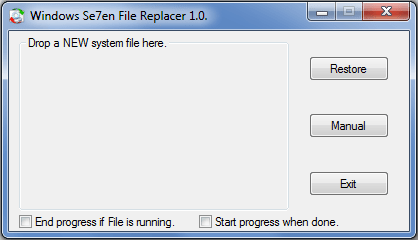
		<description><![CDATA[<div style=" float: left; padding: 4px; margin: 0 10px 5px 0; width: 75px; height: 75px;"><img style=" float: left; padding: 4px; margin: 0 10px 5px 0;" width="75" height="75" src="http://www.thewindowsclub.com/wp-content/themes/Twc/scripts/thumb.php?src=http://www.thewindowsclub.com/wp-content/uploads/2010/01/windows-7-file-replacer-400x229.png&amp;w=75&amp;h=75&amp;zc=1"/></div>Windows Se7en File Replacer is a program will, backup the OLD file, try to &#8220;Take Ownership&#8221; and replace it with the NEW dragged or manually selected file. Windows does not allow you replace a system file. You first have to <span><a class="more-link" href="http://www.thewindowsclub.com/replace-windows-7-system-files-easily-with-file-replacer">...more &#62;&#62;&#62;</a></span>]]></description>
		<wfw:commentRss>http://www.thewindowsclub.com/replace-windows-7-system-files-easily-with-file-replacer/feed</wfw:commentRss>
		<slash:comments>2</slash:comments>
		</item>
		<item>
		<title>Ways to RUN any application from Windows 7 Start Search Box</title>
		<link>http://www.thewindowsclub.com/2-ways-to-run-any-application-from-windows-7-start-search-box?utm_source=rss&#038;utm_medium=rss&#038;utm_campaign=2-ways-to-run-any-application-from-windows-7-start-search-box</link>
		<comments>http://www.thewindowsclub.com/2-ways-to-run-any-application-from-windows-7-start-search-box#comments</comments>
		<pubDate>Sun, 20 Sep 2009 16:27:51 +0000</pubDate>
		<dc:creator>AnandK@TWC</dc:creator>
				<category><![CDATA[Windows]]></category>
		<category><![CDATA[Hacks]]></category>
		<category><![CDATA[Registry]]></category>
		<category><![CDATA[Run]]></category>
		<category><![CDATA[Tips]]></category>

		<guid isPermaLink="false">http://www.thewindowsclub.com/?p=3496</guid>
		<description><![CDATA[<div style=" float: left; padding: 4px; margin: 0 10px 5px 0; width: 75px; height: 75px;"><img style=" float: left; padding: 4px; margin: 0 10px 5px 0;" width="75" height="75" src="http://www.thewindowsclub.com/wp-content/themes/Twc/scripts/thumb.php?src=http://www.thewindowsclub.com/wp-content/uploads/2009/04/smile.gif&amp;w=75&amp;h=75&amp;zc=1"/></div>Via the Run command in Windows, you can use certain pre-defined commands to open up applications. In fact in Windows 7 &#38; Vista, its Start Menu Search box itself acts as a Run box. If you type the name of <span><a class="more-link" href="http://www.thewindowsclub.com/2-ways-to-run-any-application-from-windows-7-start-search-box">...more &#62;&#62;&#62;</a></span>]]></description>
		<wfw:commentRss>http://www.thewindowsclub.com/2-ways-to-run-any-application-from-windows-7-start-search-box/feed</wfw:commentRss>
		<slash:comments>0</slash:comments>
		</item>
		<item>
		<title>Change Windows 7 Aero Peek Desktop Preview times.</title>
		<link>http://www.thewindowsclub.com/change-windows-7-aero-peek-desktop-preview-times?utm_source=rss&#038;utm_medium=rss&#038;utm_campaign=change-windows-7-aero-peek-desktop-preview-times</link>
		<comments>http://www.thewindowsclub.com/change-windows-7-aero-peek-desktop-preview-times#comments</comments>
		<pubDate>Thu, 20 Aug 2009 17:03:31 +0000</pubDate>
		<dc:creator>AnandK@TWC</dc:creator>
				<category><![CDATA[Windows]]></category>
		<category><![CDATA[Aero Peek]]></category>
		<category><![CDATA[Hacks]]></category>
		<category><![CDATA[Registry]]></category>
		<category><![CDATA[Tips]]></category>

		<guid isPermaLink="false">http://www.thewindowsclub.com/?p=2873</guid>
		<description><![CDATA[<div style=" float: left; padding: 4px; margin: 0 10px 5px 0; width: 75px; height: 75px;"><img style=" float: left; padding: 4px; margin: 0 10px 5px 0;" width="75" height="75" src="http://www.thewindowsclub.com/wp-content/themes/Twc/scripts/thumb.php?src=http://www.thewindowsclub.com/wp-content/uploads/2009/08/desktoppreview-600x359.jpg&amp;w=75&amp;h=75&amp;zc=1"/></div>Aero Peek is a new feature in Windows 7. If you have many windows open on your desktop, its quite easy to lose track of them. If you wish to change the Aero Peek Desktop Preview times to make it <span><a class="more-link" href="http://www.thewindowsclub.com/change-windows-7-aero-peek-desktop-preview-times">...more &#62;&#62;&#62;</a></span>]]></description>
		<wfw:commentRss>http://www.thewindowsclub.com/change-windows-7-aero-peek-desktop-preview-times/feed</wfw:commentRss>
		<slash:comments>0</slash:comments>
		</item>
		<item>
		<title>How to display Recyle Bin in Computer folder in Windows 7</title>
		<link>http://www.thewindowsclub.com/how-to-display-recyle-bin-in-computer-folder-in-windows-7?utm_source=rss&#038;utm_medium=rss&#038;utm_campaign=how-to-display-recyle-bin-in-computer-folder-in-windows-7</link>
		<comments>http://www.thewindowsclub.com/how-to-display-recyle-bin-in-computer-folder-in-windows-7#comments</comments>
		<pubDate>Fri, 14 Aug 2009 12:06:30 +0000</pubDate>
		<dc:creator>AnandK@TWC</dc:creator>
				<category><![CDATA[Windows]]></category>
		<category><![CDATA[Explorer]]></category>
		<category><![CDATA[Hacks]]></category>
		<category><![CDATA[Registry]]></category>
		<category><![CDATA[Tips]]></category>

		<guid isPermaLink="false">http://www.thewindowsclub.com/?p=2717</guid>
		<description><![CDATA[<div style=" float: left; padding: 4px; margin: 0 10px 5px 0; width: 75px; height: 75px;"><img style=" float: left; padding: 4px; margin: 0 10px 5px 0;" width="75" height="75" src="http://www.thewindowsclub.com/wp-content/themes/Twc/scripts/thumb.php?src=http://www.thewindowsclub.com/wp-content/uploads/2009/08/regbinkey-400x218.jpg&amp;w=75&amp;h=75&amp;zc=1"/></div>You may not want to clutter up your desktop with a Recycle Bin. You perhaps also do not want to pin it to your Start Menu, and yet want easy access to it. What you can do is place it <span><a class="more-link" href="http://www.thewindowsclub.com/how-to-display-recyle-bin-in-computer-folder-in-windows-7">...more &#62;&#62;&#62;</a></span>]]></description>
		<wfw:commentRss>http://www.thewindowsclub.com/how-to-display-recyle-bin-in-computer-folder-in-windows-7/feed</wfw:commentRss>
		<slash:comments>0</slash:comments>
		</item>
		<item>
		<title>Add Delete Folder Contents to Windows 7 Right Click Context Menu.</title>
		<link>http://www.thewindowsclub.com/add-delete-folder-contents-to-windows-7-right-click-context-menu?utm_source=rss&#038;utm_medium=rss&#038;utm_campaign=add-delete-folder-contents-to-windows-7-right-click-context-menu</link>
		<comments>http://www.thewindowsclub.com/add-delete-folder-contents-to-windows-7-right-click-context-menu#comments</comments>
		<pubDate>Wed, 22 Jul 2009 14:23:57 +0000</pubDate>
		<dc:creator>AnandK@TWC</dc:creator>
				<category><![CDATA[Windows]]></category>
		<category><![CDATA[Context Menu]]></category>
		<category><![CDATA[Hacks]]></category>
		<category><![CDATA[Registry]]></category>
		<category><![CDATA[Tips]]></category>

		<guid isPermaLink="false">http://www.thewindowsclub.com/?p=2165</guid>
		<description><![CDATA[<div style=" float: left; padding: 4px; margin: 0 10px 5px 0; width: 75px; height: 75px;"><img style=" float: left; padding: 4px; margin: 0 10px 5px 0;" width="75" height="75" src="http://www.thewindowsclub.com/wp-content/themes/Twc/scripts/thumb.php?src=http://www.thewindowsclub.com/wp-content/uploads/2009/07/delfold.jpg&amp;w=75&amp;h=75&amp;zc=1"/></div>If you wish, you can add the option Delete Folder Contents to the right click context menu. So if you do not want to delete the whole folder but only to empty its contents, you need not open the folder, <span><a class="more-link" href="http://www.thewindowsclub.com/add-delete-folder-contents-to-windows-7-right-click-context-menu">...more &#62;&#62;&#62;</a></span>]]></description>
		<wfw:commentRss>http://www.thewindowsclub.com/add-delete-folder-contents-to-windows-7-right-click-context-menu/feed</wfw:commentRss>
		<slash:comments>0</slash:comments>
		</item>
		<item>
		<title>Remove Compress Old Files option from Disk Cleanup.</title>
		<link>http://www.thewindowsclub.com/remove-compress-old-files-option-from-disk-cleanup?utm_source=rss&#038;utm_medium=rss&#038;utm_campaign=remove-compress-old-files-option-from-disk-cleanup</link>
		<comments>http://www.thewindowsclub.com/remove-compress-old-files-option-from-disk-cleanup#comments</comments>
		<pubDate>Sat, 04 Jul 2009 16:46:31 +0000</pubDate>
		<dc:creator>AnandK@TWC</dc:creator>
				<category><![CDATA[Windows]]></category>
		<category><![CDATA[Hacks]]></category>
		<category><![CDATA[Registry]]></category>
		<category><![CDATA[Tips]]></category>

		<guid isPermaLink="false">http://www.thewindowsclub.com/?p=1909</guid>
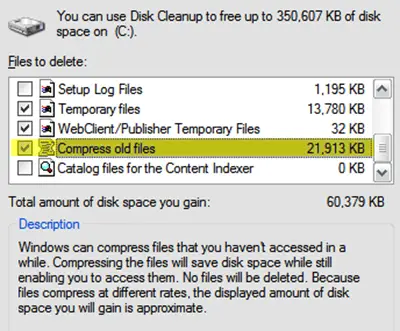
		<description><![CDATA[<div style=" float: left; padding: 4px; margin: 0 10px 5px 0; width: 75px; height: 75px;"><img style=" float: left; padding: 4px; margin: 0 10px 5px 0;" width="75" height="75" src="http://www.thewindowsclub.com/wp-content/themes/Twc/scripts/thumb.php?src=http://www.thewindowsclub.com/wp-content/uploads/2009/04/smile.gif&amp;w=75&amp;h=75&amp;zc=1"/></div>The Compress Old Files option takes up quite a bit of time while cleaning up the disk with Disk Cleanup. If it exists amongst your options and if you dont use it or if you want to remove it, here <span><a class="more-link" href="http://www.thewindowsclub.com/remove-compress-old-files-option-from-disk-cleanup">...more &#62;&#62;&#62;</a></span>]]></description>
		<wfw:commentRss>http://www.thewindowsclub.com/remove-compress-old-files-option-from-disk-cleanup/feed</wfw:commentRss>
		<slash:comments>0</slash:comments>
		</item>
		<item>
		<title>Remove Wallpaper Location history from Personalization in Windows 7</title>
		<link>http://www.thewindowsclub.com/remove-wallpaper-location-history-from-personalization-in-windows-7?utm_source=rss&#038;utm_medium=rss&#038;utm_campaign=remove-wallpaper-location-history-from-personalization-in-windows-7</link>
		<comments>http://www.thewindowsclub.com/remove-wallpaper-location-history-from-personalization-in-windows-7#comments</comments>
		<pubDate>Fri, 26 Jun 2009 18:10:55 +0000</pubDate>
		<dc:creator>AnandK@TWC</dc:creator>
				<category><![CDATA[Windows]]></category>
		<category><![CDATA[Hacks]]></category>
		<category><![CDATA[Registry]]></category>
		<category><![CDATA[Tips]]></category>

		<guid isPermaLink="false">http://www.thewindowsclub.com/?p=1753</guid>
		<description><![CDATA[<div style=" float: left; padding: 4px; margin: 0 10px 5px 0; width: 75px; height: 75px;"><img style=" float: left; padding: 4px; margin: 0 10px 5px 0;" width="75" height="75" src="http://www.thewindowsclub.com/wp-content/themes/Twc/scripts/thumb.php?src=http://www.thewindowsclub.com/wp-content/uploads/2009/06/wplocs.jpg&amp;w=75&amp;h=75&amp;zc=1"/></div>When you right click on the Windows 7 desktop and select Personalize, you are presented with window. Now when you click on Desktop Background, in the drop down menu of the Picture locations, you will see a list of the <span><a class="more-link" href="http://www.thewindowsclub.com/remove-wallpaper-location-history-from-personalization-in-windows-7">...more &#62;&#62;&#62;</a></span>]]></description>
		<wfw:commentRss>http://www.thewindowsclub.com/remove-wallpaper-location-history-from-personalization-in-windows-7/feed</wfw:commentRss>
		<slash:comments>0</slash:comments>
		</item>
		<item>
		<title>Disable automatic termination of applications during shutdown in Windows</title>
		<link>http://www.thewindowsclub.com/disable-automatic-termination-of-applications-during-shutdown-in-windows-7?utm_source=rss&#038;utm_medium=rss&#038;utm_campaign=disable-automatic-termination-of-applications-during-shutdown-in-windows-7</link>
		<comments>http://www.thewindowsclub.com/disable-automatic-termination-of-applications-during-shutdown-in-windows-7#comments</comments>
		<pubDate>Fri, 08 May 2009 14:19:32 +0000</pubDate>
		<dc:creator>AnandK@TWC</dc:creator>
				<category><![CDATA[Windows]]></category>
		<category><![CDATA[Group Policy]]></category>
		<category><![CDATA[Hacks]]></category>
		<category><![CDATA[Tips]]></category>
		<category><![CDATA[Tweaks]]></category>

		<guid isPermaLink="false">http://www.thewindowsclub.com/?p=1130</guid>
		<description><![CDATA[<div style=" float: left; padding: 4px; margin: 0 10px 5px 0; width: 75px; height: 75px;"><img style=" float: left; padding: 4px; margin: 0 10px 5px 0;" width="75" height="75" src="http://www.thewindowsclub.com/wp-content/themes/Twc/scripts/thumb.php?src=http://www.thewindowsclub.com/wp-content/uploads/2009/05/autoshutdown.jpg&amp;w=75&amp;h=75&amp;zc=1"/></div>If some application are open when you are shutting down Windows 7, such applications will be not be automatically terminated during shutdown. But you will be asked if you want to save your work. But if you find that this <span><a class="more-link" href="http://www.thewindowsclub.com/disable-automatic-termination-of-applications-during-shutdown-in-windows-7">...more &#62;&#62;&#62;</a></span>]]></description>
		<wfw:commentRss>http://www.thewindowsclub.com/disable-automatic-termination-of-applications-during-shutdown-in-windows-7/feed</wfw:commentRss>
		<slash:comments>0</slash:comments>
		</item>
		<item>
		<title>Add Search the Internet Link to Windows 7 Start Menu</title>
		<link>http://www.thewindowsclub.com/add-search-the-internet-link-to-windows-7-start-menu?utm_source=rss&#038;utm_medium=rss&#038;utm_campaign=add-search-the-internet-link-to-windows-7-start-menu</link>
		<comments>http://www.thewindowsclub.com/add-search-the-internet-link-to-windows-7-start-menu#comments</comments>
		<pubDate>Wed, 29 Apr 2009 17:27:53 +0000</pubDate>
		<dc:creator>AnandK@TWC</dc:creator>
				<category><![CDATA[Windows]]></category>
		<category><![CDATA[Hacks]]></category>
		<category><![CDATA[Internet]]></category>
		<category><![CDATA[Search]]></category>
		<category><![CDATA[Start Menu]]></category>
		<category><![CDATA[Tips]]></category>
		<category><![CDATA[Tweaks]]></category>

		<guid isPermaLink="false">http://www.thewindowsclub.com/?p=958</guid>
		<description><![CDATA[<div style=" float: left; padding: 4px; margin: 0 10px 5px 0; width: 75px; height: 75px;"><img style=" float: left; padding: 4px; margin: 0 10px 5px 0;" width="75" height="75" src="http://www.thewindowsclub.com/wp-content/themes/Twc/scripts/thumb.php?src=http://www.thewindowsclub.com/wp-content/uploads/2009/04/searchinternet.jpg&amp;w=75&amp;h=75&amp;zc=1"/></div>In Windows Vista, you could search the internet through the Start Menu. However this ability has been removed from the Windows 7 Start Menu. However should you wish, you can this functionality back to your Windows 7 start menu. To <span><a class="more-link" href="http://www.thewindowsclub.com/add-search-the-internet-link-to-windows-7-start-menu">...more &#62;&#62;&#62;</a></span>]]></description>
		<wfw:commentRss>http://www.thewindowsclub.com/add-search-the-internet-link-to-windows-7-start-menu/feed</wfw:commentRss>
		<slash:comments>0</slash:comments>
		</item>
	</channel>
</rss>