<?xml version="1.0" encoding="UTF-8"?>
<rss version="2.0"
	xmlns:content="http://purl.org/rss/1.0/modules/content/"
	xmlns:wfw="http://wellformedweb.org/CommentAPI/"
	xmlns:dc="http://purl.org/dc/elements/1.1/"
	xmlns:atom="http://www.w3.org/2005/Atom"
	xmlns:sy="http://purl.org/rss/1.0/modules/syndication/"
	xmlns:slash="http://purl.org/rss/1.0/modules/slash/"
	>

<channel>
	<title>The Windows Club &#187; Desktop</title>
	<atom:link href="http://www.thewindowsclub.com/tag/desktop/feed" rel="self" type="application/rss+xml" />
	<link>http://www.thewindowsclub.com</link>
	<description>The Windows Club is  created by Anand Khanse, a Microsoft MVP and is primarily targeted at the Windows 7, 8 &#38; Vista user and will address and cover issues in relation to Microsoft and Windows OS.</description>
	<lastBuildDate>Wed, 08 Feb 2012 18:37:32 +0000</lastBuildDate>
	<language>en</language>
	<sy:updatePeriod>hourly</sy:updatePeriod>
	<sy:updateFrequency>1</sy:updateFrequency>
	<generator>http://wordpress.org/?v=3.3.1</generator>
<xhtml:meta xmlns:xhtml="http://www.w3.org/1999/xhtml" name="robots" content="noindex" />
		<item>
		<title>Fix: Desktop does not refresh automatically in Windows 7</title>
		<link>http://www.thewindowsclub.com/desktop-does-not-refresh-automatically-windows?utm_source=rss&#038;utm_medium=rss&#038;utm_campaign=desktop-does-not-refresh-automatically-windows</link>
		<comments>http://www.thewindowsclub.com/desktop-does-not-refresh-automatically-windows#comments</comments>
		<pubDate>Wed, 28 Dec 2011 18:00:14 +0000</pubDate>
		<dc:creator>AnandK@TWC</dc:creator>
				<category><![CDATA[Windows]]></category>
		<category><![CDATA[Desktop]]></category>
		<category><![CDATA[Tips]]></category>

		<guid isPermaLink="false">http://www.thewindowsclub.com/?p=41187</guid>
		<description><![CDATA[<div style=" float: left; padding: 4px; margin: 0 10px 5px 0; width: 75px; height: 75px;"><img style=" float: left; padding: 4px; margin: 0 10px 5px 0;" width="75" height="75" src="http://www.thewindowsclub.com/wp-content/themes/Twc/scripts/thumb.php?src=http://www.thewindowsclub.com/wp-content/uploads/2011/12/dontrefresh-600x374.jpg&amp;w=75&amp;h=75&amp;zc=1"/></div>The Desktop or Explorer window or folder will automatically refresh itself when you make a change to its contents. This could be creating a new shortcut, creating or saving a new file or folder in it, and so on. But <span><a class="more-link" href="http://www.thewindowsclub.com/desktop-does-not-refresh-automatically-windows">...more &#62;&#62;&#62;</a></span>]]></description>
		<wfw:commentRss>http://www.thewindowsclub.com/desktop-does-not-refresh-automatically-windows/feed</wfw:commentRss>
		<slash:comments>6</slash:comments>
		</item>
		<item>
		<title>What does Refresh Desktop or Refresh explorer window actually do?</title>
		<link>http://www.thewindowsclub.com/refresh-desktop-folder-windows?utm_source=rss&#038;utm_medium=rss&#038;utm_campaign=refresh-desktop-folder-windows</link>
		<comments>http://www.thewindowsclub.com/refresh-desktop-folder-windows#comments</comments>
		<pubDate>Wed, 28 Dec 2011 17:59:09 +0000</pubDate>
		<dc:creator>AnandK@TWC</dc:creator>
				<category><![CDATA[Windows]]></category>
		<category><![CDATA[Desktop]]></category>
		<category><![CDATA[Tips]]></category>

		<guid isPermaLink="false">http://www.thewindowsclub.com/?p=41185</guid>
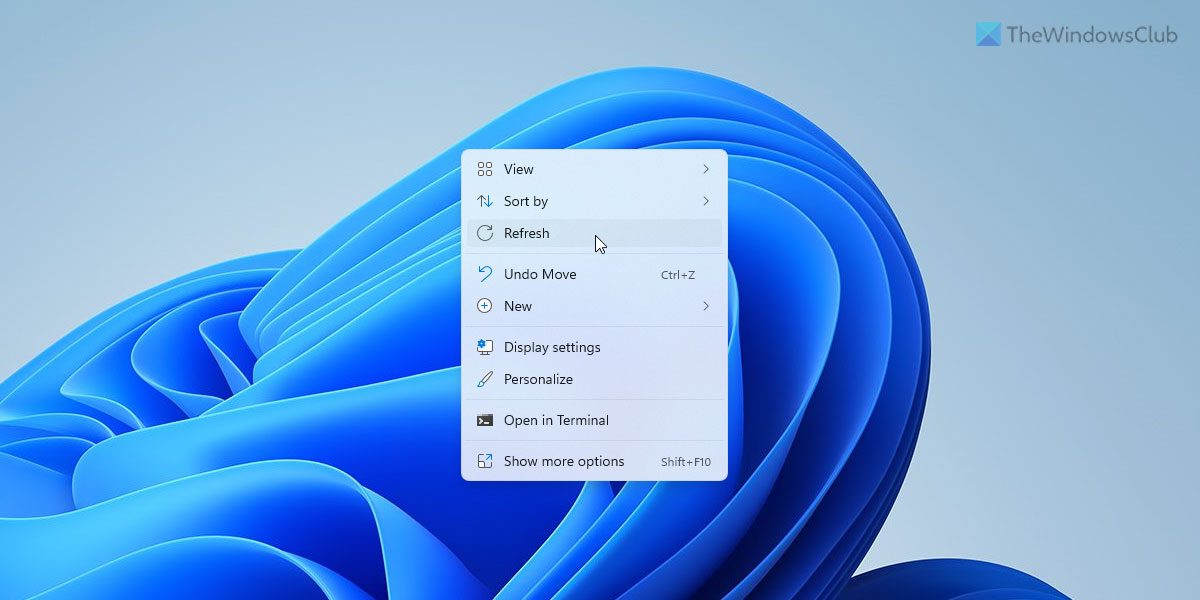
		<description><![CDATA[<div style=" float: left; padding: 4px; margin: 0 10px 5px 0; width: 75px; height: 75px;"><img style=" float: left; padding: 4px; margin: 0 10px 5px 0;" width="75" height="75" src="http://www.thewindowsclub.com/wp-content/themes/Twc/scripts/thumb.php?src=http://www.thewindowsclub.com/wp-content/uploads/2011/12/refresh-desktop.jpg&amp;w=75&amp;h=75&amp;zc=1"/></div>I am sure that you must have noticed that when you right-click on your Windows desktop or inside an open explorer window, you see an option called Refresh in the context menu. The Refresh option has been there since you can remember! <span><a class="more-link" href="http://www.thewindowsclub.com/refresh-desktop-folder-windows">...more &#62;&#62;&#62;</a></span>]]></description>
		<wfw:commentRss>http://www.thewindowsclub.com/refresh-desktop-folder-windows/feed</wfw:commentRss>
		<slash:comments>4</slash:comments>
		</item>
		<item>
		<title>HP TouchSmart 520: Review, Tech Specs and Price</title>
		<link>http://www.thewindowsclub.com/hp-touchsmart-520-review-tech-specs-price?utm_source=rss&#038;utm_medium=rss&#038;utm_campaign=hp-touchsmart-520-review-tech-specs-price</link>
		<comments>http://www.thewindowsclub.com/hp-touchsmart-520-review-tech-specs-price#comments</comments>
		<pubDate>Fri, 09 Dec 2011 17:09:08 +0000</pubDate>
		<dc:creator>GauravK@TWC</dc:creator>
				<category><![CDATA[General]]></category>
		<category><![CDATA[Desktop]]></category>
		<category><![CDATA[HP]]></category>
		<category><![CDATA[Touch Screen]]></category>

		<guid isPermaLink="false">http://www.thewindowsclub.com/?p=39909</guid>
		<description><![CDATA[<div style=" float: left; padding: 4px; margin: 0 10px 5px 0; width: 75px; height: 75px;"><img style=" float: left; padding: 4px; margin: 0 10px 5px 0;" width="75" height="75" src="http://www.thewindowsclub.com/wp-content/themes/Twc/scripts/thumb.php?src=http://www.thewindowsclub.com/wp-content/uploads/2011/12/720x400-HPTouchSmart520-Fwd-600x333.png&amp;w=75&amp;h=75&amp;zc=1"/></div>It&#8217;s holiday season and you must be confused between so many alternatives to choose as a gift for your family. HP and Microsoft have made it easy for you with their new All-In-One HP TouchSmart 520. With its HD capabilities <span><a class="more-link" href="http://www.thewindowsclub.com/hp-touchsmart-520-review-tech-specs-price">...more &#62;&#62;&#62;</a></span>]]></description>
		<wfw:commentRss>http://www.thewindowsclub.com/hp-touchsmart-520-review-tech-specs-price/feed</wfw:commentRss>
		<slash:comments>1</slash:comments>
		</item>
		<item>
		<title>Pokki: Add web apps, as gadgets, to Windows desktop</title>
		<link>http://www.thewindowsclub.com/pokki-add-web-apps-gadgets-windows-desktop?utm_source=rss&#038;utm_medium=rss&#038;utm_campaign=pokki-add-web-apps-gadgets-windows-desktop</link>
		<comments>http://www.thewindowsclub.com/pokki-add-web-apps-gadgets-windows-desktop#comments</comments>
		<pubDate>Wed, 07 Dec 2011 16:39:59 +0000</pubDate>
		<dc:creator>LavishT@TWC</dc:creator>
				<category><![CDATA[Downloads]]></category>
		<category><![CDATA[Desktop]]></category>
		<category><![CDATA[Gadgets]]></category>

		<guid isPermaLink="false">http://www.thewindowsclub.com/?p=39641</guid>
		<description><![CDATA[<div style=" float: left; padding: 4px; margin: 0 10px 5px 0; width: 75px; height: 75px;"><img style=" float: left; padding: 4px; margin: 0 10px 5px 0;" width="75" height="75" src="http://www.thewindowsclub.com/wp-content/themes/Twc/scripts/thumb.php?src=http://www.thewindowsclub.com/wp-content/uploads/2011/12/Browse-400x300.jpg&amp;w=75&amp;h=75&amp;zc=1"/></div>Well, you can get a lot of desktop gadgets, and you should know the top desktop gadgets for your Windows PC. These are very useful, but what if you can get web apps as gadgets and that too as &#8220;taskbar <span><a class="more-link" href="http://www.thewindowsclub.com/pokki-add-web-apps-gadgets-windows-desktop">...more &#62;&#62;&#62;</a></span>]]></description>
		<wfw:commentRss>http://www.thewindowsclub.com/pokki-add-web-apps-gadgets-windows-desktop/feed</wfw:commentRss>
		<slash:comments>2</slash:comments>
		</item>
		<item>
		<title>Desktop Media automatically adds and removes shortcut to USB drive on Desktop</title>
		<link>http://www.thewindowsclub.com/desktop-media-automatically-adds-removes-shortcut-usb-drive-desktop?utm_source=rss&#038;utm_medium=rss&#038;utm_campaign=desktop-media-automatically-adds-removes-shortcut-usb-drive-desktop</link>
		<comments>http://www.thewindowsclub.com/desktop-media-automatically-adds-removes-shortcut-usb-drive-desktop#comments</comments>
		<pubDate>Thu, 01 Dec 2011 08:05:18 +0000</pubDate>
		<dc:creator>HemantS@TWC</dc:creator>
				<category><![CDATA[Downloads]]></category>
		<category><![CDATA[Desktop]]></category>
		<category><![CDATA[Shortcuts]]></category>
		<category><![CDATA[USB]]></category>

		<guid isPermaLink="false">http://www.thewindowsclub.com/?p=39503</guid>
		<description><![CDATA[<div style=" float: left; padding: 4px; margin: 0 10px 5px 0; width: 75px; height: 75px;"><img style=" float: left; padding: 4px; margin: 0 10px 5px 0;" width="75" height="75" src="http://www.thewindowsclub.com/wp-content/themes/Twc/scripts/thumb.php?src=http://www.thewindowsclub.com/wp-content/uploads/2011/12/DesktopMedia1.jpg&amp;w=75&amp;h=75&amp;zc=1"/></div>Wouldn’t it be useful and convenient, if you can add a shortcut to your USB drive on Windows Desktop so that you can easily and quickly open the drive? We have already covered Desk Drive on The Windows Club, which <span><a class="more-link" href="http://www.thewindowsclub.com/desktop-media-automatically-adds-removes-shortcut-usb-drive-desktop">...more &#62;&#62;&#62;</a></span>]]></description>
		<wfw:commentRss>http://www.thewindowsclub.com/desktop-media-automatically-adds-removes-shortcut-usb-drive-desktop/feed</wfw:commentRss>
		<slash:comments>2</slash:comments>
		</item>
		<item>
		<title>PointerStick: A free tool to replace the Cursor with a Presentation Stick</title>
		<link>http://www.thewindowsclub.com/pointerstick-free-tool-replace-cursor-presentation-stick?utm_source=rss&#038;utm_medium=rss&#038;utm_campaign=pointerstick-free-tool-replace-cursor-presentation-stick</link>
		<comments>http://www.thewindowsclub.com/pointerstick-free-tool-replace-cursor-presentation-stick#comments</comments>
		<pubDate>Mon, 28 Nov 2011 13:49:08 +0000</pubDate>
		<dc:creator>HemantS@TWC</dc:creator>
				<category><![CDATA[Downloads]]></category>
		<category><![CDATA[Desktop]]></category>

		<guid isPermaLink="false">http://www.thewindowsclub.com/?p=39235</guid>
		<description><![CDATA[<div style=" float: left; padding: 4px; margin: 0 10px 5px 0; width: 75px; height: 75px;"><img style=" float: left; padding: 4px; margin: 0 10px 5px 0;" width="75" height="75" src="http://www.thewindowsclub.com/wp-content/themes/Twc/scripts/thumb.php?src=http://www.thewindowsclub.com/wp-content/uploads/2011/11/PointerStick1-400x363.jpg&amp;w=75&amp;h=75&amp;zc=1"/></div>It gets difficult to hold presentations on projectors and other big screens with simple and small mouse pointer. Plus, if you do not have any other alternative tool at hand that could highlight the main portion of the presentation, important <span><a class="more-link" href="http://www.thewindowsclub.com/pointerstick-free-tool-replace-cursor-presentation-stick">...more &#62;&#62;&#62;</a></span>]]></description>
		<wfw:commentRss>http://www.thewindowsclub.com/pointerstick-free-tool-replace-cursor-presentation-stick/feed</wfw:commentRss>
		<slash:comments>1</slash:comments>
		</item>
		<item>
		<title>Auto-hide Windows desktop icons and taskbar with AutoHideDesktopIcons</title>
		<link>http://www.thewindowsclub.com/autohide-windows-desktop-icons-taskbar-autohidedesktopicons?utm_source=rss&#038;utm_medium=rss&#038;utm_campaign=autohide-windows-desktop-icons-taskbar-autohidedesktopicons</link>
		<comments>http://www.thewindowsclub.com/autohide-windows-desktop-icons-taskbar-autohidedesktopicons#comments</comments>
		<pubDate>Wed, 23 Nov 2011 12:46:52 +0000</pubDate>
		<dc:creator>AnandK@TWC</dc:creator>
				<category><![CDATA[Downloads]]></category>
		<category><![CDATA[Desktop]]></category>
		<category><![CDATA[Icons]]></category>
		<category><![CDATA[Taskbar]]></category>

		<guid isPermaLink="false">http://www.thewindowsclub.com/?p=38914</guid>
		<description><![CDATA[<div style=" float: left; padding: 4px; margin: 0 10px 5px 0; width: 75px; height: 75px;"><img style=" float: left; padding: 4px; margin: 0 10px 5px 0;" width="75" height="75" src="http://www.thewindowsclub.com/wp-content/themes/Twc/scripts/thumb.php?src=http://www.thewindowsclub.com/wp-content/uploads/2011/11/hide-icons-400x227.jpg&amp;w=75&amp;h=75&amp;zc=1"/></div>Auto Hide Desktop Icons is a freeware application that can hide your Windows desktop icons and even your taskbar, after a set time interval. If you usually have a cluttered desktop, and would like to peek behind them at your wallpaper, <span><a class="more-link" href="http://www.thewindowsclub.com/autohide-windows-desktop-icons-taskbar-autohidedesktopicons">...more &#62;&#62;&#62;</a></span>]]></description>
		<wfw:commentRss>http://www.thewindowsclub.com/autohide-windows-desktop-icons-taskbar-autohidedesktopicons/feed</wfw:commentRss>
		<slash:comments>1</slash:comments>
		</item>
		<item>
		<title>WebReader: Stylish Free Desktop RSS Reader Software for Windows</title>
		<link>http://www.thewindowsclub.com/webreader-stylish-free-desktop-rss-reader-software-windows?utm_source=rss&#038;utm_medium=rss&#038;utm_campaign=webreader-stylish-free-desktop-rss-reader-software-windows</link>
		<comments>http://www.thewindowsclub.com/webreader-stylish-free-desktop-rss-reader-software-windows#comments</comments>
		<pubDate>Tue, 22 Nov 2011 21:49:16 +0000</pubDate>
		<dc:creator>HemantS@TWC</dc:creator>
				<category><![CDATA[Downloads]]></category>
		<category><![CDATA[Desktop]]></category>
		<category><![CDATA[Google Reader]]></category>
		<category><![CDATA[RSS]]></category>

		<guid isPermaLink="false">http://www.thewindowsclub.com/?p=38853</guid>
		<description><![CDATA[<div style=" float: left; padding: 4px; margin: 0 10px 5px 0; width: 75px; height: 75px;"><img style=" float: left; padding: 4px; margin: 0 10px 5px 0;" width="75" height="75" src="http://www.thewindowsclub.com/wp-content/themes/Twc/scripts/thumb.php?src=http://www.thewindowsclub.com/wp-content/uploads/2011/11/webreader_drag_and_drop_tutorial-600x337.png&amp;w=75&amp;h=75&amp;zc=1"/></div>Google Reader is a very popular RSS feed reader web application that keeps its users informed about the latest on our favorite website. It is a Web-based aggregator, capable of reading Atom and RSS feeds online or offline. If you are looking for <span><a class="more-link" href="http://www.thewindowsclub.com/webreader-stylish-free-desktop-rss-reader-software-windows">...more &#62;&#62;&#62;</a></span>]]></description>
		<wfw:commentRss>http://www.thewindowsclub.com/webreader-stylish-free-desktop-rss-reader-software-windows/feed</wfw:commentRss>
		<slash:comments>1</slash:comments>
		</item>
		<item>
		<title>Download Tiles from Stardock for free</title>
		<link>http://www.thewindowsclub.com/download-tiles-stardock-free?utm_source=rss&#038;utm_medium=rss&#038;utm_campaign=download-tiles-stardock-free</link>
		<comments>http://www.thewindowsclub.com/download-tiles-stardock-free#comments</comments>
		<pubDate>Sat, 19 Nov 2011 08:10:02 +0000</pubDate>
		<dc:creator>AnandK@TWC</dc:creator>
				<category><![CDATA[Downloads]]></category>
		<category><![CDATA[Customize]]></category>
		<category><![CDATA[Desktop]]></category>

		<guid isPermaLink="false">http://www.thewindowsclub.com/?p=38628</guid>
		<description><![CDATA[<div style=" float: left; padding: 4px; margin: 0 10px 5px 0; width: 75px; height: 75px;"><img style=" float: left; padding: 4px; margin: 0 10px 5px 0;" width="75" height="75" src="http://www.thewindowsclub.com/wp-content/themes/Twc/scripts/thumb.php?src=http://www.thewindowsclub.com/wp-content/uploads/2011/11/stardock-tiles.jpg&amp;w=75&amp;h=75&amp;zc=1"/></div>Stardock has released a cool new desktop app called Tiles.  Tiles is a Windows Desktop Navigation Utility to manage running apps and windows, with a skinnable interface including a Metro skin. Customization enthusiasts may already be aware of Fences, which let Windows <span><a class="more-link" href="http://www.thewindowsclub.com/download-tiles-stardock-free">...more &#62;&#62;&#62;</a></span>]]></description>
		<wfw:commentRss>http://www.thewindowsclub.com/download-tiles-stardock-free/feed</wfw:commentRss>
		<slash:comments>2</slash:comments>
		</item>
		<item>
		<title>Create virtual desktops in Windows with Sysinternals Desktops</title>
		<link>http://www.thewindowsclub.com/virtual-desktops-windows-sysinternals-desktops?utm_source=rss&#038;utm_medium=rss&#038;utm_campaign=virtual-desktops-windows-sysinternals-desktops</link>
		<comments>http://www.thewindowsclub.com/virtual-desktops-windows-sysinternals-desktops#comments</comments>
		<pubDate>Thu, 17 Nov 2011 01:39:40 +0000</pubDate>
		<dc:creator>LavishT@TWC</dc:creator>
				<category><![CDATA[Downloads]]></category>
		<category><![CDATA[Desktop]]></category>
		<category><![CDATA[Sysinternals]]></category>
		<category><![CDATA[Virtual]]></category>

		<guid isPermaLink="false">http://www.thewindowsclub.com/?p=38491</guid>
		<description><![CDATA[<div style=" float: left; padding: 4px; margin: 0 10px 5px 0; width: 75px; height: 75px;"><img style=" float: left; padding: 4px; margin: 0 10px 5px 0;" width="75" height="75" src="http://www.thewindowsclub.com/wp-content/themes/Twc/scripts/thumb.php?src=http://www.thewindowsclub.com/wp-content/uploads/2011/11/Desktops.jpg&amp;w=75&amp;h=75&amp;zc=1"/></div>One feature of Linux that you may have liked that is you can switch between different virtual desktops. You can do so for Windows by using a free  program named ‘Desktops’. Desktops from SysInternals, creates 4 virtual desktops. Plus you <span><a class="more-link" href="http://www.thewindowsclub.com/virtual-desktops-windows-sysinternals-desktops">...more &#62;&#62;&#62;</a></span>]]></description>
		<wfw:commentRss>http://www.thewindowsclub.com/virtual-desktops-windows-sysinternals-desktops/feed</wfw:commentRss>
		<slash:comments>2</slash:comments>
		</item>
	</channel>
</rss>