<?xml version="1.0" encoding="UTF-8"?>
<rss version="2.0"
	xmlns:content="http://purl.org/rss/1.0/modules/content/"
	xmlns:wfw="http://wellformedweb.org/CommentAPI/"
	xmlns:dc="http://purl.org/dc/elements/1.1/"
	xmlns:atom="http://www.w3.org/2005/Atom"
	xmlns:sy="http://purl.org/rss/1.0/modules/syndication/"
	xmlns:slash="http://purl.org/rss/1.0/modules/slash/"
	>

<channel>
	<title>The Windows Club &#187; Compatibility</title>
	<atom:link href="http://www.thewindowsclub.com/tag/compatibility/feed" rel="self" type="application/rss+xml" />
	<link>http://www.thewindowsclub.com</link>
	<description>The Windows Club is  created by Anand Khanse, a Microsoft MVP and is primarily targeted at the Windows 7, 8 &#38; Vista user and will address and cover issues in relation to Microsoft and Windows OS.</description>
	<lastBuildDate>Thu, 09 Feb 2012 03:47:25 +0000</lastBuildDate>
	<language>en</language>
	<sy:updatePeriod>hourly</sy:updatePeriod>
	<sy:updateFrequency>1</sy:updateFrequency>
	<generator>http://wordpress.org/?v=3.3.1</generator>
<xhtml:meta xmlns:xhtml="http://www.w3.org/1999/xhtml" name="robots" content="noindex" />
		<item>
		<title>Compat Inspector for Internet Explorer 10 is now available</title>
		<link>http://www.thewindowsclub.com/ie10-compat-inspector?utm_source=rss&#038;utm_medium=rss&#038;utm_campaign=ie10-compat-inspector</link>
		<comments>http://www.thewindowsclub.com/ie10-compat-inspector#comments</comments>
		<pubDate>Sat, 21 Jan 2012 12:51:49 +0000</pubDate>
		<dc:creator>AnandK@TWC</dc:creator>
				<category><![CDATA[IE]]></category>
		<category><![CDATA[Compatibility]]></category>
		<category><![CDATA[IE10]]></category>

		<guid isPermaLink="false">http://www.thewindowsclub.com/?p=42738</guid>
		<description><![CDATA[<div style=" float: left; padding: 4px; margin: 0 10px 5px 0; width: 75px; height: 75px;"><img style=" float: left; padding: 4px; margin: 0 10px 5px 0;" width="75" height="75" src="http://www.thewindowsclub.com/wp-content/themes/Twc/scripts/thumb.php?src=http://www.thewindowsclub.com/wp-content/uploads/2012/01/compat-inspector.png&amp;w=75&amp;h=75&amp;zc=1"/></div>Will your website look the same when people start browsing it in Internet Explorer 10? To find out, you can use the just released IE10 Compat Inspector. Compat Inspector for Internet Explorer 10 is now available from Microsoft. You can use Compat <span><a class="more-link" href="http://www.thewindowsclub.com/ie10-compat-inspector">...more &#62;&#62;&#62;</a></span>]]></description>
		<wfw:commentRss>http://www.thewindowsclub.com/ie10-compat-inspector/feed</wfw:commentRss>
		<slash:comments>0</slash:comments>
		</item>
		<item>
		<title>Disable: This program might not have installed correctly in Windows 7</title>
		<link>http://www.thewindowsclub.com/disable-this-program-might-not-have-installed-correctly-in-windows-7?utm_source=rss&#038;utm_medium=rss&#038;utm_campaign=disable-this-program-might-not-have-installed-correctly-in-windows-7</link>
		<comments>http://www.thewindowsclub.com/disable-this-program-might-not-have-installed-correctly-in-windows-7#comments</comments>
		<pubDate>Sat, 15 May 2010 18:09:45 +0000</pubDate>
		<dc:creator>AnandK@TWC</dc:creator>
				<category><![CDATA[Windows]]></category>
		<category><![CDATA[Compatibility]]></category>
		<category><![CDATA[Tips]]></category>

		<guid isPermaLink="false">http://www.thewindowsclub.com/?p=9233</guid>
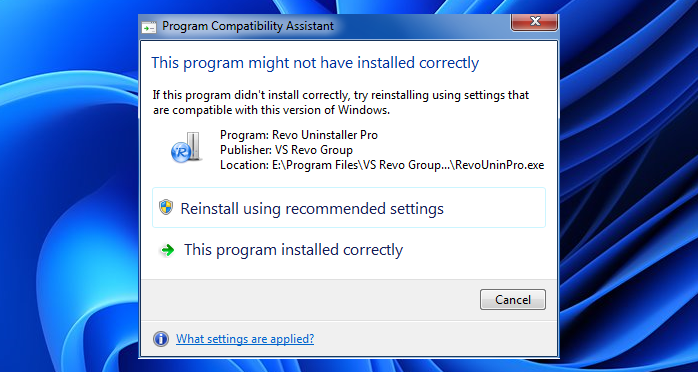
		<description><![CDATA[<div style=" float: left; padding: 4px; margin: 0 10px 5px 0; width: 75px; height: 75px;"><img style=" float: left; padding: 4px; margin: 0 10px 5px 0;" width="75" height="75" src="http://www.thewindowsclub.com/wp-content/themes/Twc/scripts/thumb.php?src=http://www.thewindowsclub.com/wp-content/uploads/2010/05/program-compatibility.png&amp;w=75&amp;h=75&amp;zc=1"/></div>At times, in Windows 7, after you have installed a software you may get a message box stating : This program might not have installed correctly. This is the Program Compatibility Assistant informing you about a possibility of a program <span><a class="more-link" href="http://www.thewindowsclub.com/disable-this-program-might-not-have-installed-correctly-in-windows-7">...more &#62;&#62;&#62;</a></span>]]></description>
		<wfw:commentRss>http://www.thewindowsclub.com/disable-this-program-might-not-have-installed-correctly-in-windows-7/feed</wfw:commentRss>
		<slash:comments>3</slash:comments>
		</item>
		<item>
		<title>Why do applications break in Windows 7 &amp; Vista?</title>
		<link>http://www.thewindowsclub.com/why-do-applications-break-in-windows-7-vista?utm_source=rss&#038;utm_medium=rss&#038;utm_campaign=why-do-applications-break-in-windows-7-vista</link>
		<comments>http://www.thewindowsclub.com/why-do-applications-break-in-windows-7-vista#comments</comments>
		<pubDate>Wed, 31 Mar 2010 11:19:27 +0000</pubDate>
		<dc:creator>AnandK@TWC</dc:creator>
				<category><![CDATA[Windows]]></category>
		<category><![CDATA[Compatibility]]></category>
		<category><![CDATA[Features]]></category>

		<guid isPermaLink="false">http://www.thewindowsclub.com/?p=7825</guid>
		<description><![CDATA[What are the changes made in Windows 7 and Windows Vista, that caused many a applications designed for Windows XP to ‘break?’   The changes to Windows were made to improve security, reliability, performance, and usability, and in some cases <span><a class="more-link" href="http://www.thewindowsclub.com/why-do-applications-break-in-windows-7-vista">...more &#62;&#62;&#62;</a></span>]]></description>
		<wfw:commentRss>http://www.thewindowsclub.com/why-do-applications-break-in-windows-7-vista/feed</wfw:commentRss>
		<slash:comments>0</slash:comments>
		</item>
		<item>
		<title>Windows 7 Application Compatibility List for IT Professionals Published</title>
		<link>http://www.thewindowsclub.com/windows-7-application-compatibility-list-for-it-professionals-published?utm_source=rss&#038;utm_medium=rss&#038;utm_campaign=windows-7-application-compatibility-list-for-it-professionals-published</link>
		<comments>http://www.thewindowsclub.com/windows-7-application-compatibility-list-for-it-professionals-published#comments</comments>
		<pubDate>Fri, 12 Feb 2010 03:57:45 +0000</pubDate>
		<dc:creator>AnandK@TWC</dc:creator>
				<category><![CDATA[Downloads]]></category>
		<category><![CDATA[Compatibility]]></category>

		<guid isPermaLink="false">http://www.thewindowsclub.com/?p=6596</guid>
		<description><![CDATA[<div style=" float: left; padding: 4px; margin: 0 10px 5px 0; width: 75px; height: 75px;"><img style=" float: left; padding: 4px; margin: 0 10px 5px 0;" width="75" height="75" src="http://www.thewindowsclub.com/wp-content/themes/Twc/scripts/thumb.php?src=http://www.thewindowsclub.com/wp-content/uploads/2010/02/windows7-compatibility.png&amp;w=75&amp;h=75&amp;zc=1"/></div>The Windows 7 Application Compatibility List for IT Professionals is a Microsoft Office Excel-based spreadsheet listing software applications which have met Windows 7 Logo Program testing requirements for compatibility with 32-bit and 64-bit Windows 7, and have thereby earned the <span><a class="more-link" href="http://www.thewindowsclub.com/windows-7-application-compatibility-list-for-it-professionals-published">...more &#62;&#62;&#62;</a></span>]]></description>
		<wfw:commentRss>http://www.thewindowsclub.com/windows-7-application-compatibility-list-for-it-professionals-published/feed</wfw:commentRss>
		<slash:comments>0</slash:comments>
		</item>
		<item>
		<title>Windows 7 Application Compatibility Overview</title>
		<link>http://www.thewindowsclub.com/windows-7-application-compatibility-overview?utm_source=rss&#038;utm_medium=rss&#038;utm_campaign=windows-7-application-compatibility-overview</link>
		<comments>http://www.thewindowsclub.com/windows-7-application-compatibility-overview#comments</comments>
		<pubDate>Sun, 23 Aug 2009 18:01:28 +0000</pubDate>
		<dc:creator>AnandK@TWC</dc:creator>
				<category><![CDATA[General]]></category>
		<category><![CDATA[Compatibility]]></category>
		<category><![CDATA[E-Books]]></category>

		<guid isPermaLink="false">http://www.thewindowsclub.com/?p=2956</guid>
		<description><![CDATA[<div style=" float: left; padding: 4px; margin: 0 10px 5px 0; width: 75px; height: 75px;"><img style=" float: left; padding: 4px; margin: 0 10px 5px 0;" width="75" height="75" src="http://www.thewindowsclub.com/wp-content/themes/Twc/scripts/thumb.php?src=http://www.thewindowsclub.com/wp-content/uploads/2009/08/windows7compatibility.jpg&amp;w=75&amp;h=75&amp;zc=1"/></div>Windows 7 Application Compatibility Overview from Microsoft has been released. Download Windows 7 Application Compatibility Overview pdf file from Microsoft. This Windows 7 Application Compatibility document may also interest you.]]></description>
		<wfw:commentRss>http://www.thewindowsclub.com/windows-7-application-compatibility-overview/feed</wfw:commentRss>
		<slash:comments>0</slash:comments>
		</item>
		<item>
		<title>Windows 7 to have a Windows XP mode.</title>
		<link>http://www.thewindowsclub.com/windows-7-to-have-a-windows-xp-mode?utm_source=rss&#038;utm_medium=rss&#038;utm_campaign=windows-7-to-have-a-windows-xp-mode</link>
		<comments>http://www.thewindowsclub.com/windows-7-to-have-a-windows-xp-mode#comments</comments>
		<pubDate>Sat, 25 Apr 2009 03:46:43 +0000</pubDate>
		<dc:creator>AnandK@TWC</dc:creator>
				<category><![CDATA[News]]></category>
		<category><![CDATA[Compatibility]]></category>
		<category><![CDATA[Features]]></category>
		<category><![CDATA[Virtual]]></category>
		<category><![CDATA[XP Mode]]></category>

		<guid isPermaLink="false">http://www.thewindowsclub.com/?p=859</guid>
		<description><![CDATA[<div style=" float: left; padding: 4px; margin: 0 10px 5px 0; width: 75px; height: 75px;"><img style=" float: left; padding: 4px; margin: 0 10px 5px 0;" width="75" height="75" src="http://www.thewindowsclub.com/wp-content/themes/Twc/scripts/thumb.php?src=http://www.thewindowsclub.com/wp-content/uploads/2009/04/w7xpmode-300x187.png&amp;w=75&amp;h=75&amp;zc=1"/></div>Microsoft plans to release a new feature called Windows XP Mode for users of its business versions of Windows 7 that will include a fully licensed copy of Windows XP SP3 running in a virtual machine. Windows XP Mode is <span><a class="more-link" href="http://www.thewindowsclub.com/windows-7-to-have-a-windows-xp-mode">...more &#62;&#62;&#62;</a></span>]]></description>
		<wfw:commentRss>http://www.thewindowsclub.com/windows-7-to-have-a-windows-xp-mode/feed</wfw:commentRss>
		<slash:comments>0</slash:comments>
		</item>
		<item>
		<title>Check application compatibility issues before deploying Windows 7.</title>
		<link>http://www.thewindowsclub.com/check-application-compatibility-issues-before-deploying-windows-7?utm_source=rss&#038;utm_medium=rss&#038;utm_campaign=check-application-compatibility-issues-before-deploying-windows-7</link>
		<comments>http://www.thewindowsclub.com/check-application-compatibility-issues-before-deploying-windows-7#comments</comments>
		<pubDate>Sun, 19 Apr 2009 11:07:04 +0000</pubDate>
		<dc:creator>AnandK@TWC</dc:creator>
				<category><![CDATA[News]]></category>
		<category><![CDATA[Compatibility]]></category>
		<category><![CDATA[Deployment]]></category>

		<guid isPermaLink="false">http://www.thewindowsclub.com/?p=736</guid>
		<description><![CDATA[The Microsoft Application Compatibility Toolkit (ACT) version 5.5 contains the necessary tools and documentation to evaluate and mitigate application compatibility issues before deploying Windows 7, Windows Vista®, a Windows Update, or a new version of Windows® Internet Explorer® in your <span><a class="more-link" href="http://www.thewindowsclub.com/check-application-compatibility-issues-before-deploying-windows-7">...more &#62;&#62;&#62;</a></span>]]></description>
		<wfw:commentRss>http://www.thewindowsclub.com/check-application-compatibility-issues-before-deploying-windows-7/feed</wfw:commentRss>
		<slash:comments>0</slash:comments>
		</item>
		<item>
		<title>Make program run in Windows 7 in compatibility mode</title>
		<link>http://www.thewindowsclub.com/make-program-run-in-windows-7-in-compatibility?utm_source=rss&#038;utm_medium=rss&#038;utm_campaign=make-program-run-in-windows-7-in-compatibility</link>
		<comments>http://www.thewindowsclub.com/make-program-run-in-windows-7-in-compatibility#comments</comments>
		<pubDate>Fri, 10 Apr 2009 09:02:11 +0000</pubDate>
		<dc:creator>AnandK@TWC</dc:creator>
				<category><![CDATA[Windows]]></category>
		<category><![CDATA[Compatibility]]></category>
		<category><![CDATA[Tips]]></category>
		<category><![CDATA[Troubleshoot]]></category>

		<guid isPermaLink="false">http://www.thewindowsclub.com/?p=435</guid>
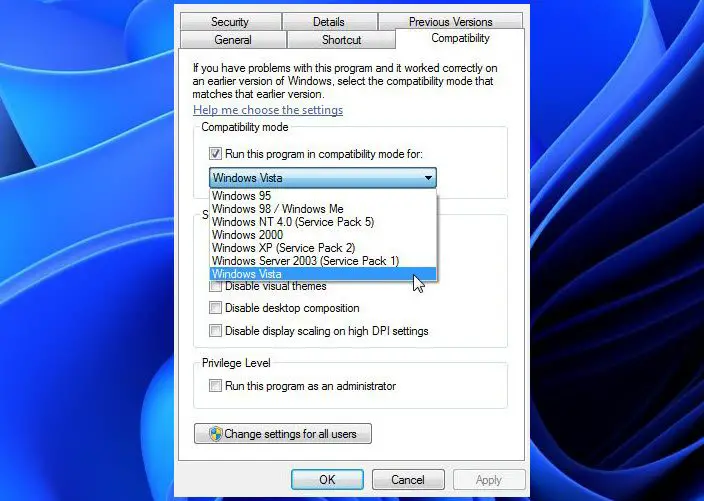
		<description><![CDATA[<div style=" float: left; padding: 4px; margin: 0 10px 5px 0; width: 75px; height: 75px;"><img style=" float: left; padding: 4px; margin: 0 10px 5px 0;" width="75" height="75" src="http://www.thewindowsclub.com/wp-content/themes/Twc/scripts/thumb.php?src=http://www.thewindowsclub.com/wp-content/uploads/2009/04/compmode.jpg&amp;w=75&amp;h=75&amp;zc=1"/></div>If your favorite program does not run in Windows 7 or if it does not run the way it ran in Windows Vista, here is what you may try. Right click on the program or program shortcut icon and select <span><a class="more-link" href="http://www.thewindowsclub.com/make-program-run-in-windows-7-in-compatibility">...more &#62;&#62;&#62;</a></span>]]></description>
		<wfw:commentRss>http://www.thewindowsclub.com/make-program-run-in-windows-7-in-compatibility/feed</wfw:commentRss>
		<slash:comments>0</slash:comments>
		</item>
		<item>
		<title>Programs Compatibility Wizard in Windows 7</title>
		<link>http://www.thewindowsclub.com/programs-compatibility-wizard-in-windows-7?utm_source=rss&#038;utm_medium=rss&#038;utm_campaign=programs-compatibility-wizard-in-windows-7</link>
		<comments>http://www.thewindowsclub.com/programs-compatibility-wizard-in-windows-7#comments</comments>
		<pubDate>Fri, 10 Apr 2009 08:37:40 +0000</pubDate>
		<dc:creator>AnandK@TWC</dc:creator>
				<category><![CDATA[Windows]]></category>
		<category><![CDATA[Action Center]]></category>
		<category><![CDATA[Compatibility]]></category>
		<category><![CDATA[Features]]></category>

		<guid isPermaLink="false">http://www.thewindowsclub.com/?p=421</guid>
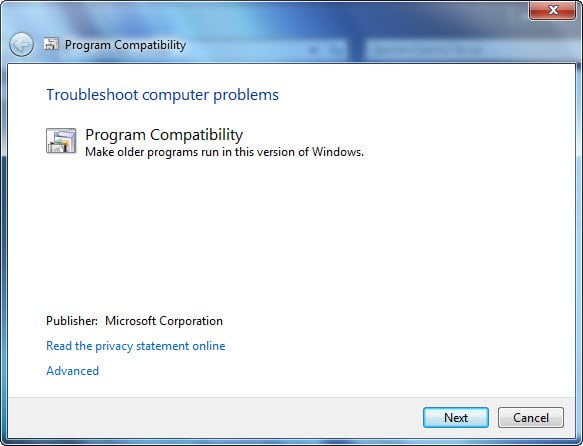
		<description><![CDATA[<div style=" float: left; padding: 4px; margin: 0 10px 5px 0; width: 75px; height: 75px;"><img style=" float: left; padding: 4px; margin: 0 10px 5px 0;" width="75" height="75" src="http://www.thewindowsclub.com/wp-content/themes/Twc/scripts/thumb.php?src=http://www.thewindowsclub.com/wp-content/uploads/2009/04/actcen-300x206.png&amp;w=75&amp;h=75&amp;zc=1"/></div>Most programs which ran in Windows Vista, will run in Windows 7. However if you find that the program still does not run, you should check out the Program Compatibility Wizard in Windows 7. To access it, Open Control Panel <span><a class="more-link" href="http://www.thewindowsclub.com/programs-compatibility-wizard-in-windows-7">...more &#62;&#62;&#62;</a></span>]]></description>
		<wfw:commentRss>http://www.thewindowsclub.com/programs-compatibility-wizard-in-windows-7/feed</wfw:commentRss>
		<slash:comments>0</slash:comments>
		</item>
	</channel>
</rss>